.png)
The June 2026 release introduces a dedicated AI Assist Cost Dashboard, expands Mavvrik MCP Server support to Cursor, ChatGPT, and Copilot 365, extends Agentic visibility and model support, and brings Virtual Tag analysis into Report Builder. Platform enhancements this cycle include auto-connect for AWS member accounts, ticketing actions in Agentic Anomalies, combined ticket creation for Savings, improved backlog navigation, Azure resource group visibility on the GenAI dashboard, and tag policy selection for Custom Dashboard coverage widgets.
For more details, please reach out to your Mavvrik representative or check our updated documentation Help Center
|
Release Version |
Features |
|---|---|
|
Release-2026.06.10 |
|
Mavvrik MCP Server: Cursor, ChatGPT, and Copilot 365
Ask cloud cost questions from more AI tools and get answers from your Mavvrik data.
Mavvrik MCP Server support now extends beyond Claude to Cursor, ChatGPT, and Copilot 365. Teams can ask questions about cloud spend, cost changes, anomalies, and savings recommendations in the AI tools they already use, without needing to open a dashboard first.
This expands how FinOps, engineering, and platform teams interact with Mavvrik data, making it easier to investigate cost trends, review variances, and surface optimization opportunities through a normal conversation. Current coverage includes Cloud Cost, Cost Variances, Recommendations, and Anomalies.
To Connect Mavvrik MCP with Cursor refer Cursor
To Connect Mavvrik MCP with ChatGPT refer ChatGPT
To Connect Mavvrik MCP with Copilot 365 refer Copilot 365
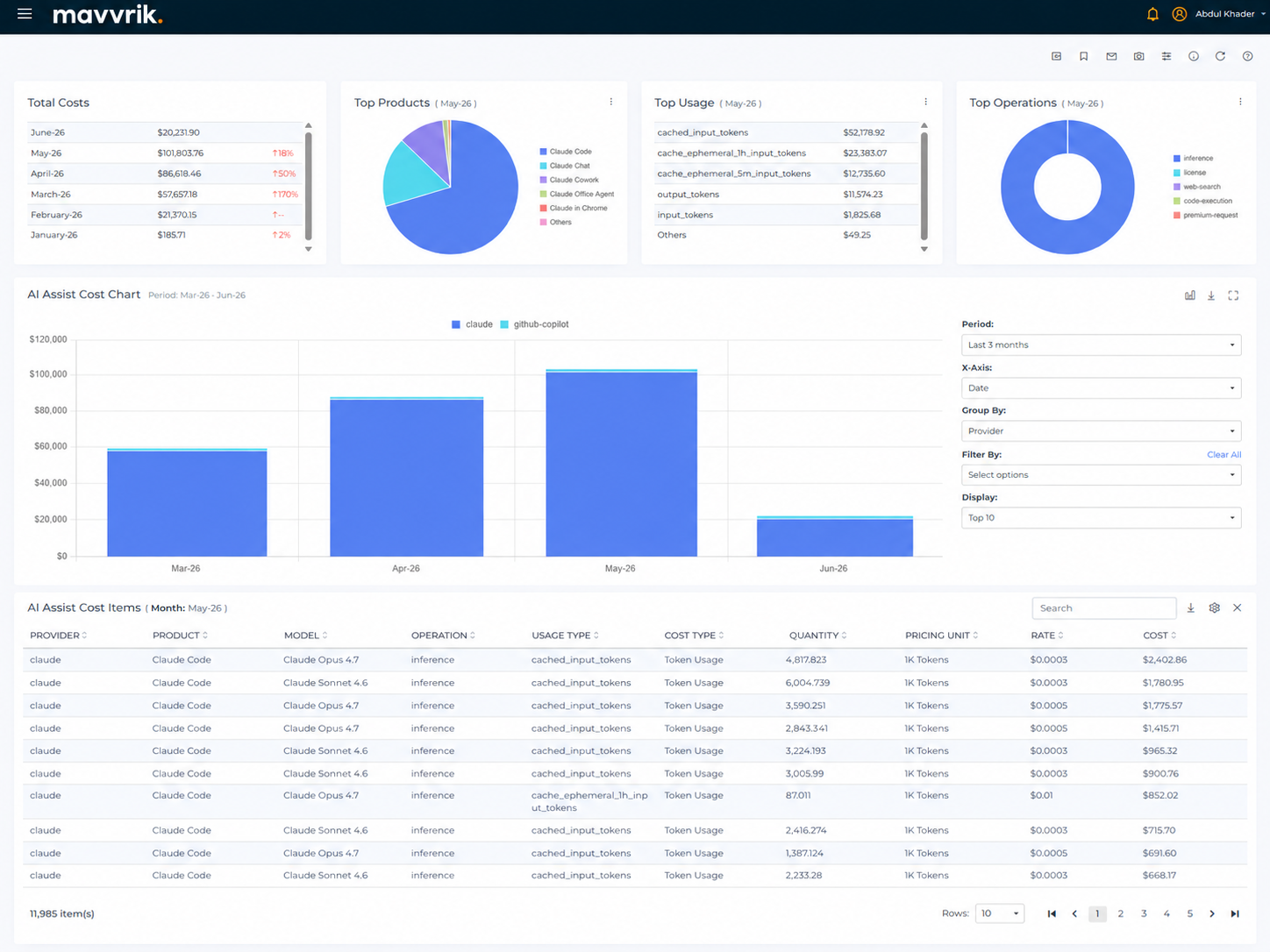
AI Assist Cost Dashboard
Track GitHub Copilot and Claude Enterprise spend in a dedicated AI assistant cost experience.
The dashboard brings together cost and usage visibility for AI assistant products such as GitHub Copilot and Claude Enterprise, making it easier to understand how AI assistant adoption is translating into spend across the organization. Teams can quickly see which products, users, and operations are driving cost, track how usage changes over time, and drill into the details when they need a closer look.
This gives FinOps, engineering, and platform teams a clearer way to monitor AI assistant usage, identify high-cost patterns, and support conversations around adoption, accountability, and optimization.
To Onboard Claude Refer Claude
To Onboard Github Copilot Refer Github Copilot
After onboarding cost is visible on Gen AI Assist Cost Page AI Assist
Agentic : Perplexity Sonar Model Support
Bring Perplexity Sonar usage and cost into Mavvrik with clear model attribution.
Support extends to the Perplexity Sonar model family, covering Sonar, Sonar Pro, Sonar Reasoning Pro, and Sonar Deep Research. This gives customers using Perplexity a reliable way to see model attribution, token usage, and cost in Mavvrik without unsupported gaps or misleading zero-cost behavior.
Agentic Cost Dashboard : Enhancements
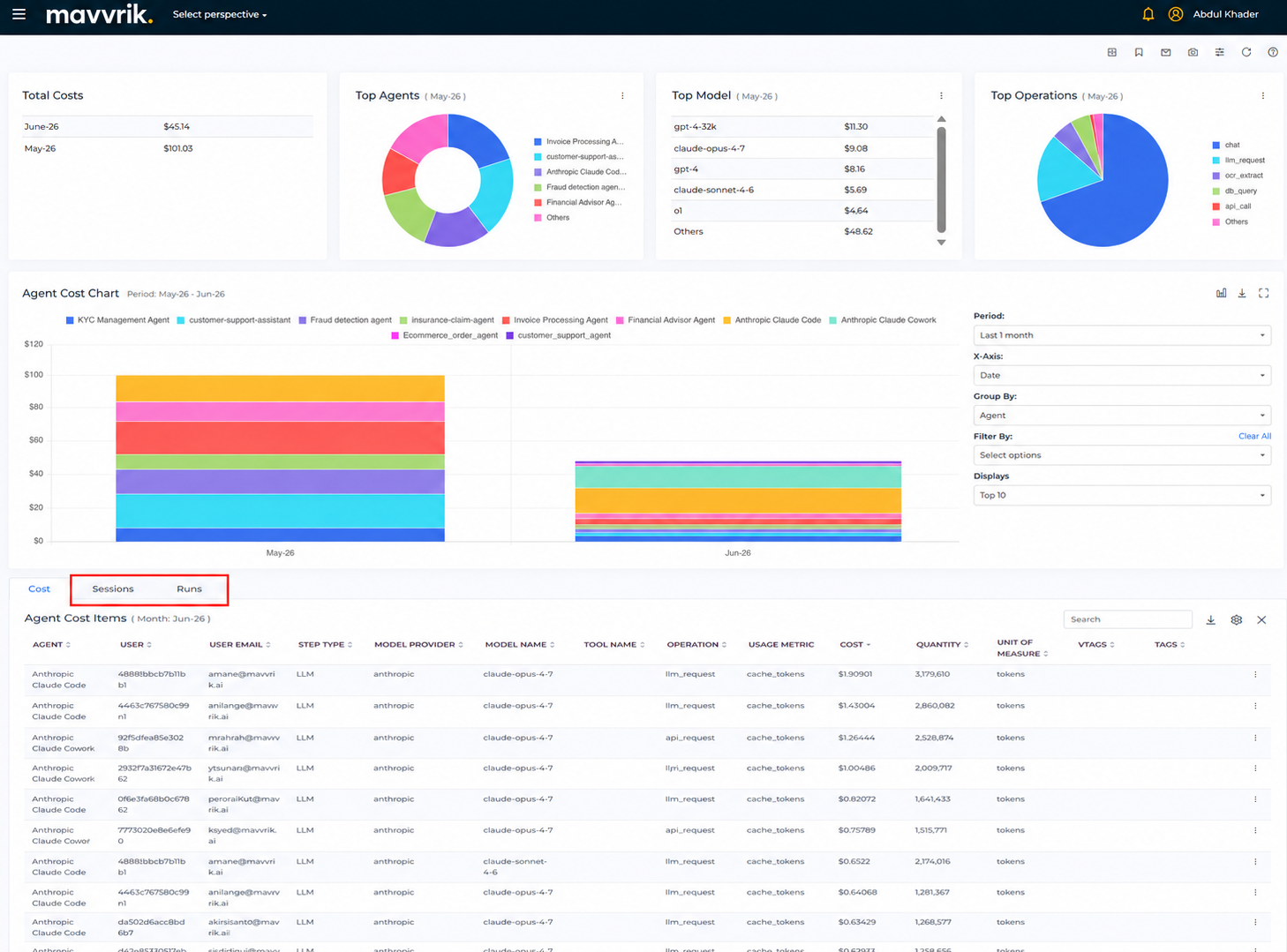
Investigate agent activity across cost, sessions, and runs without losing context.
Persistent Filter Context
Filter and grouping state now stays consistent as you move between cost, sessions, and runs views, making it easier to trace activity from high-level cost signals into the underlying agent workflow.
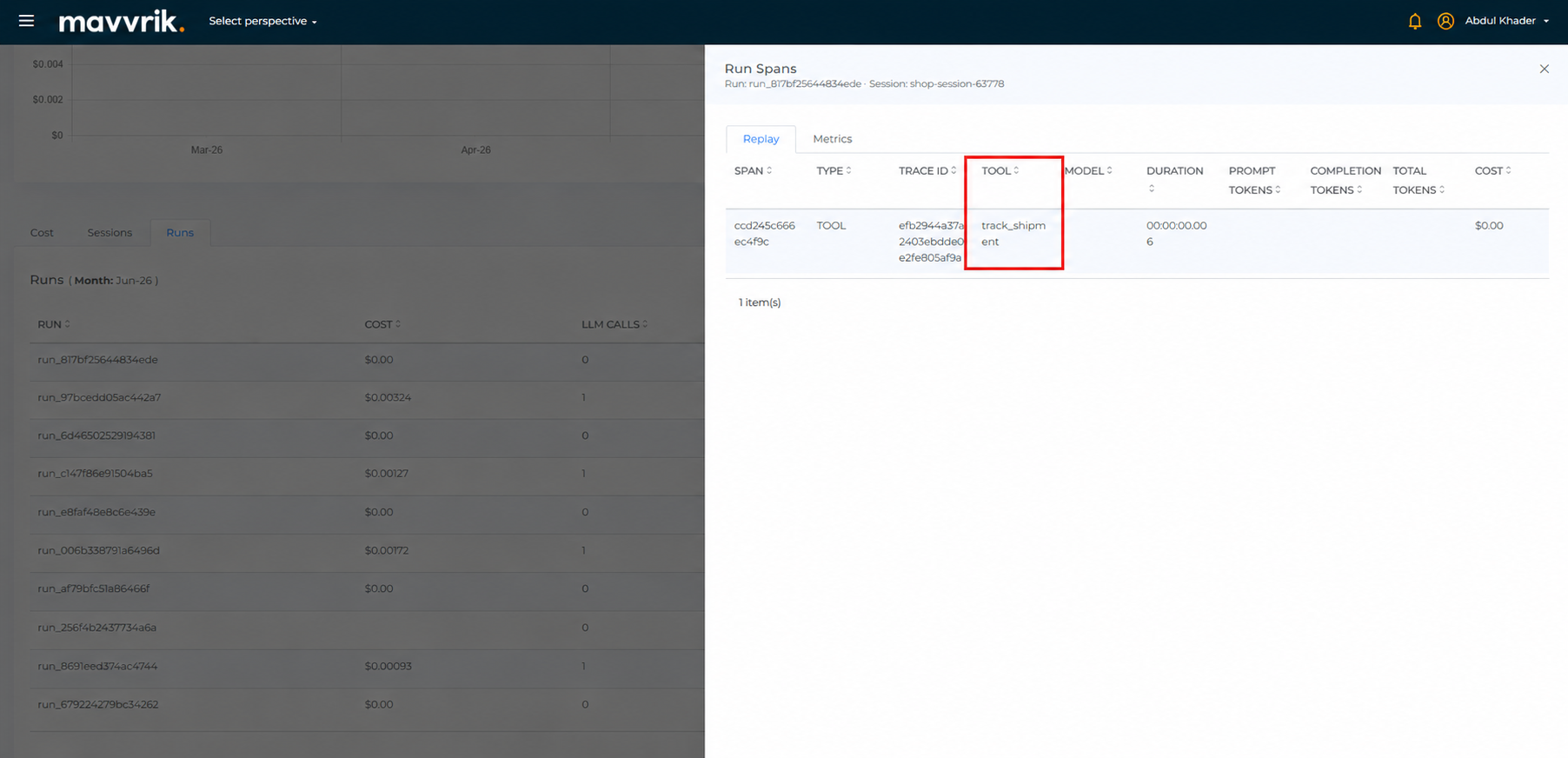
Tool Name Visibility
The Runs view now includes Tool Name, giving teams visibility into which tools were invoked during execution alongside cost and session data.
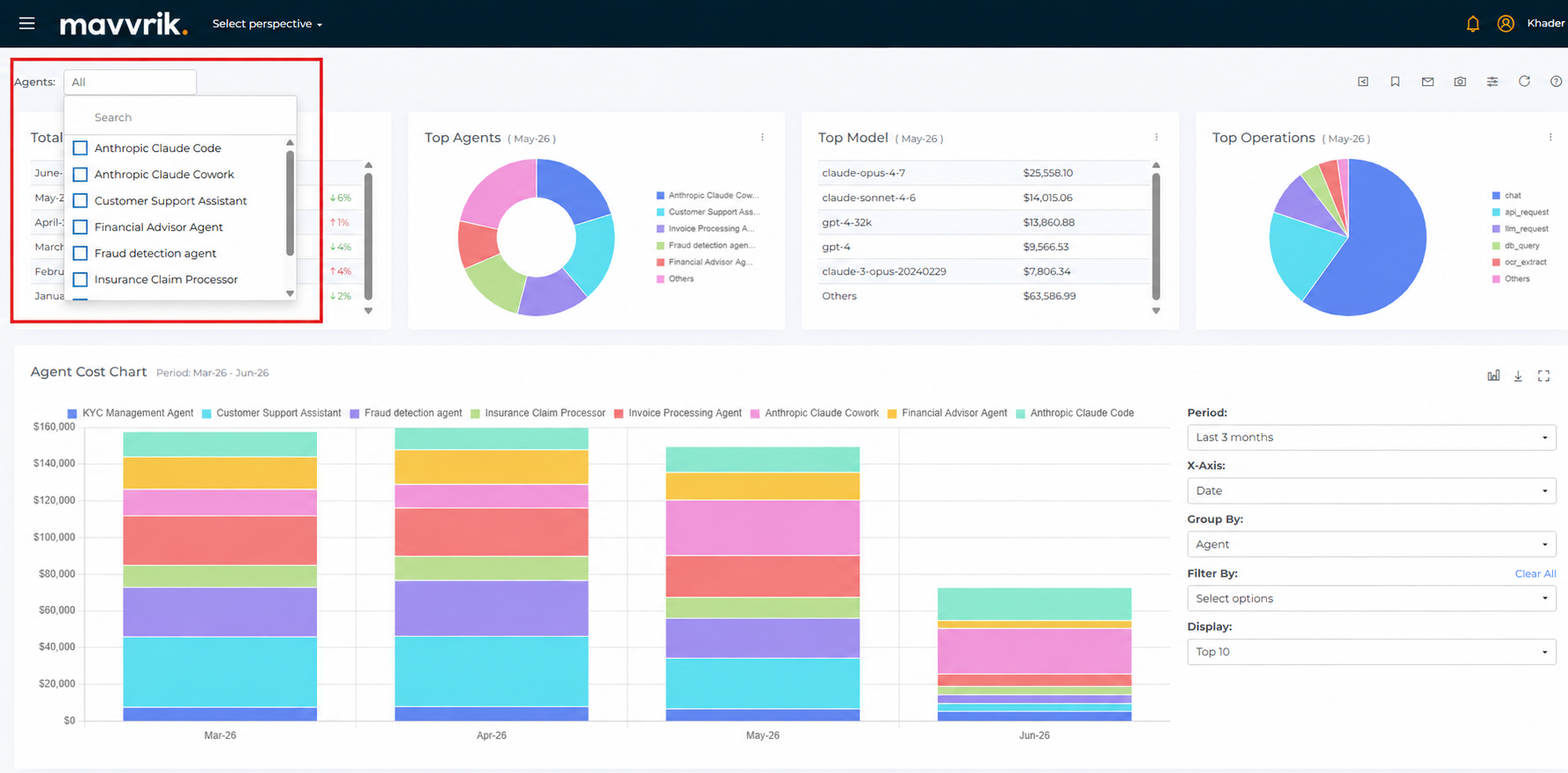
Agent Filter Update
The Agent filter has been moved to the top of the page for easier access. This replaces the previous Agent filter placement in the global filter and Filter by dropdown.
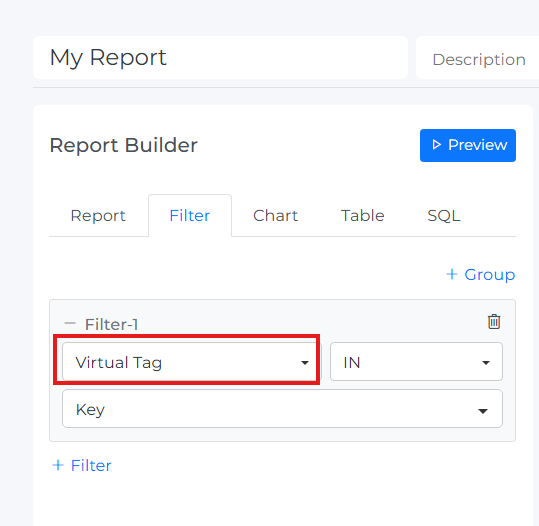
Report Builder: Virtual Tag Support
Analyze cost by the business dimensions that matter to your organization.
Report Builder supports Virtual Tags for cost analysis, making it easier to break down and filter reports by business dimensions such as business unit, environment, team, or other custom segments. This gives partners and customers more flexibility to build reports that reflect how they actually organize and manage cost.
Platform Enhancements
AWS : Auto-Connect Member Accounts
New AWS member accounts can be connected automatically when added to an organization, reducing manual setup and helping maintain complete spend visibility across all linked accounts.
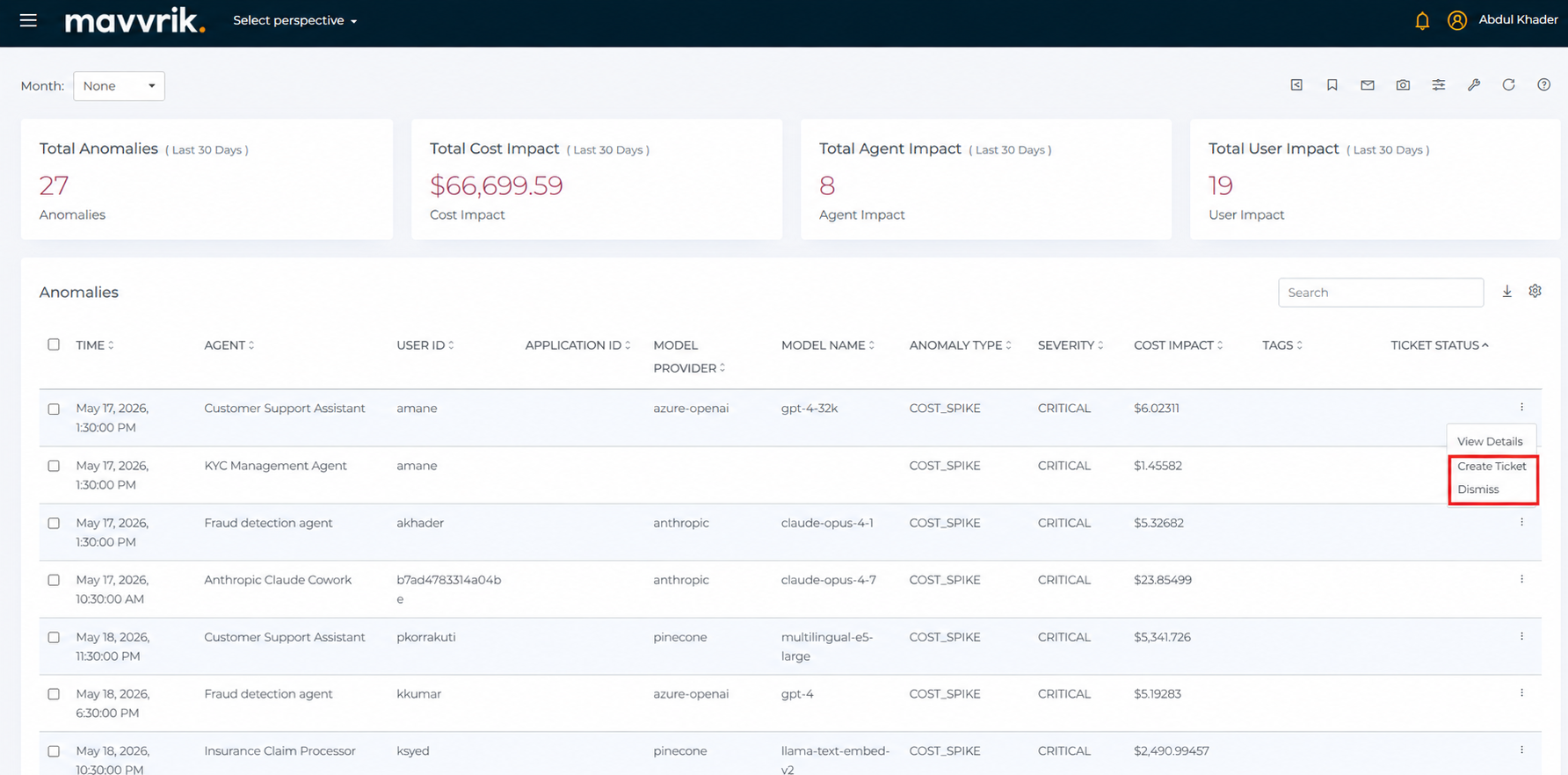
Agentic Anomalies : Ticketing Actions
Take action on agentic anomalies without leaving the anomalies workflow. Create Ticket and Dismiss actions are available directly from anomaly rows, matching the same behavior used in Cloud Cost Anomalies.
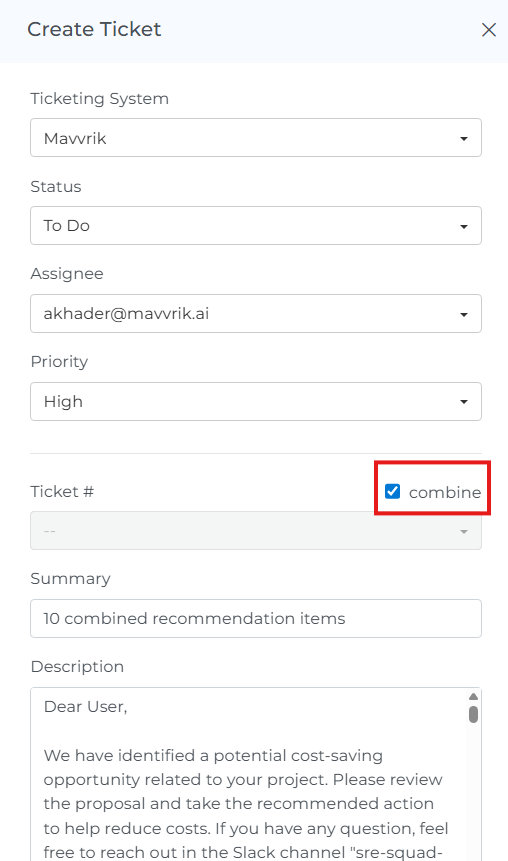
Ticketing : Combined Ticket Creation
Create a single ticket for multiple recommendations, anomalies, or untagged / non-compliant resources when the same team needs to act on them together. This makes it easier to group related items into one ticket instead of creating them one by one.
Backlog : Issue Link Enhancement
Ticket notifications include a direct path back to the exact backlog item in Mavvrik. For tickets created through the Mavvrik ticketing system, the View Issue email action links straight to the matching backlog record, while tickets created through an external framework include a clickable backlog reference link in the ticket description.
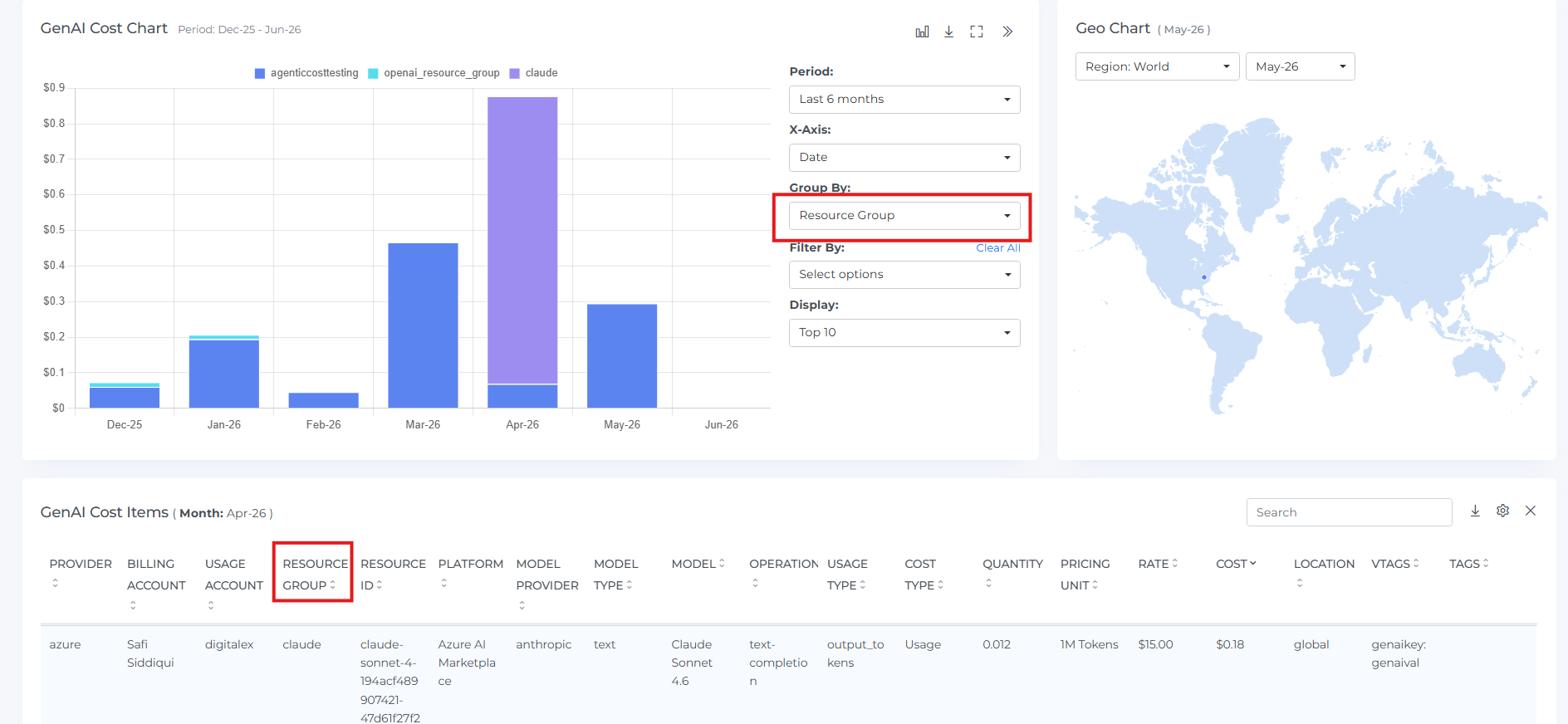
GenAI Dashboard : Azure Resource Group Visibility
Analyze GenAI spend by Azure Resource Group. This makes it easier to filter, group, and review spend using the same Azure structure teams already use elsewhere.
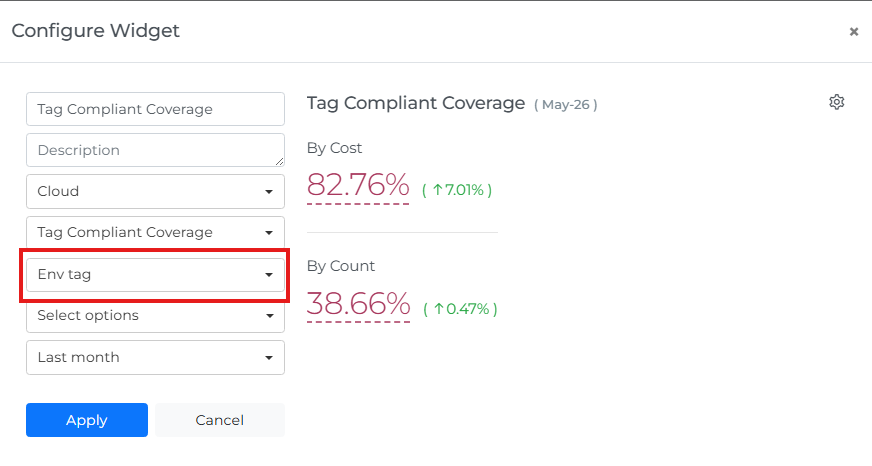
Custom Dashboards : Tag Policy Selection for Coverage Widgets
Track tag compliance against the policy that matters. Tag Compliant Coverage and Tag Non-Compliant Coverage scorecards can be configured for a specific tag policy, giving teams more flexibility when monitoring compliance in dashboard widgets.