.png)
The April 2026 release extends commitment planning to GCP, gives MSP partners more billing flexibility with custom line items in Price Book, and expands the Partner Dashboard with cross-tenant management capabilities. Platform improvements this cycle include clone support across key configuration areas, Azure APIM cost visibility, Azure DevOps integration enhancements, Snowflake linked account visibility, Kubernetes utilization updates, and responsive widget sizing in Custom Dashboards.
For more details, please reach out to your Mavvrik representative or check our updated documentation Help Center
|
Release Version |
Features |
|---|---|
|
Release-2026.04.08 |
|
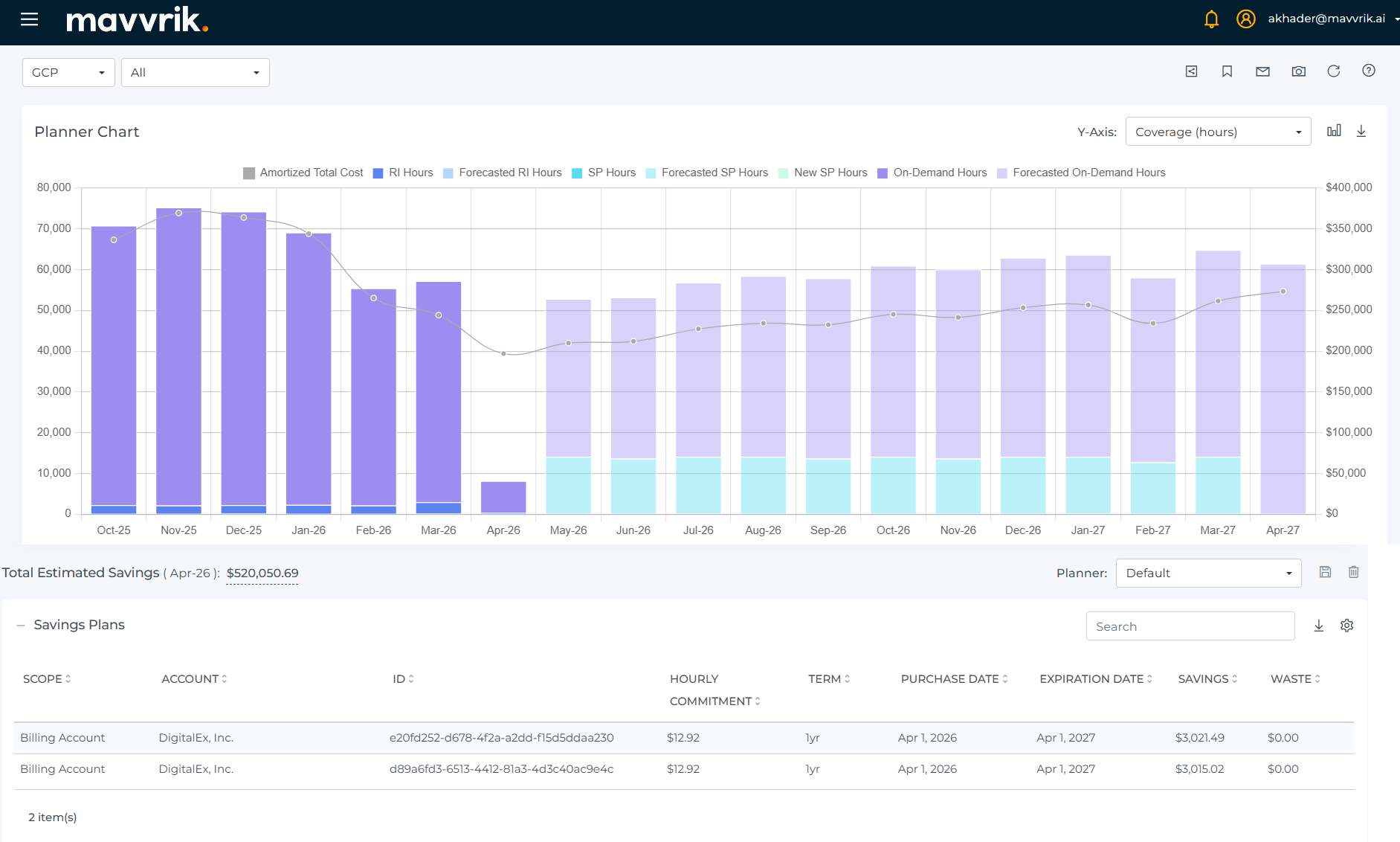
GCP : Savings Plan Planner
Plan GCP commitments with the same modeling experience already available for AWS and Azure.
The Savings Plan Planner extends to GCP, helping teams simulate commitment strategies and evaluate projected coverage, covered usage, savings, and waste across historical and future periods. This gives teams a clearer view of how planned commitments could perform before making a purchasing decision.
Planner models can be saved for future access, making it easier to revisit simulations, compare scenarios, and track planned versus purchased commitments over time.
Price Book : Custom Line Items for MSP’s
Extend MSP billing models with custom charges, credits, and adjustments.
Custom line items can now be added to customer tenant cost data in Price Book, covering fees, taxes, credits, and other charges that fall outside standard cloud billing. This lets partners present a complete, accurate cost view to customers without relying on workarounds outside the platform.
For more details refer : Custom Line Items Price Book
Partner Dashboard : Enhancements
More flexibility and control for partners managing multiple customer tenants.
Expanded Tenant Visibility
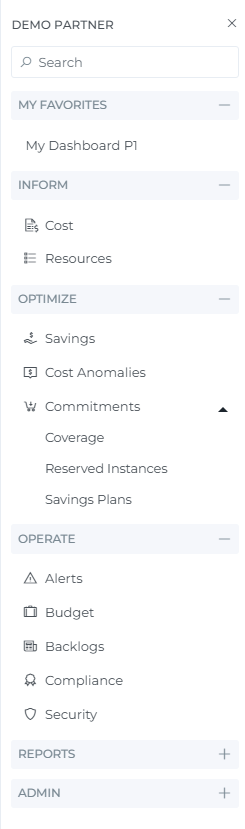
The Partner Dashboard extends beyond cost-only visibility to include additional platform areas such as Resources, along with broader access across Optimize, Operate, Reports. This gives partners a more complete view of customer environments without needing to jump into individual child tenants for every workflow.
Cross-Tenant Dashboard & Reports Sharing
Create dashboards and reports once at the partner level and share them across customer tenants without rebuilding them for each one. Assets can be managed centrally and deployed to child tenants, making it easier to roll out consistent views and keep them updated from one place.
Refer for more details refer : Share Dashboard
Labels & Grouping for Child Tenants
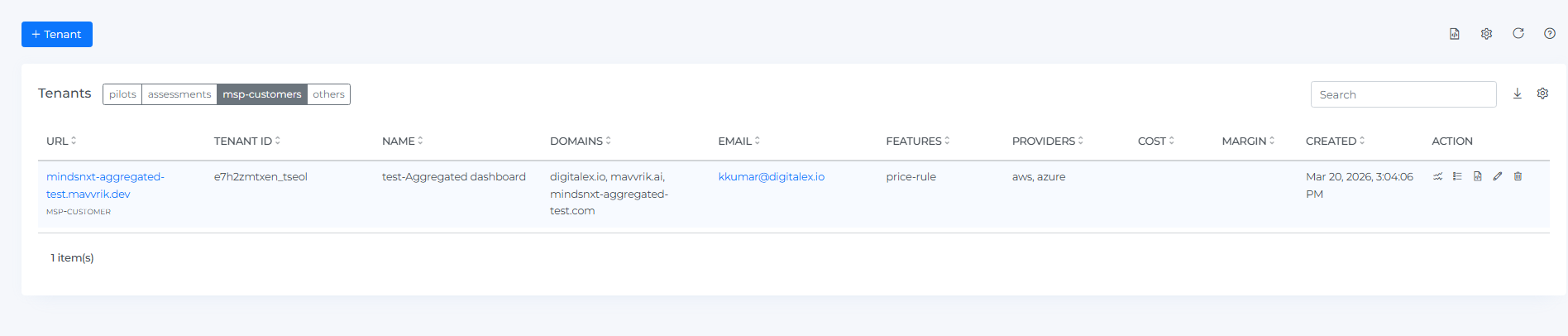
Organize child tenants using labels and grouped views such as MSP customers, assessments, and pilots. This makes it easier for partners to manage different customer types and helps internal teams keep billing aligned to each tenant category.
For more details refer : Categories Child Tenants
Custom Logos for Child Tenants
Apply custom logos at the child tenant level while preserving partner-level white-label branding. This gives partners more flexibility to personalize the experience for individual end customers.
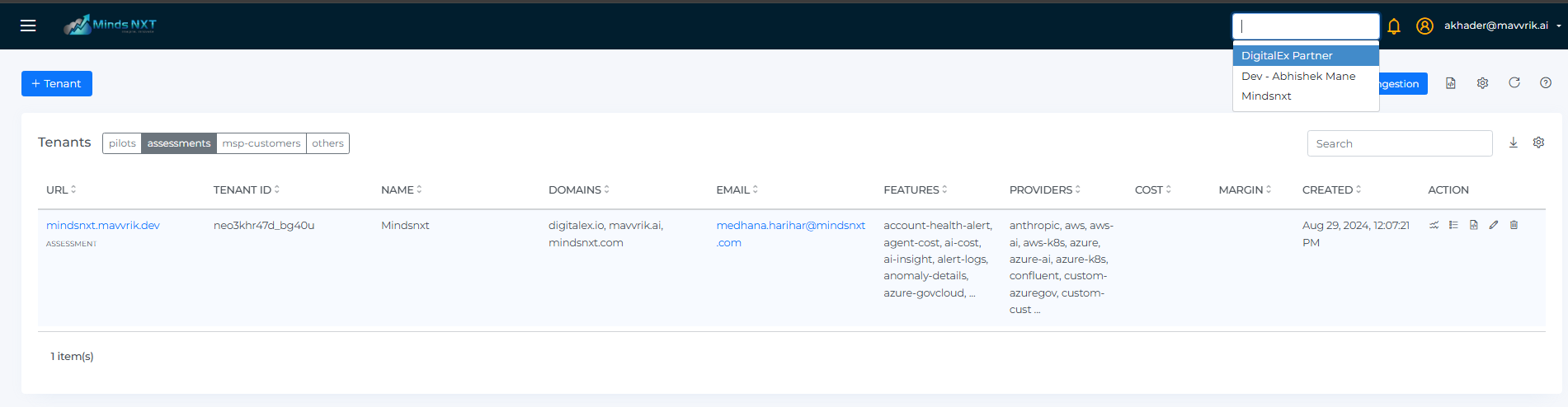
Cross-Tenant Navigation
Move between child tenants and the main partner tenant without opening separate browser tabs. This creates a faster, more seamless workflow for MSPs managing multiple customer environments.
Platform Improvements
Platform-Wide : Clone Support
Key platform configurations - including Custom Dashboards, Report Builder, Virtual Tags, Perspectives, Alerts, and Budgets - can now be duplicated. Build a configuration once, clone it, and adjust only what needs to change. This removes the need to rebuild common setups from scratch across tenants or use cases.
For more details refer : Clone Perspective Clone Dashboard
GenAI : Application Cost Visibility
GenAI cost can now be filtered, grouped, and broken down by Application i.e consumer, making it easier to track AI spend per application across providers routed through Azure API Management. Teams get a clearer view of which applications are driving GenAI costs directly alongside broader AI usage and spend.
Azure DevOps : Integration Enhancements
Azure DevOps integration now supports a broader range of issue types, area paths, iteration paths, and tags. Teams with non-standard Azure DevOps structures can now align ticket creation and workflow mapping to how their environment is actually configured.
Snowflake : Linked Accounts Visibility
Snowflake account pages now surface linked accounts directly, making it easier to view and manage all accounts associated with the same organization without leaving the platform.
Kubernetes : Total Utilization Category
The Category selector in Kubernetes Utilization now includes a Total option, letting teams analyze overall utilization trends directly from the chart without filtering by individual category.
Custom Dashboards : Responsive Widget Sizing
Dashboard widgets now scale correctly within their allocated space, reducing chart cutoffs and improving readability. Layouts with multiple widgets are now displayed more cleanly without manual adjustments.