.png)
In this release, we’re adding GCP Committed Use Discounts to the RI/SP Dashboard so commitment tracking now extends across AWS, Azure, and GCP. We’re also making Savings Recommendations more flexible with commitment term controls and configurable lookback periods, introducing editable draft Cost Allocation models, and improving several parts of the platform, including navigation search, CSV-based forecasting, Azure invoice access, Kubernetes cluster lifecycle tracking, expanded cost field options in Custom Dashboards, and automatic cluster onboarding.
For more details, please reach out to your Mavvrik representative or check our updated documentation Help Center
|
Release Version |
Features |
|---|---|
|
Release-2026.03.12 |
|
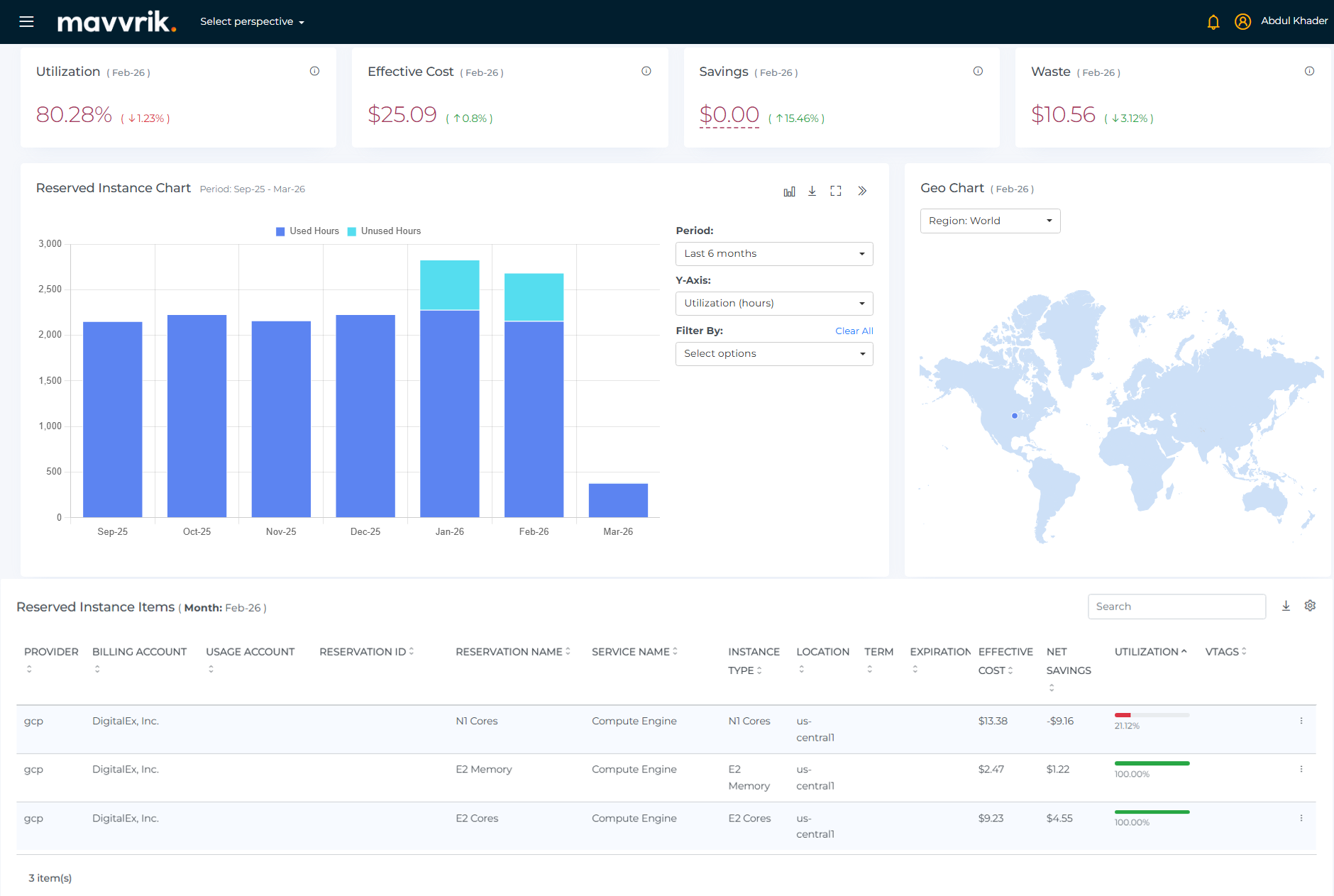
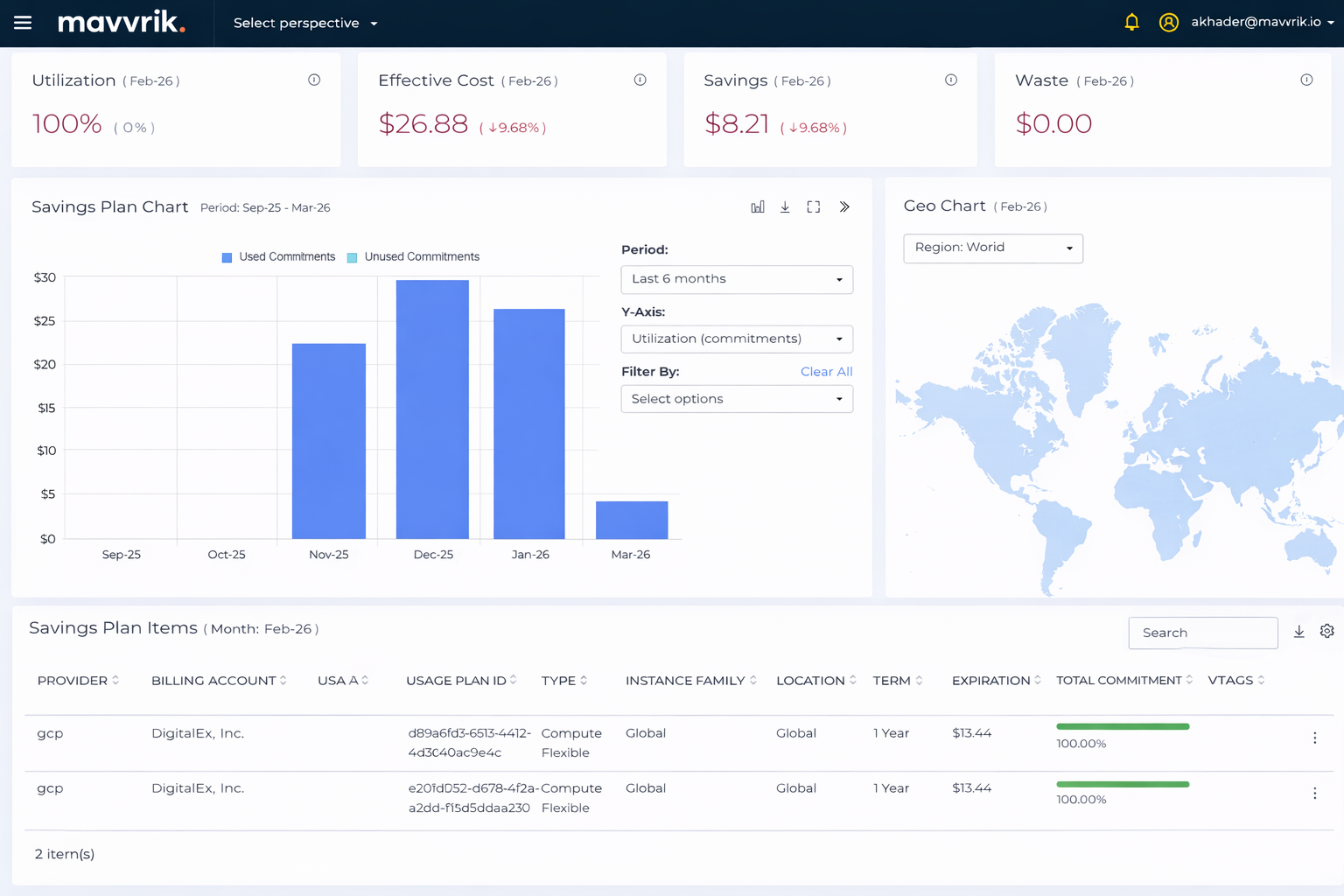
GCP : Committed Use Discounts (CUDs) Visibility in RI/SP Dashboard
Now you can track Google Cloud Committed Use Discounts in the RI/SP Dashboard alongside AWS and Azure commitments. This includes both resource-based and spend-based CUDs.
This makes it easier to review commitment usage across clouds in one place, compare utilization, and understand how effectively long-term commitments are being used across your environment.
Savings Recommendations : Configuration Enhancements
We’ve added more control over how savings recommendations are generated, so they can better reflect your organization’s purchasing approach and workload patterns.
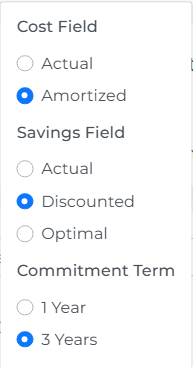
Commitment Term Controls
You can now switch between 1-year and 3-year commitment terms when reviewing savings recommendations. This helps teams compare savings estimates based on the commitment options they actually use.
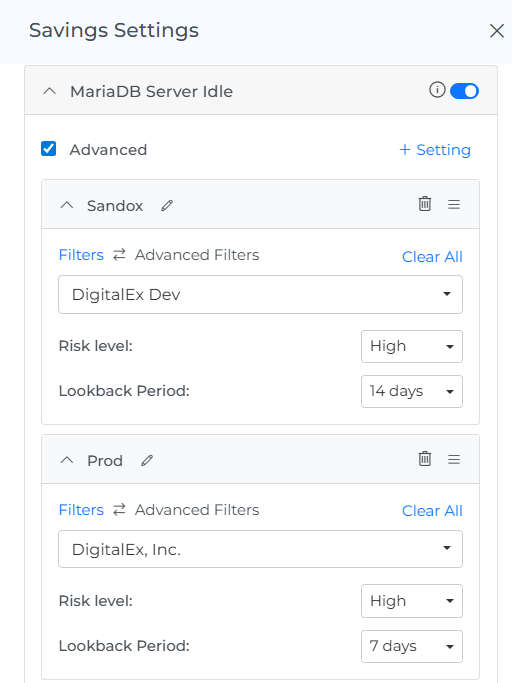
Configurable Lookback Period
You can now adjust the lookback period used to generate savings recommendations. This makes it easier to evaluate different workload patterns, such as using shorter windows for development environments and longer windows for production.
Cost Allocation : Editable Draft Models
Draft Cost Allocation models can now be edited before they are published.
This gives teams more flexibility while building allocation logic and makes it easier to refine rules before finalizing a model.
Platform Improvements
Navigation : Sidebar Search
You can now search directly from the left navigation menu to find dashboards, reports, and platform sections more quickly.
Note: This does not search across everything in the product - only what’s currently shown in the sidebar.
Generic CSV Connector (BYOS) : Forecast Support
Forecasting is now available for data ingested through the Generic CSV Connector. Forecasted values appear alongside actuals, making it easier to project future costs for vendors or internal systems that provide billing data through CSV.
Perspectives : Edit with Linked Dependencies
Perspectives can now be updated even when they are linked to Budgets, Alerts, or Cost Allocations. This makes it easier to adjust Perspectives without first removing those linked configurations.
Azure : Invoice Visibility in Billing Accounts
You can now view individual Azure invoices directly from the Billing Account page. The new Invoices tab helps explain differences between Azure invoice totals and the cost data shown in Mavvrik.
Kubernetes : Auto-Onboard Clusters
Eligible EKS and GKE clusters can now be onboarded automatically when Auto Connect Cluster is enabled. This reduces manual setup and helps ensure newly discovered clusters are connected for monitoring.
Kubernetes : Active and Deleted Cluster Visibility
You can now view both active and deleted Kubernetes clusters in the platform. This gives teams a clearer view of cluster lifecycle and previously connected environments.
Custom Dashboards : Expanded Cost Field Options
Custom Dashboard widgets now support additional cost field options, including Actual, Amortized, Taxes, Credits, and Refunds. This gives teams more flexibility to choose the financial view that matches their reporting needs.