August 2026 release is live Read More

Step-2: Assign Permissions to an app

In order to grant permissions to an app, the owner role is required.

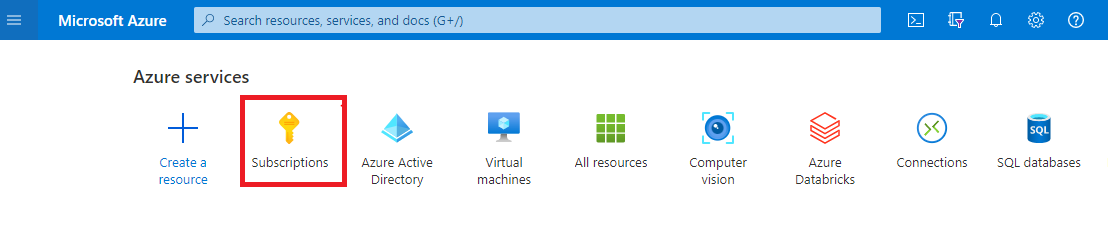
  1. Click on Subscriptions

Azure subscriptions page
  1. Click on your subscription

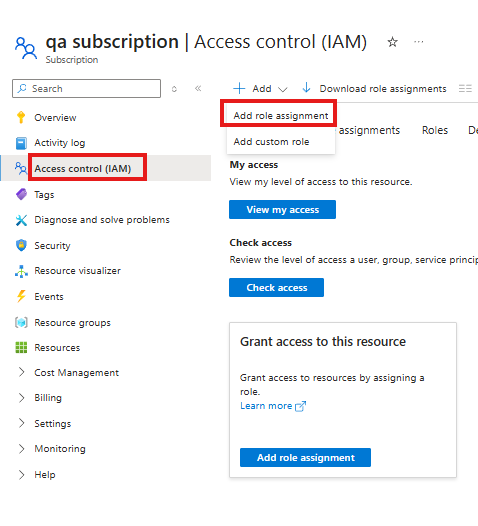
  1. Click on Access Control (IAM)

  1. Click on Add → Add role assignment

Add a role assignment from subscription IAM
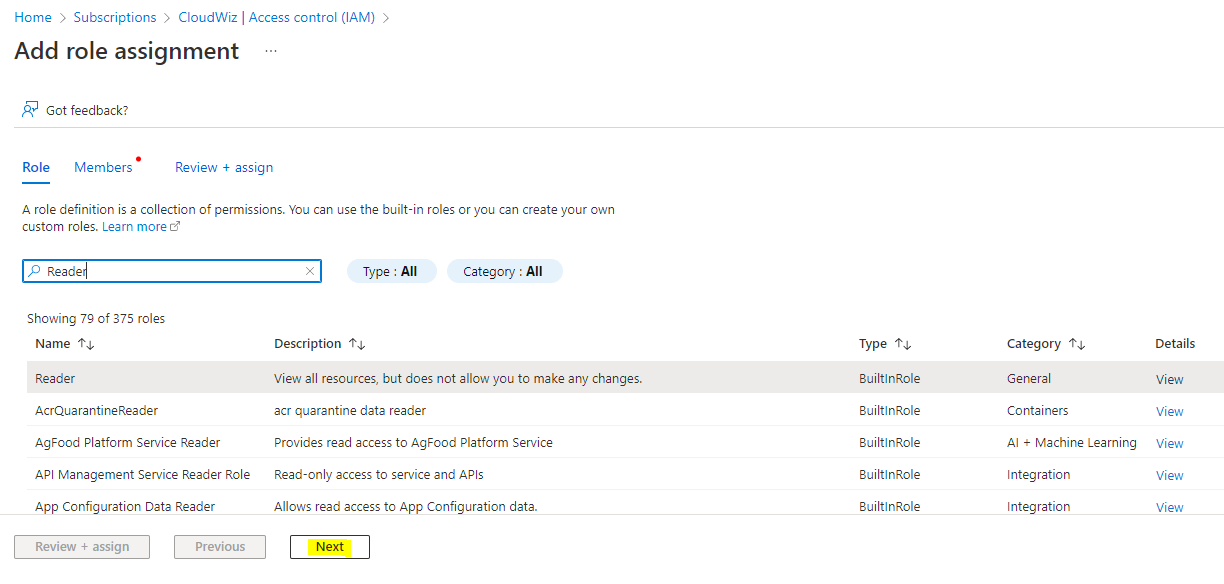
  1. Click on the search box & enter the role name as Reader role

  1. Select the role & click next

Select the Reader role
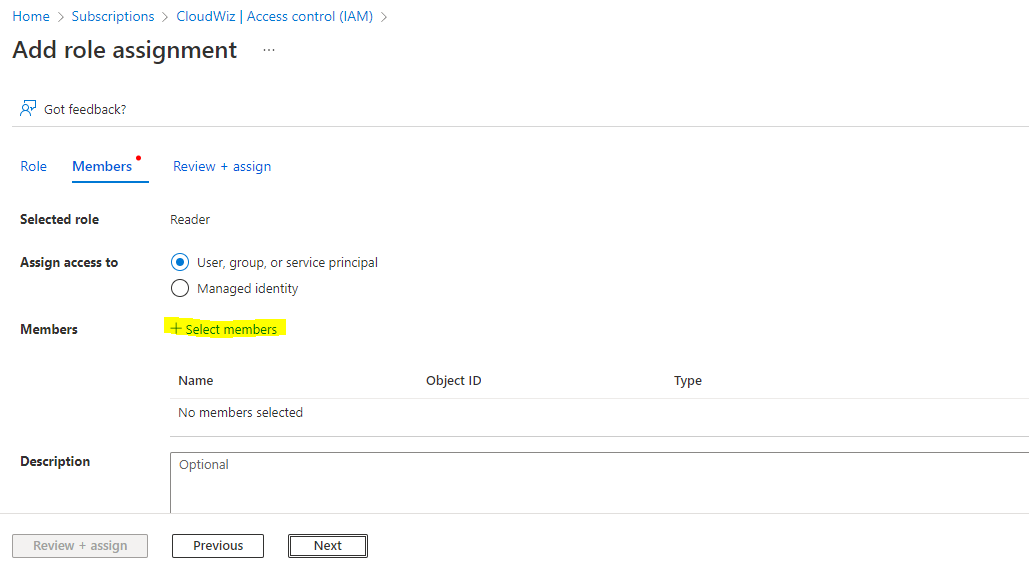
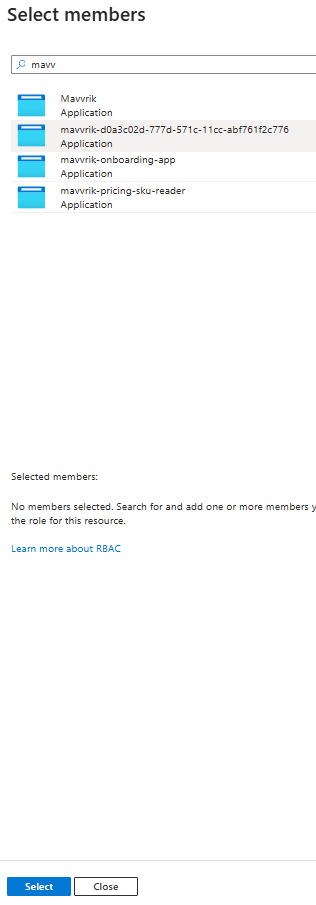
  1. Click on Select Members

Select role assignment members
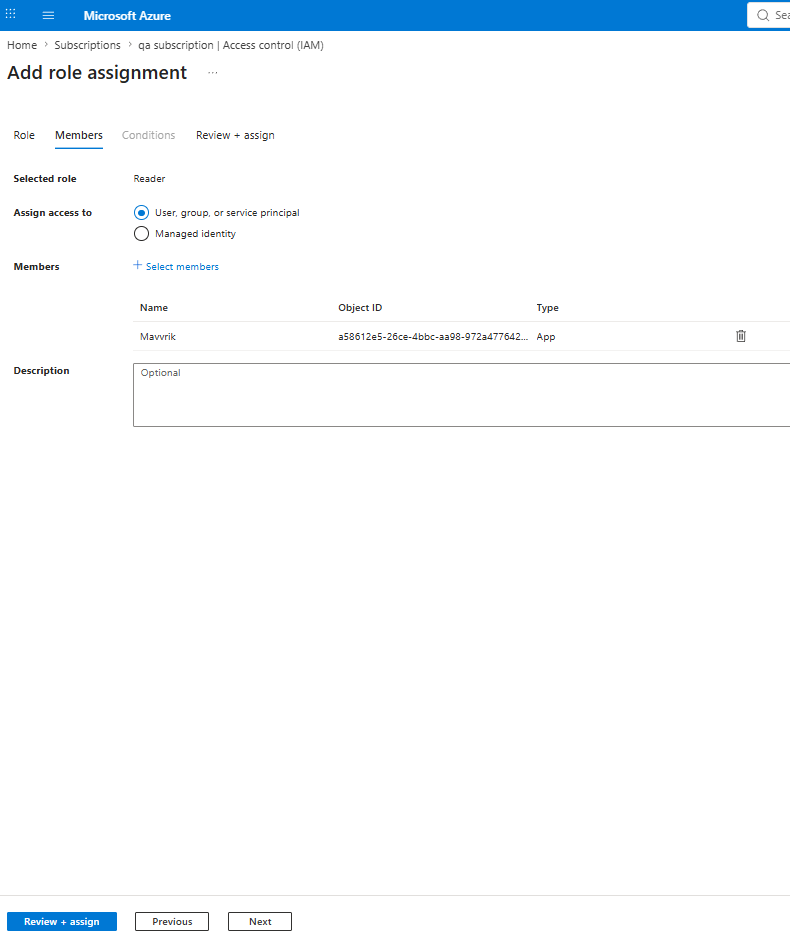
  1. Enter the App name (which you have created in Step-1: Create Microsoft Entra ID app ) & Click Select

Select the registered Azure application as a member
  1. Click Next

  1. Click Review + assign

Review and assign the Reader role