.png)
Steps to Create an Application
-
Click on Menu
-
Search for App Registration
-
Click on App Registration
-
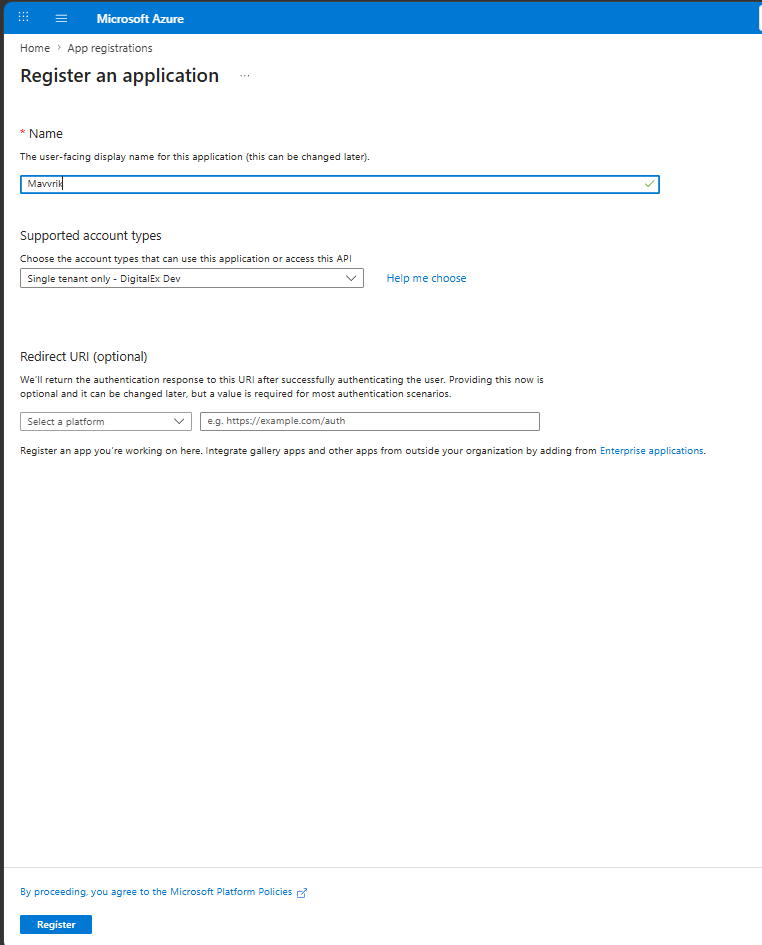
Click on New Registration
-
Enter Name of Application
-
Supported account type is selected automatically.
-
Click on Register
-
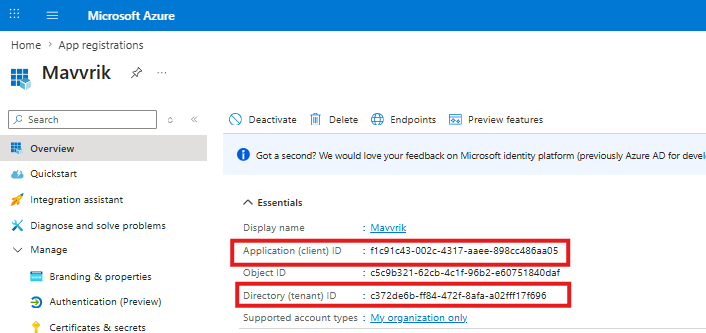
App will get created as shown below.
-
Copy Application Client id & Tenant id
Steps to add client secret
-
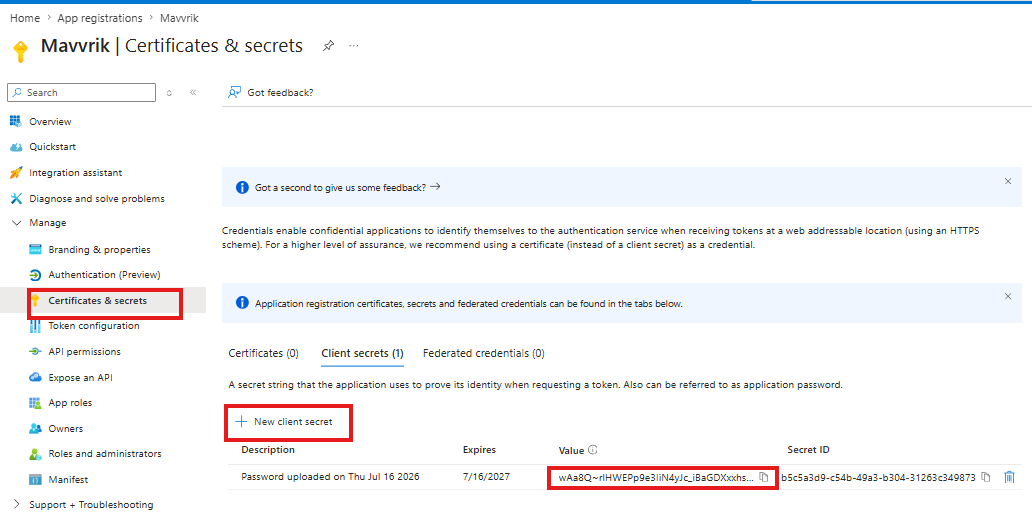
Click on Certificates & Secrets
-
Click on New Client Secret
-
Enter Description
-
Select Expires as 24 months maximum
-
Click Add
-
Applied client secret will be displayed as shown below
-
Copy the Value(not Secret ID) which is used later for manual creation of usage account .