.png)
-
Go to Menu
-
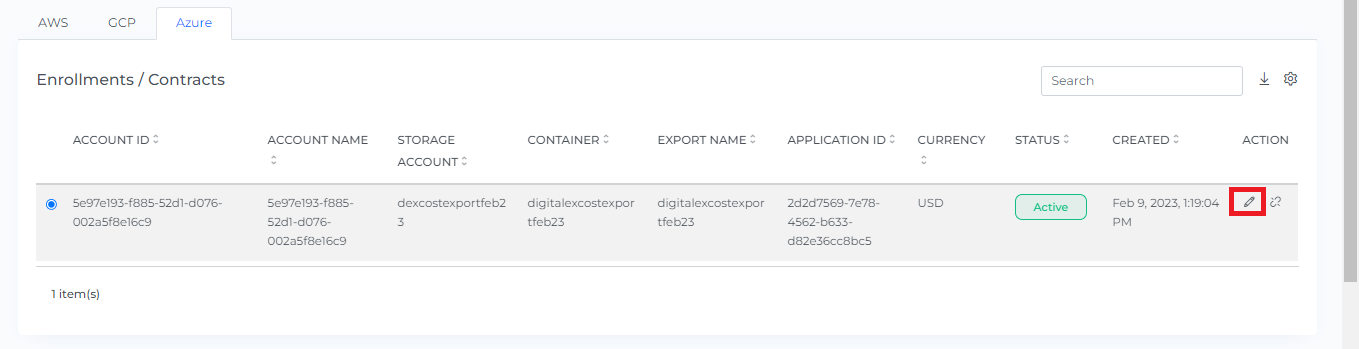
Click on Public Clouds under Admin
-
Click on the Azure tab
-
Click on the Edit Button
-
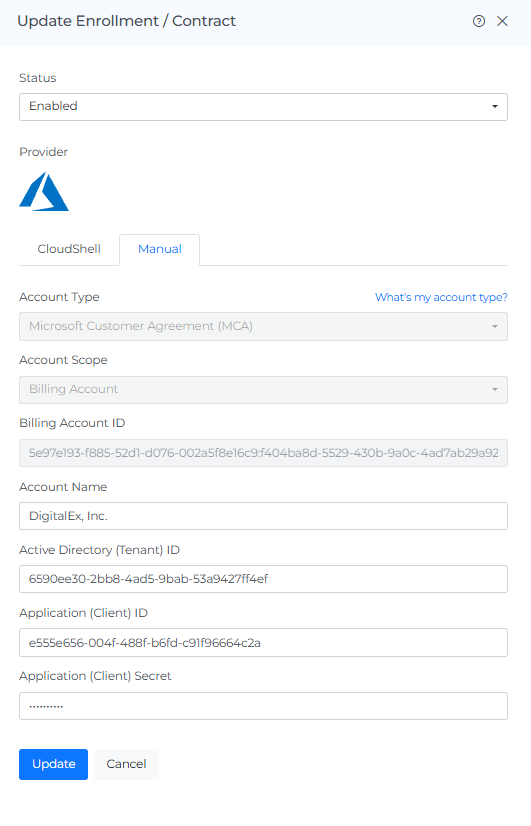
Click on Manual tab
-
Enter new Tenant ID/ Client ID /Secret / Account Name based on your onboarding type
-
Click on Update
-
Azure Enrollment / Contract will get Updated Successfully.
Account name updates can take up to 24 hours to reflect on dashboards