.png)
The Anomalies page brings unusual agent cost activity into one place. Use it when you need to find cost spikes early, identify the affected agent or user, and decide whether the issue needs a ticket or can be dismissed.
Review the anomaly summary
The widgets at the top show the number of anomalies, their total cost impact, the number of affected agents, and the number of affected users for the selected period. Use the Month list to view a specific month, the current month, or the previous month.
Start with total cost impact when you need to prioritize. Then use the affected-agent and affected-user counts to understand whether the issue is isolated or appears across the agent estate.

Review anomaly records
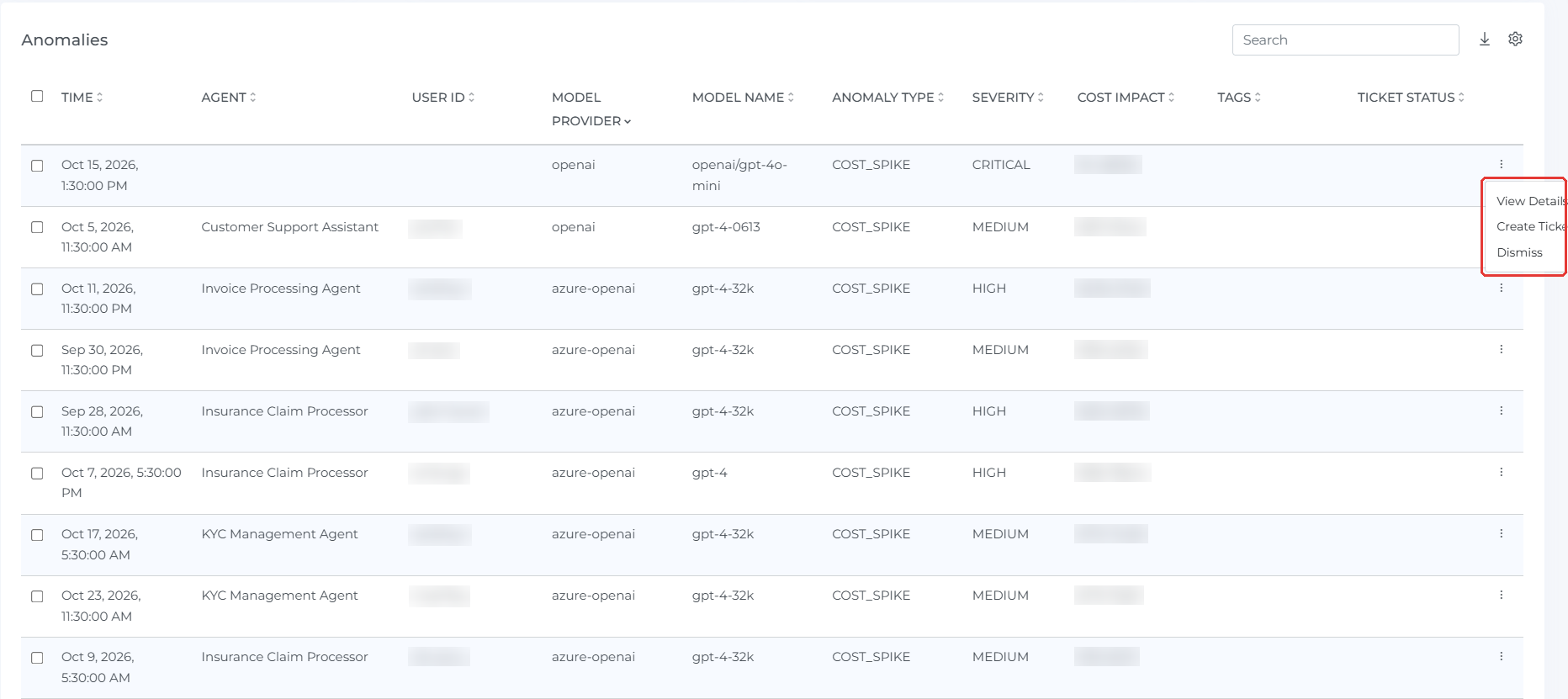
The table lists each anomaly with its time, agent, user ID, application ID, model provider, model name, anomaly type, severity, cost impact, tags, and ticket status.
COST_SPIKE identifies a detected increase in cost that needs review. The severity helps you prioritize the result. Cost impact shows the monetary impact linked to that anomaly.
Use the search box to find an agent, user, model, or anomaly type. Use the download icon to export the displayed rows. Use the settings icon to choose the columns that appear in the table.
Investigate or act on an anomaly
Open the three-dot menu at the end of an anomaly row. Select View Details to investigate the anomaly, Create Ticket to create a follow-up item, or Dismiss when the result does not need further action.
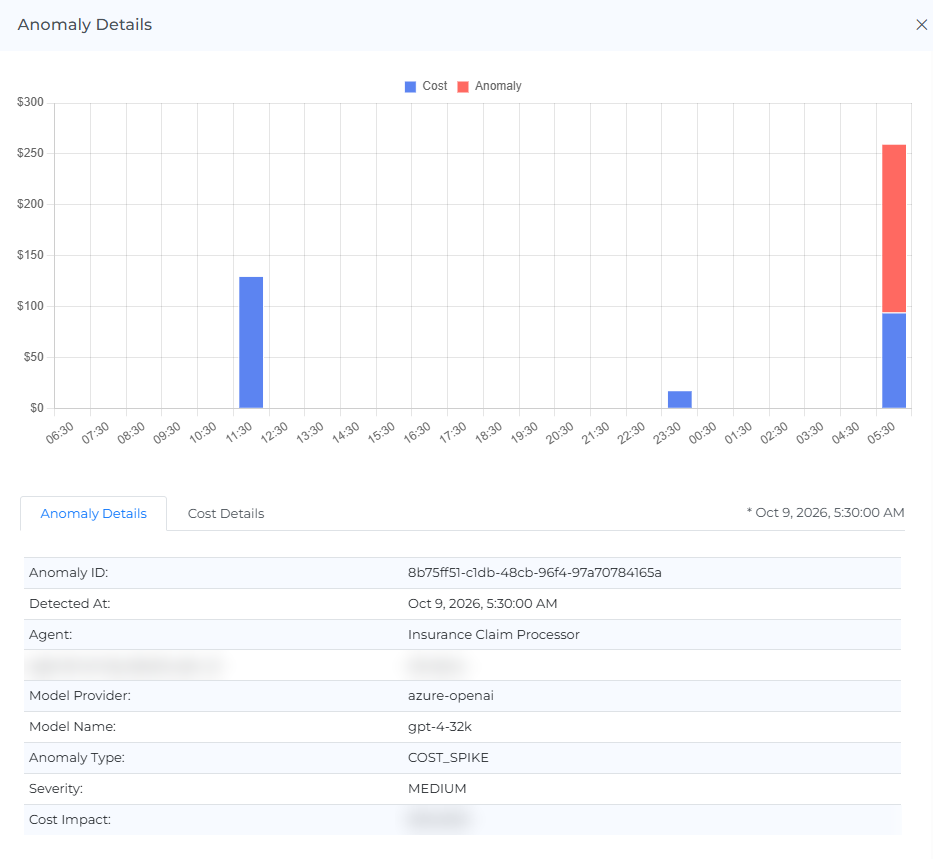
The Anomaly Details panel compares cost and anomaly values around the detected time. It lists the anomaly ID, detected time, agent, user, model provider, model name, anomaly type, severity, and cost impact.
Open Cost Details in the same panel when you need the related cost information. Use the anomaly type, model, agent, user, and tags together to find the likely source before you create a ticket.
Filter the page
Use the page filters to narrow the anomaly list to the period and values that you want to review. Remove the filters when you need to return to the complete view.