.png)
Prior to proceeding with the following steps, make sure to choose the organization from top drown down.
-
Go to IAM & Click Grant Access
-
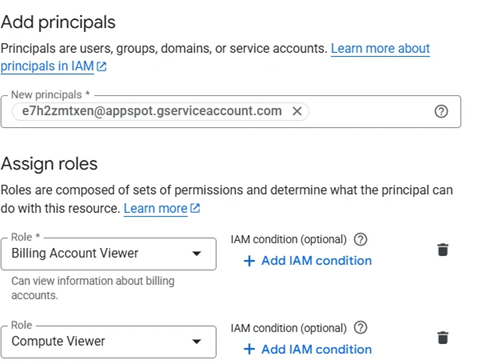
Under Add Principals. Enter service account id of Mavvrik
To Fetch your service account id follow steps outlined on this page Retrieve the Service Account Id
-
Assign the Roles (Billing Account Viewer, Compute Viewer)
-
Click Save