.png)
Prior to proceeding with the following steps, make sure to choose the project from the top dropdown menu that you had previously selected in Step 1: Enable Billing Export/ Committed Use Discounts Export or If you have an existing export, locate the project where the export is saved and choose that project from the top dropdown menu
-
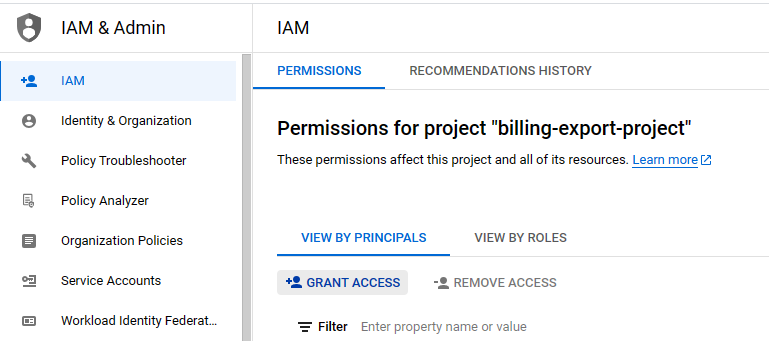
Go to IAM
-
Click on Grant Access
-
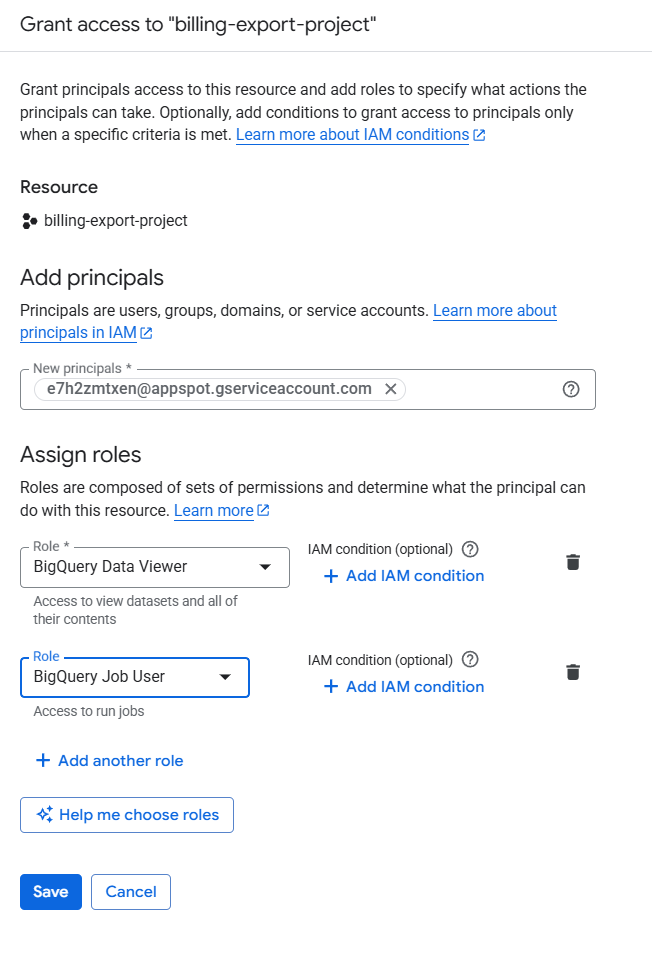
Enter service account id under the new principals.(To get the Service account id follow instructions outlined in this page Retrieve the Service Account Id)
Use the Service Account ID provided by Mavvrik for your tenant and grant it the required access in your GCP Project
-
Add BigQuery Data Viewer, BigQuery Job User Role
-
Click on Save