.png)
Onboarding from Mavvrik setup page
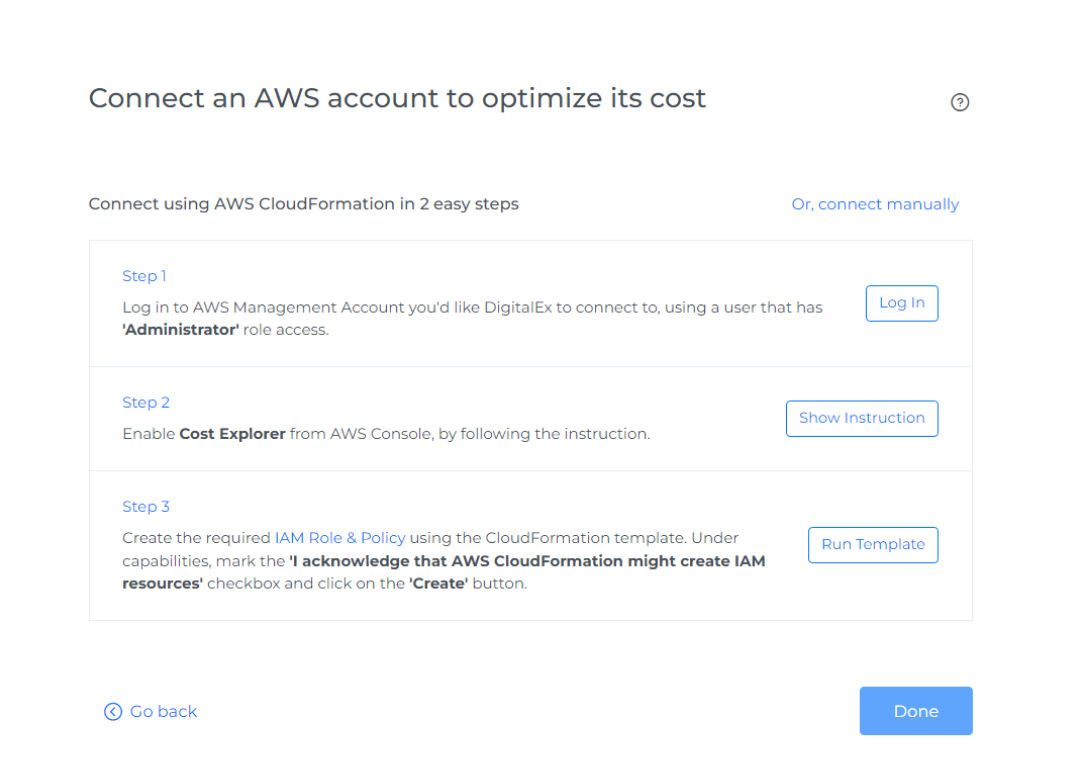
Below is the setup page displayed if a user logs in for the first time and hasn't onboarded any cloud providers
-
Click the Login button and page is navigated to the AWS login page where the user needs to enter AWS credentials. After successful login into the AWS account Enable Cost Explorer, the user should come back to Mavvrik to Run Template
-
After Login to AWS follow Step 2 Step 2: Run Template
Onboarding from Mavvrik Admin page
If the user has already onboarded any of the cloud providers, below are the steps that need to be performed
-
Login to Mavvrik
-
Click on Menu Icon at the top left corner
-
Click on Public Clouds under Admin
-
Click on +Account
-
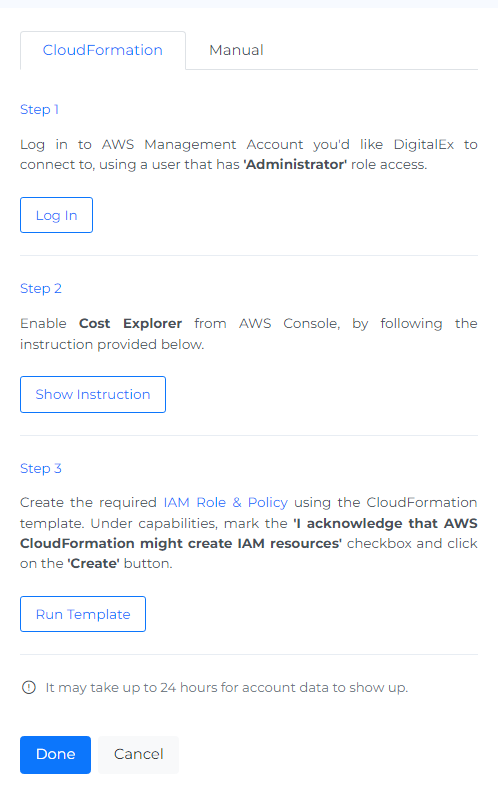
Click Cloud Formation
-
Click the Login button and page is navigated to the AWS login page where the user needs to enter AWS credentials. After successful login into the AWS account Enable Cost Explorer, the user should come back to Mavvrik to perform Step 2: Run Template