.png)
To delete Billing Account we need to delete the Stack from AWS
Below are the steps to delete stack from AWS:
-
Select the region you have used to onboard Cloudformation stack for billing account
-
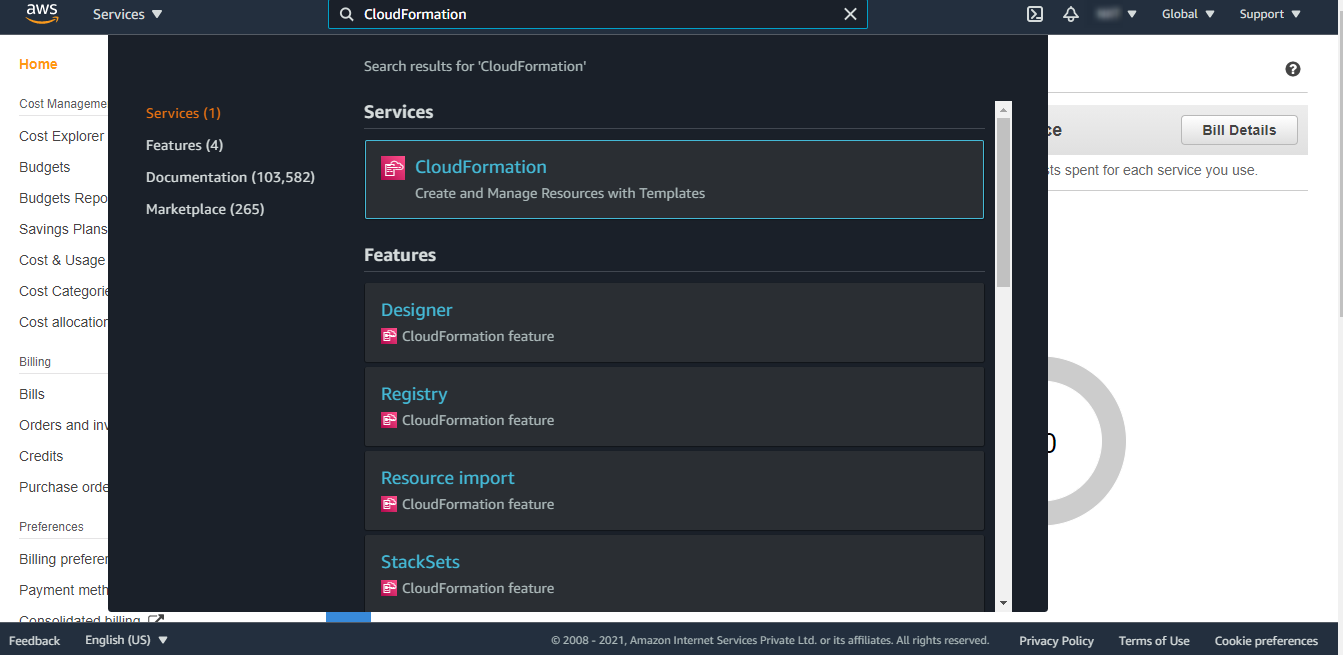
Go to Cloudformation from the Services tab
-
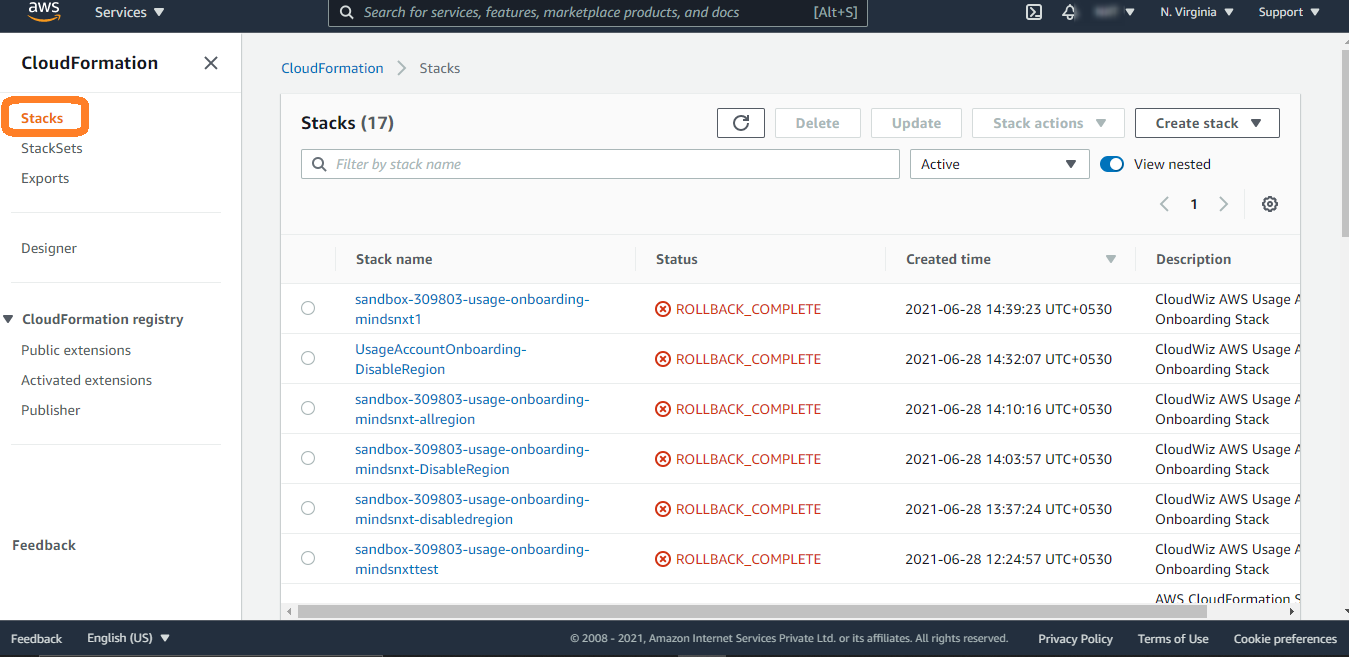
On the Cloudformation Dashboard page, click on the Stacks from the left menu
-
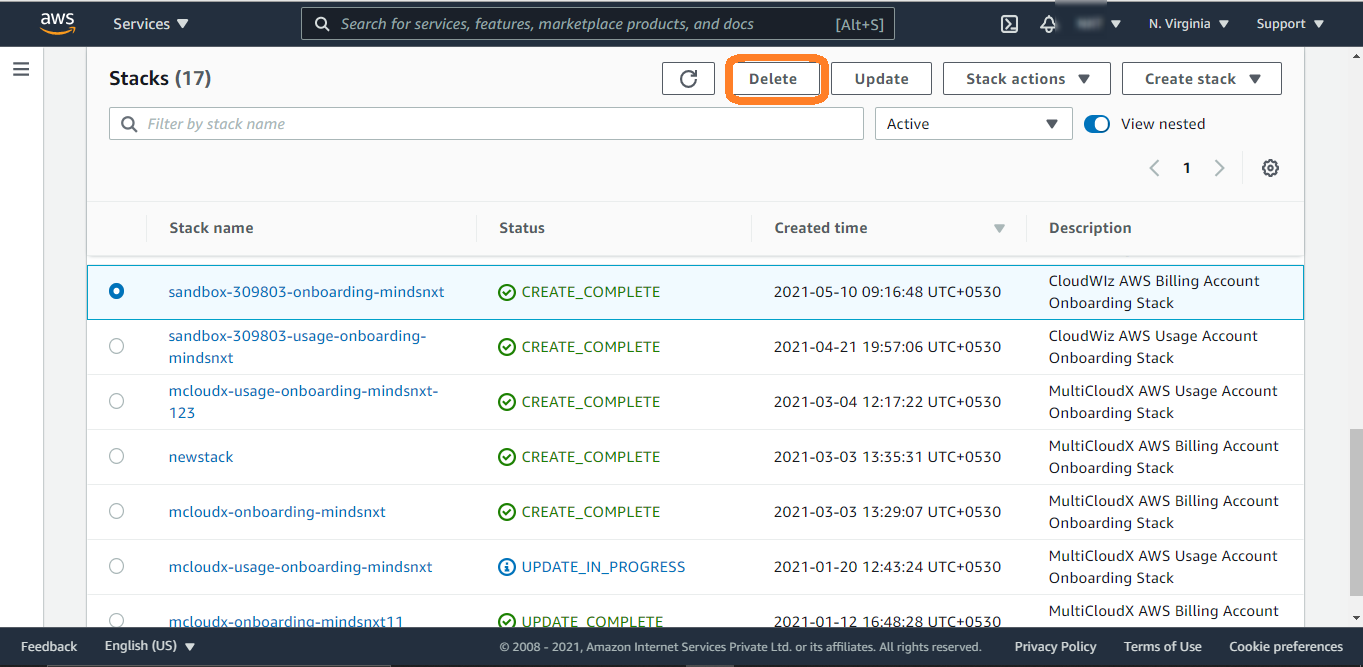
Select the stack you used to onboard billing account and click on the delete button on the top
-
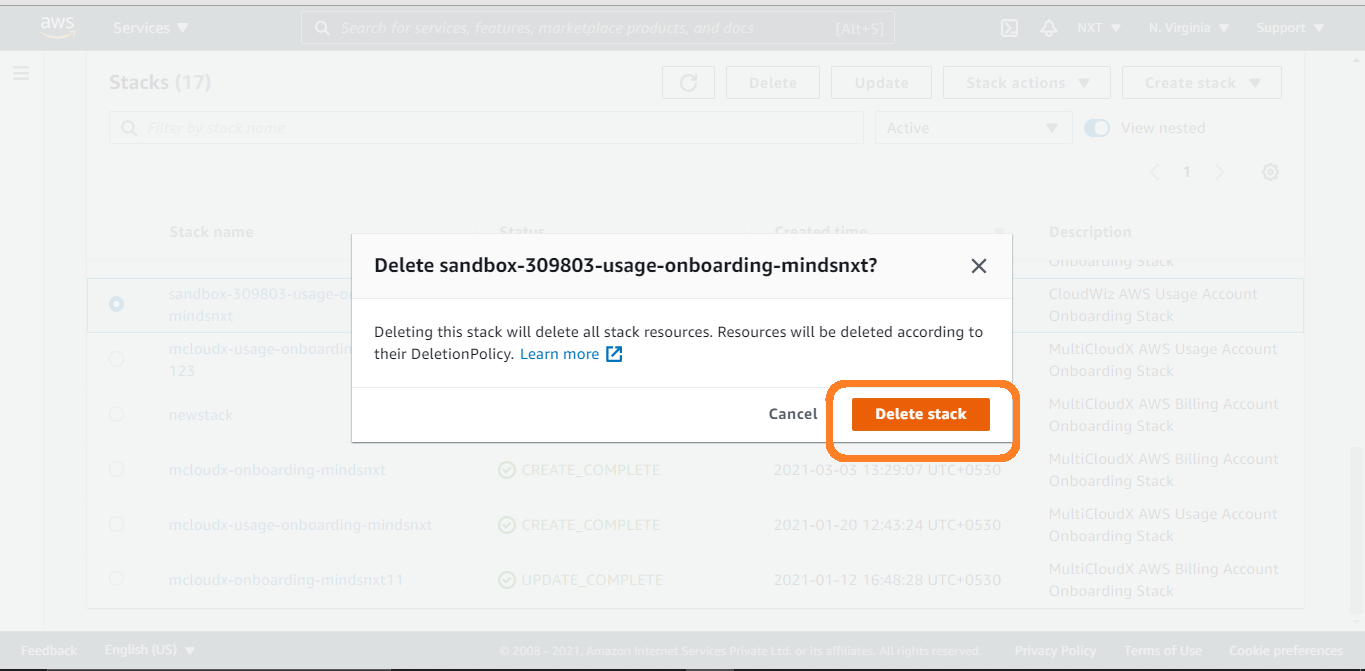
Confirm the deletion by clicking on Delete Stack button shown in the box
-
You will see the notification of successful deletion
Below is the description of the steps to delete stack from AWS:
-
Select the region you have used to onboard Cloudformation stack for billing account
-
Go to Cloudformation from the Services tab
-
On the Cloudformation Dashboard page, click on the Stacks from the left menu
-
Select the stack you used to onboard billing account and click on the delete button on the top
-
Confirm the deletion by clicking on Delete Stack button shown in the box
-
You will see the notification of successful deletion