.png)
Below are the steps to Run the Template.
-
You can select the desired region for the upload and then click the Run Template button.
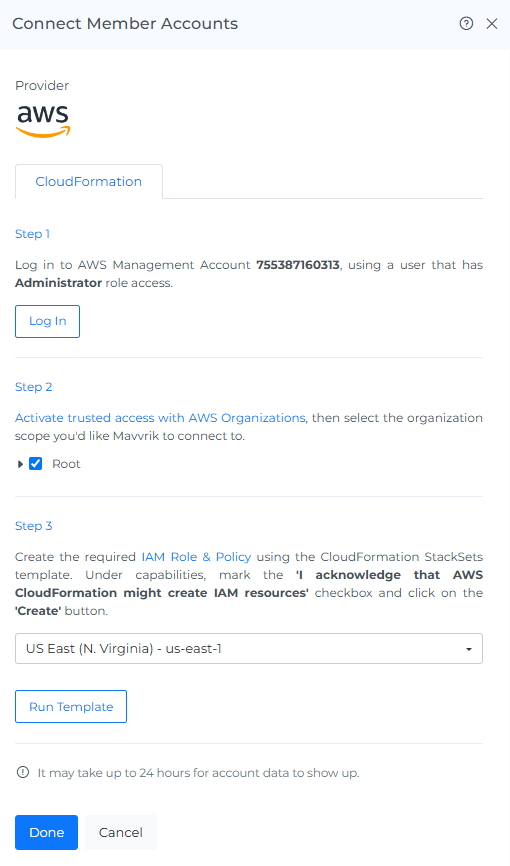
Run the onboarding template in the selected AWS region
-
On step 2, Select Root if you want to onboard all the org accounts or if you want to onboard individual accounts select the accounts you want to onboard
-
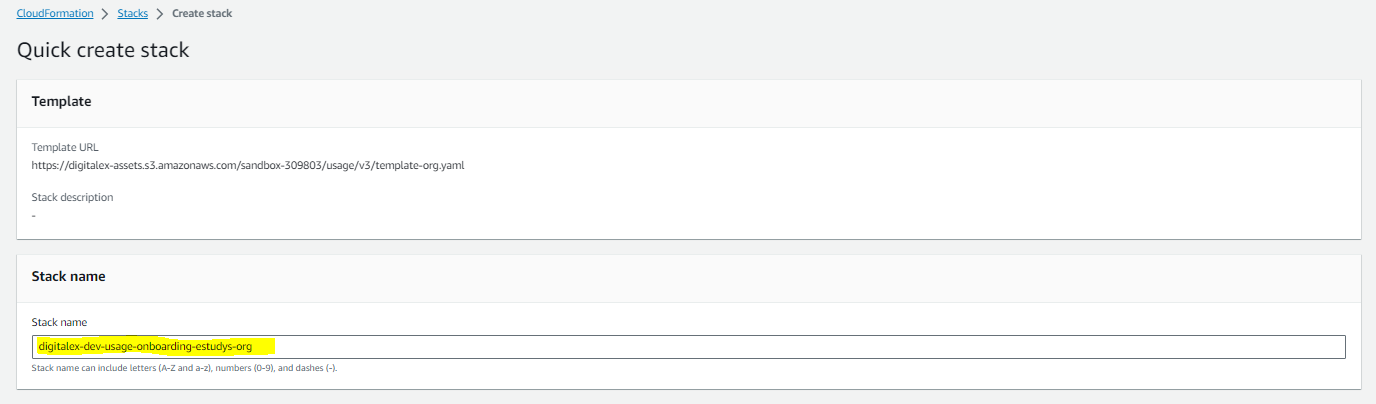
The page is navigated to AWS cloud formation where all the details will be auto generated.
-
Check I acknowledge that AWS Cloud Formation might create IAM resources.
-
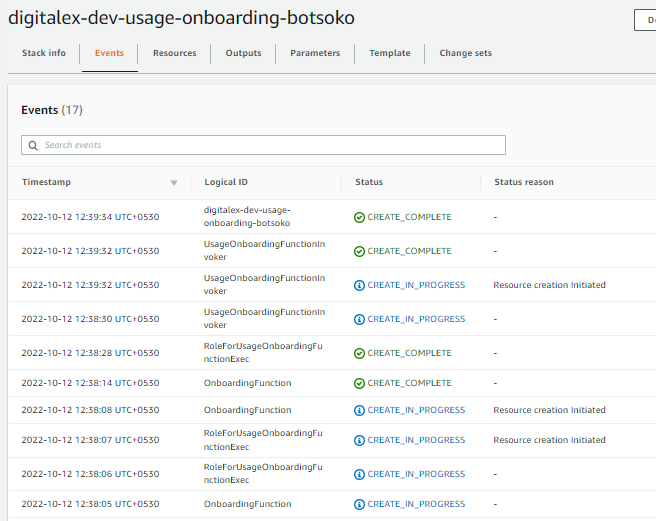
Click the Create Stack button and wait till the template running is completed and the status in AWS shows as CREATE_COMPLETE.
-
Click on the Done button after the template running is successfully completed.
-
On-boarded Member Account will be displayed.
AWS: Auto-Connect Member Accounts
Mavvrik can automatically connect new AWS member accounts when they are added to an AWS Organization. This reduces manual setup and helps maintain complete spend visibility across linked accounts.
Important: Existing AWS Organization customers must update their Organization-level CloudFormation script to enable Auto-Connect for future member accounts. Once updated, newly added AWS member accounts can be connected automatically in Mavvrik.