.png)
To manage a Microsoft Entra ID app and create a client secret, the Microsoft Entra ID Application Administrator role is required
Steps to Create an Application
-
Login to your Azure environment where billing account exists
-
Click on Menu
-
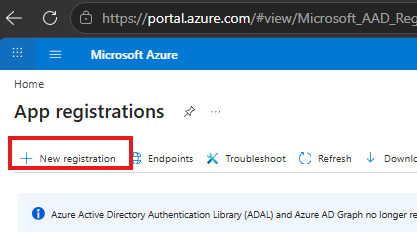
Search for App Registration
-
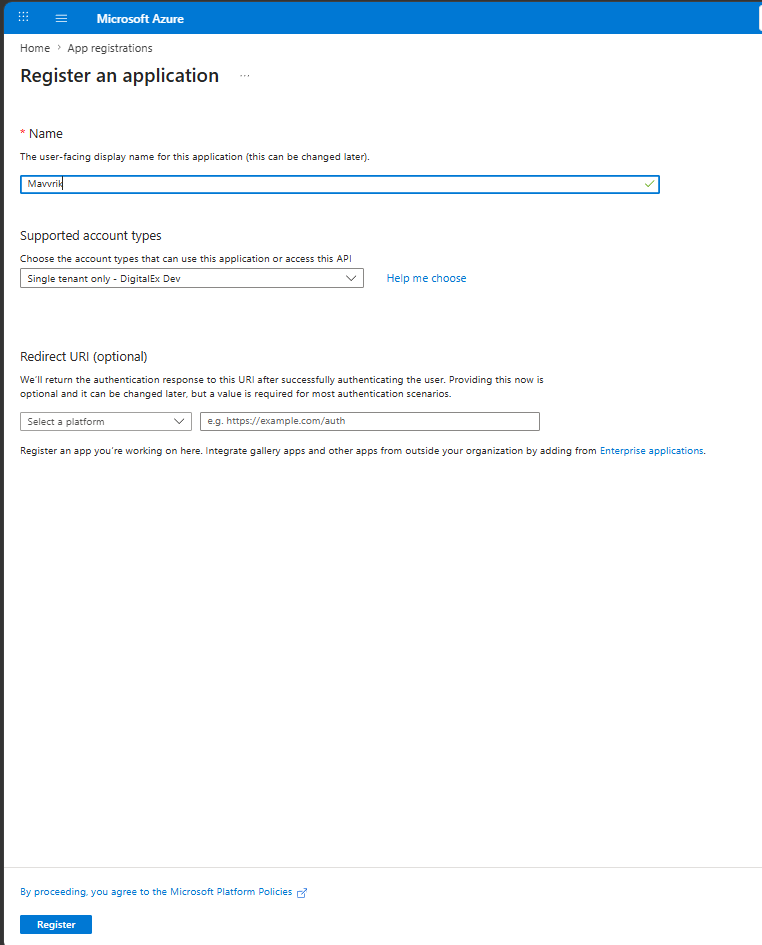
Enter app name and keep the other options as default and click Register
-
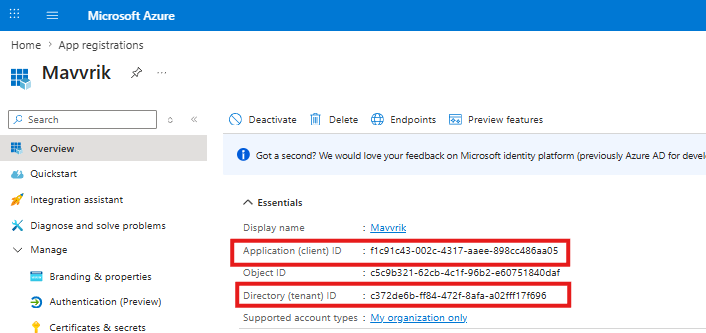
After app is created, you would land on app Overview page, capture following details from this page, Directory (tenant) ID and Application (client) ID
-
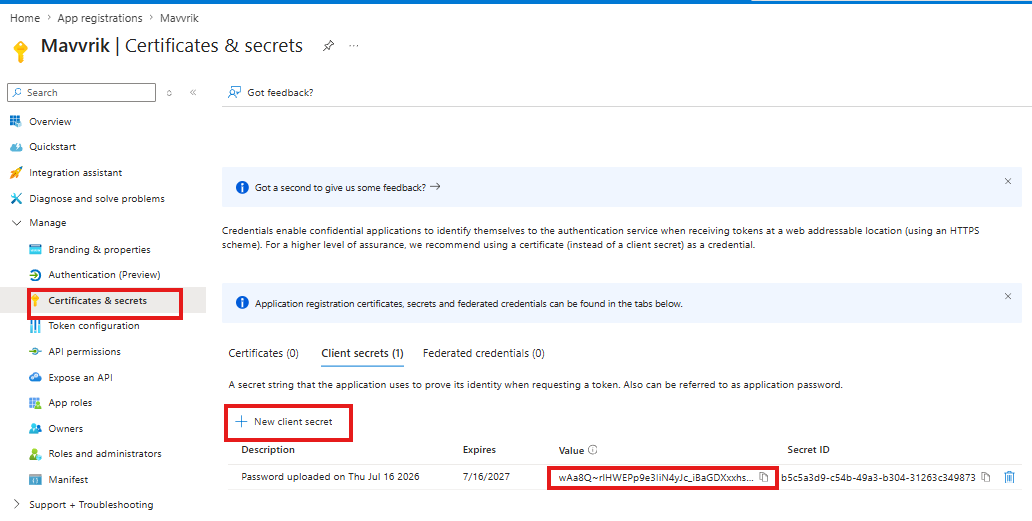
Navigate to Certificates & secrets > New client secret and create a secret. After creation is successful, capture data under Value field
-
By end of this step, you would have captured following information.
-
Directory (tenant) ID
-
Application (client) ID
-
Secret Value
-