.png)
Why this matters: OpenAI API usage is billed per token, and can scale quickly with the number of applications or teams calling GPT models (often without anyone centrally tracking it, since each team may hold its own API key). Without connecting it here, that spend either lives in OpenAI's own console that nobody checks regularly, or shows up as a surprise on the invoice. Connecting it means OpenAI costs show up in Mavvrik's GenAI dashboards.
This shows up differently depending on your role:
-
FinOps managers use this to catch LLM cost growth early; token usage can spike quickly as usage or model choice changes, and this is where that shows up before the invoice does.
-
Engineering leads use this to see which models are actually driving cost, to guide model-selection decisions.
-
Finance leaders use this for chargeback when OpenAI usage is shared across multiple teams or products.
Mavvrik uses an Admin API key to ingest cost and usage data through the OpenAI Usage and Cost API. Mavvrik does not perform any cost-incurring actions; the key you create below is scoped to Read only, and Mavvrik uses it solely to read usage and cost data. Mavvrik stores only usage metadata (for example, token consumption) and does not ingest any prompts, responses, or other user content.
Before you start: you'll need admin access to your OpenAI organization to generate the Organization ID and Admin API key below.
Before onboarding your Open AI account, log in to Open AI as an admin and follow the steps below to capture the Organization ID & Admin API ley
-
Login to https://platform.openai.com as admin
-
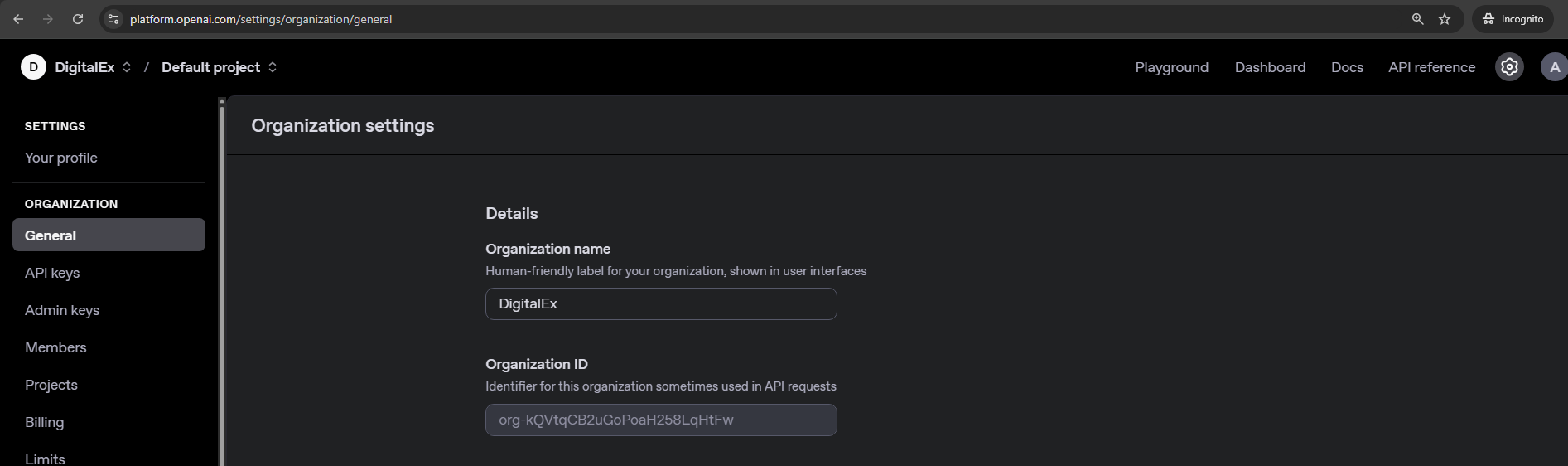
Click on settings icon at top right corner > copy the organization id from organization settings page.
-
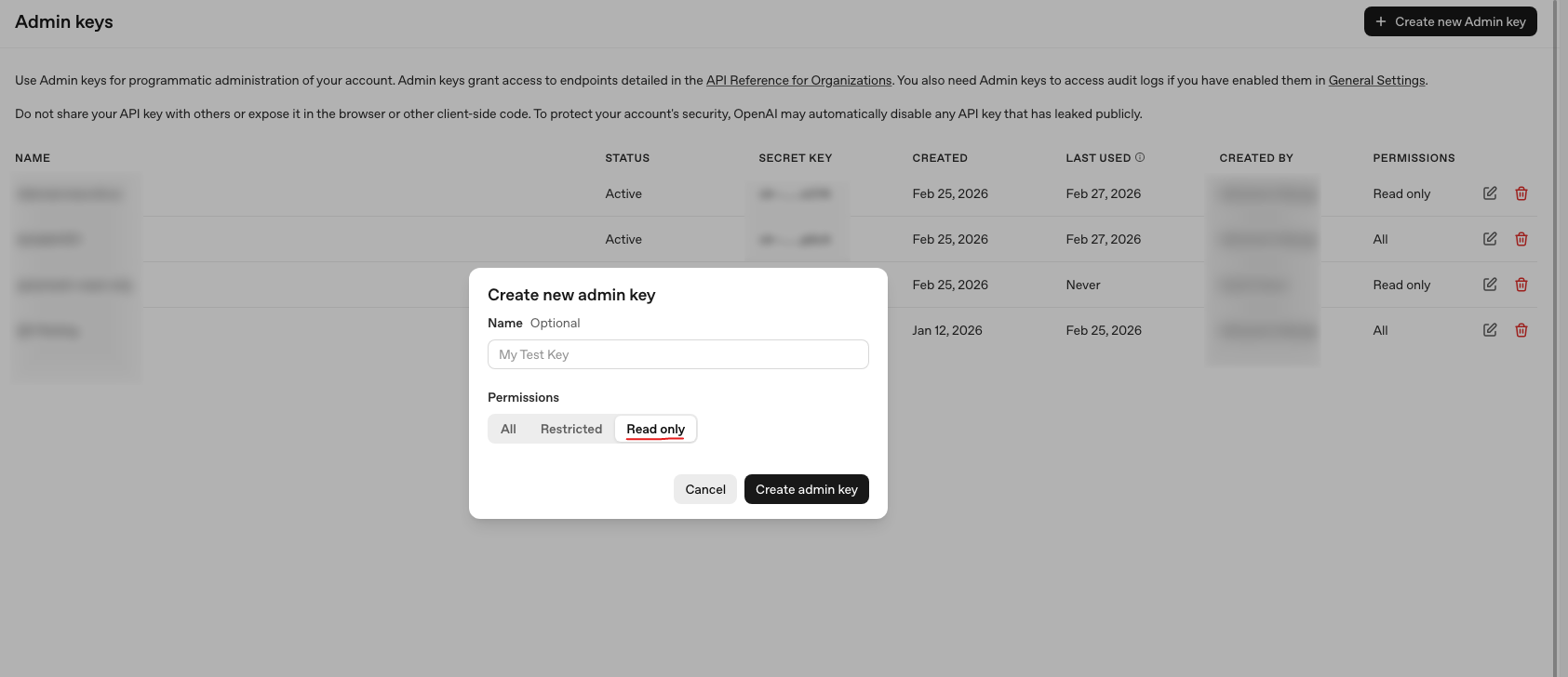
Click on Admin keys
-
Enter key name and change permission to Read only
-
click create admin key
-
Copy the key
Steps to perform in Mavvrik
-
Go to the Menu
-
Click on Admin → Gen AI Account
-
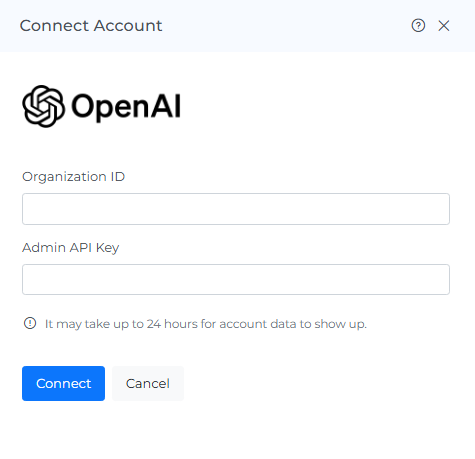
Click on the '+ Account' button
-
Enter the captured details and click on 'Connect'
Troubleshooting
-
If the account does not connect, verify the API key and account details entered in Mavvrik.
-
If a permission error appears, confirm that the key can access the usage and billing information required by the onboarding steps.
FAQs
Does Mavvrik have access to our prompts or responses?
No. Mavvrik only ingests usage metadata such as token consumption; the API key is scoped to Read only, and Mavvrik never accesses prompts, responses, or other user content.
Why does the API key need to be Read only?
Mavvrik doesn't perform any cost-incurring actions on your OpenAI account; it only reads usage and cost data through the OpenAI Usage and Cost API, so a Read only key is all that's required.