.png)
Why this matters: Anthropic API usage is billed per token, and can scale quickly with the number of applications or teams calling Claude models — often without anyone centrally tracking it, since each team may hold its own API key. Without connecting it here, that spend either lives in Anthropic's own console that nobody checks regularly, or shows up as a surprise on the invoice. Connecting it means Anthropic costs show up in Mavvrik's GenAI dashboards, broken down by model and operation.
This shows up differently depending on your role:
-
FinOps managers use this to catch LLM cost growth early — token usage can spike quickly as usage or model choice changes, and this is where that shows up before the invoice does.
-
Engineering leads use this to see which models and operations (e.g. cache writes vs. output tokens) are actually driving cost, to guide model-selection decisions.
-
Finance leaders use this for chargeback when Claude usage is shared across multiple teams or products.
Mavvrik uses an Admin API key to ingest cost and usage data through the Anthropic Usage and Cost API. This API provides structured cost data broken down by operation (e.g., Input Token Cache Writes or Output Tokens) and model (e.g., Claude Sonnet 4). Usage data is available for models, measured in tokens.
Mavvrik does not perform any cost-incurring actions. Anthropic requires an Admin API key to access the Usage and Cost API, and Mavvrik uses it only to read from this endpoint—never to perform any other actions. Mavvrik stores only usage metadata (for example, token consumption) and does not ingest any user content, including prompts or responses.
Before you start: you'll need admin access to your Anthropic organization to generate the Organization ID and Admin API key below.
Before onboarding your Anthropic account, log in to Anthropic as an admin and follow the steps below to capture the Organization ID & Admin API ley
-
Login to https://console.anthropic.com/ as admin
-
Click on settings icon > Organization > copy the organization id from organization settings page.
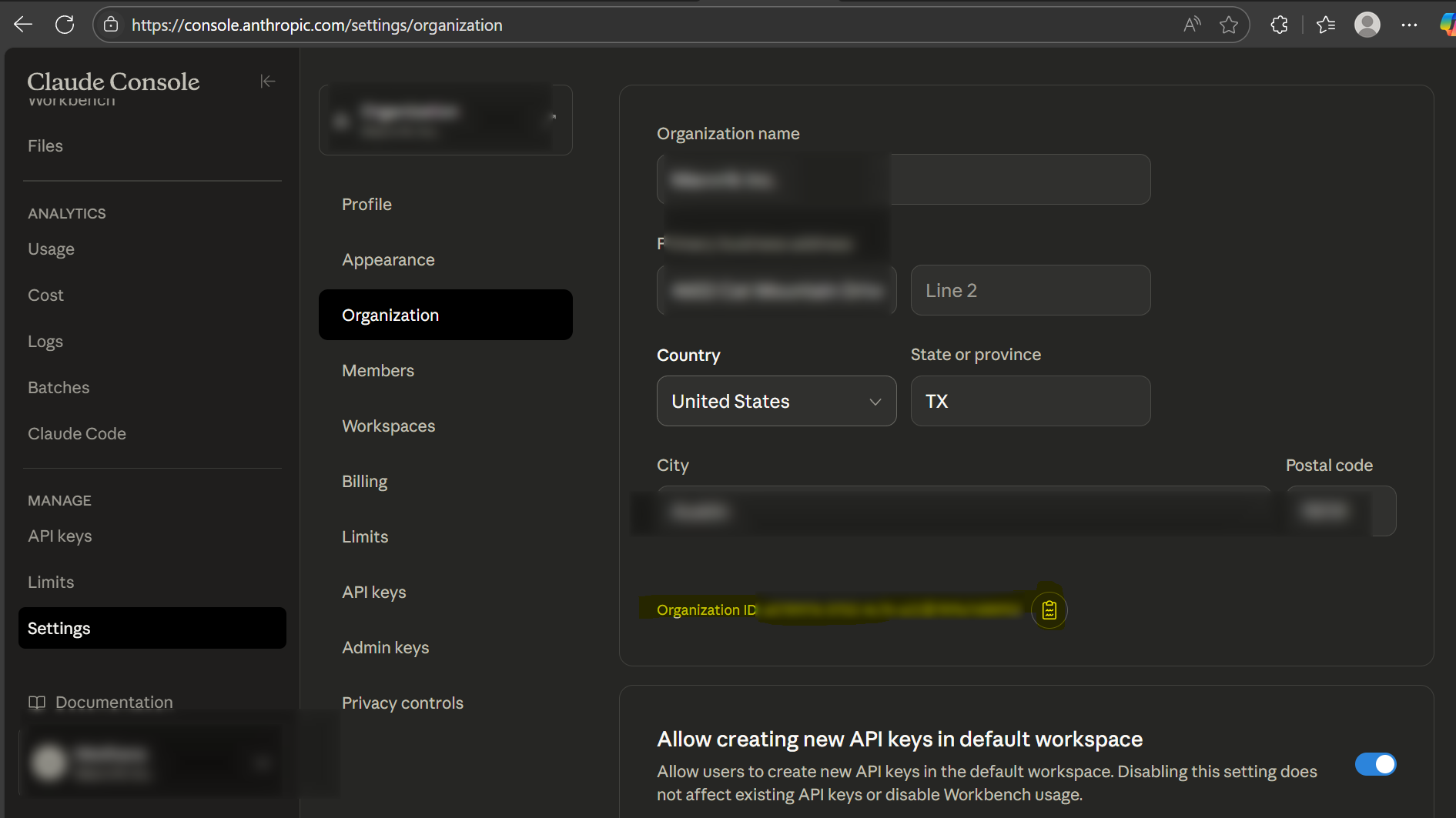
-
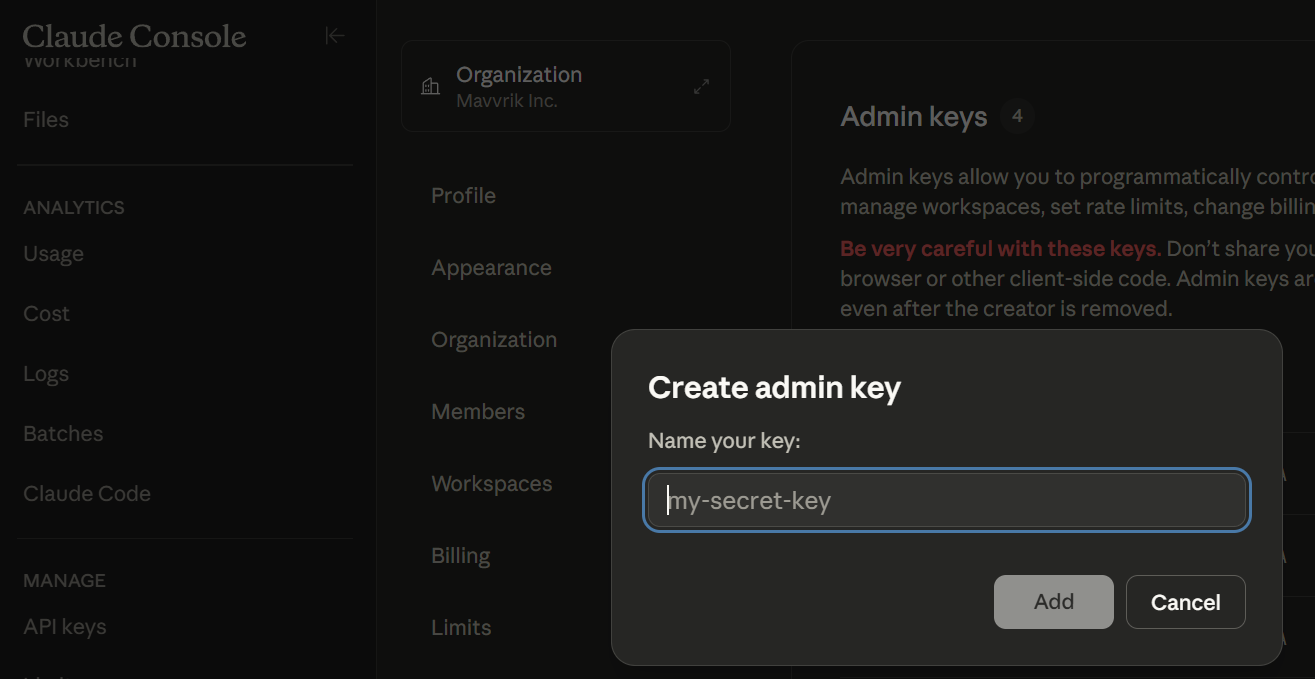
Click on Admin keys > +Create Admin Key
-
Enter key name and click Add
-
Copy the generated key
Steps to perform in Mavvrik
-
Go to the Menu
-
Click on Admin → Account
-
Click on the '+ Account' button
-
Select Anthropic
-
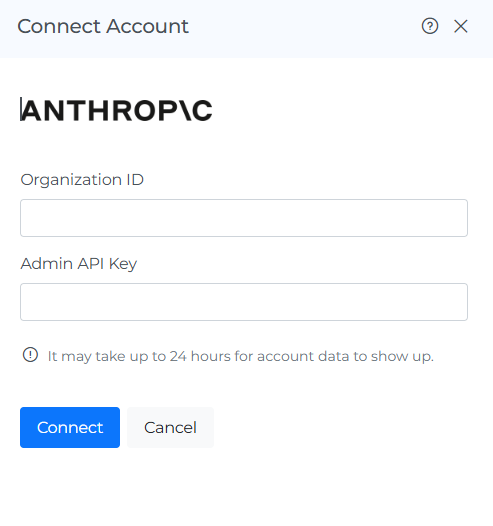
Enter Organization ID & Admin API Key
-
Click on 'Connect'
Troubleshooting
-
If the account does not connect, verify the API key and account details entered in Mavvrik.
-
If a permission error appears, confirm that the key has the access required by the onboarding steps.
FAQs
Does Mavvrik see my actual prompts or responses?
No — Mavvrik only stores usage metadata like token consumption. It does not ingest any user content, including prompts or responses.
Can Mavvrik use the Admin API key to do anything other than read cost data?
No — Mavvrik uses the Admin API key only to read from the Usage and Cost API. It performs no cost-incurring actions and no other operations with that key.