.png)
Before proceeding with the steps below, select the project from the dropdown that you wish to onboard.
-
Go to IAM & Click Grant Access
-
Under Add Principals. Enter service account id of Mavvrik
To Fetch your service account id follow steps outlined on this page Retrieve the Service Account Id
-
Assign the Roles (Cloud Asset Viewer, Monitoring viewer, Recommender Viewer & Billing Account Usage Commitment Recommender Viewer (Beta))
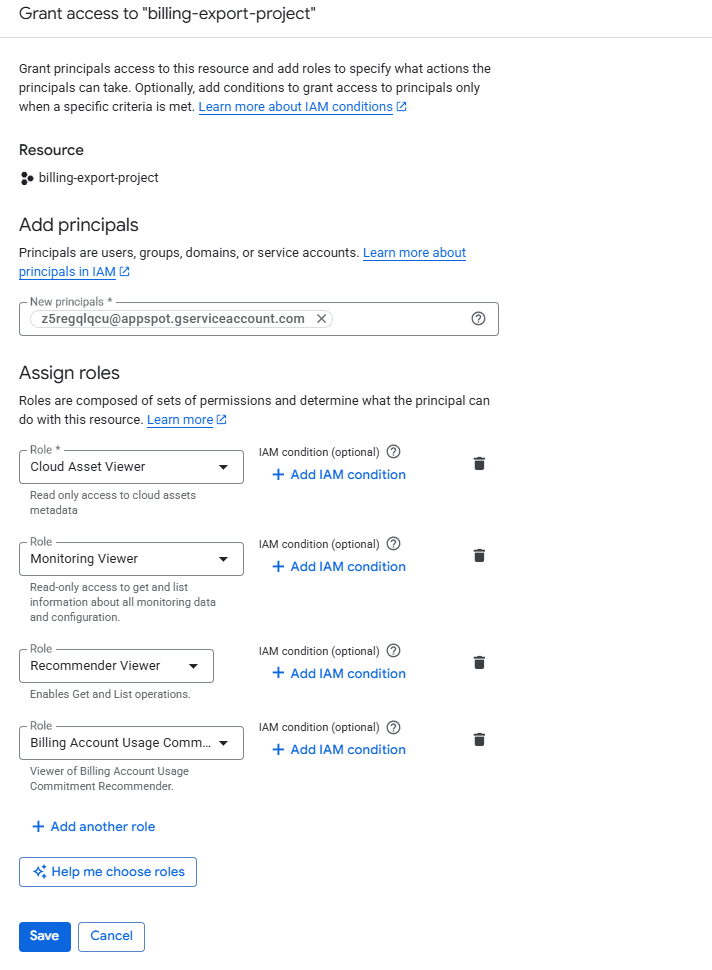
Add the Billing Account Usage Commitment Recommender Viewer (Beta) role to the Billing Account to enable Mavvrik to collect Committed Use Discount (CUD) recommendations when Discount Sharing is enabled.
-
Click Save
-
Now Navigate to Mavvrik and Click on Connect button for GCP projects.
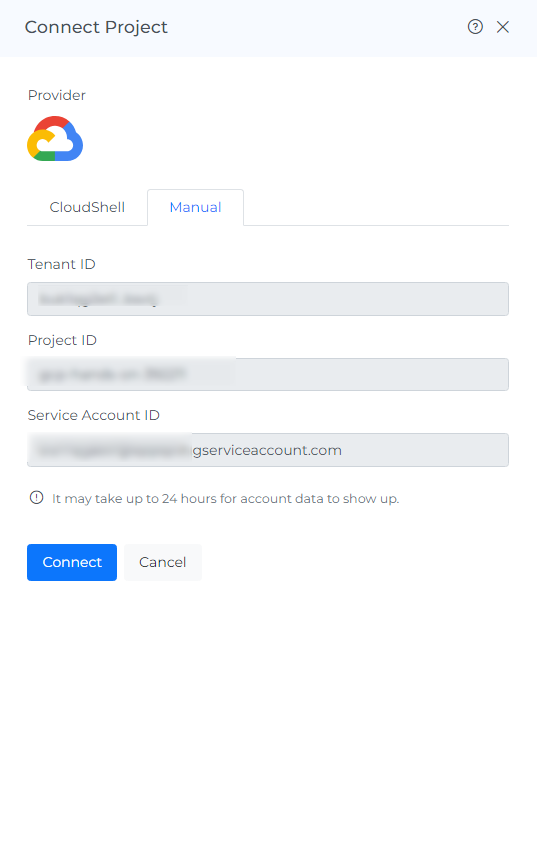
Connect the GCP project in Mavvrik