.png)
-
Go to Menu
-
Click on Public Clouds under Admin
-
Click on the GCP tab
-
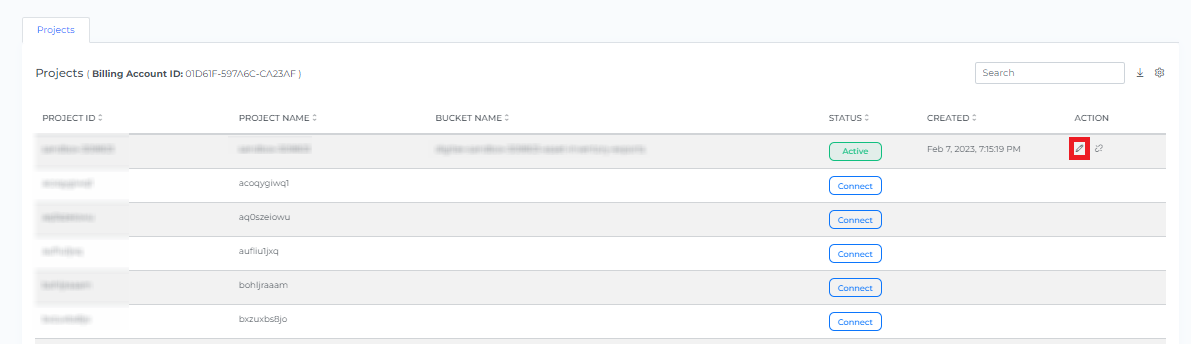
Go to Projects
-
Click on the Edit button which projects you want to update
-
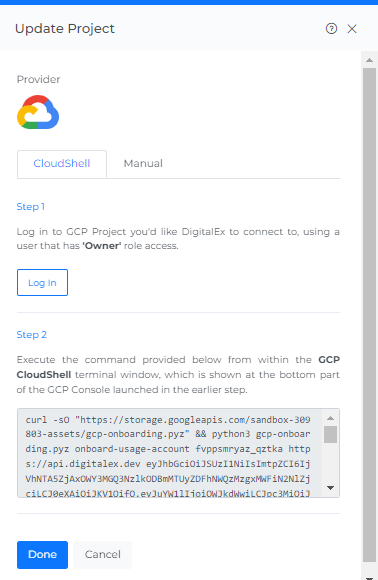
Click on the login button(GCP Cloud Shell will get opened)
Note: Make sure you are logged in to GCP provider account
-
Click on Authorize
-
Click on y for Project
-
Click on y for Billing Export
-
Come back to Mavvrik & click on Done
-
GCP Project will get Updated Successfully.