.png)
-
Go to Menu
-
Click on Public Clouds under Admin
-
Click on the GCP tab
-
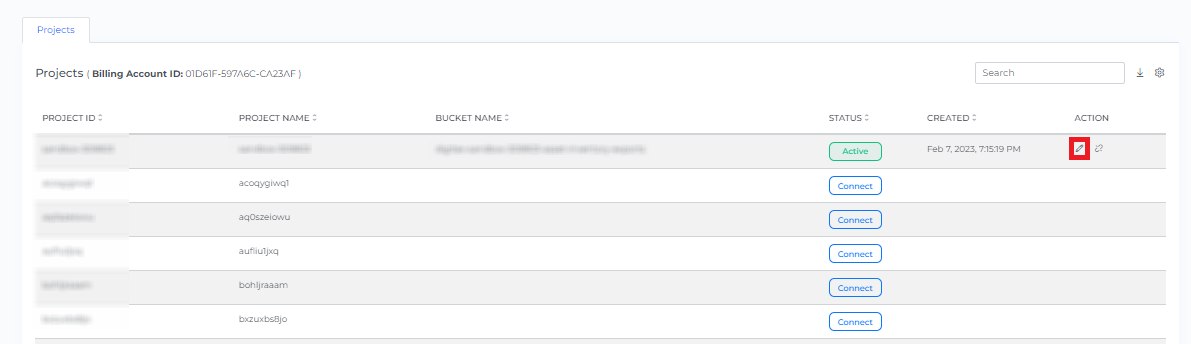
Go to Projects
-
Click on the Edit button which projects you want to update
-
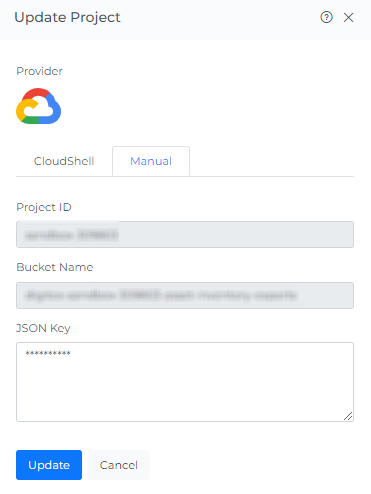
Click on Manual tab
-
Enter the new JSON Key
-
Click on Update
-
GCP Project will get Updated Successfully.