.png)
-
User should be Log In as Billing Admin or Project admin.
-
If User is Onboarding the Account from the Setup page both Billing & Usage Account gets Onboarded.
Below are the steps to Login to Mavvrik
-
Login to Mavvrik
-
Click on Menu Icon at the top left corner
-
Click on Public Clouds under Admin
-
Click on Connect button of the specific Organizations.
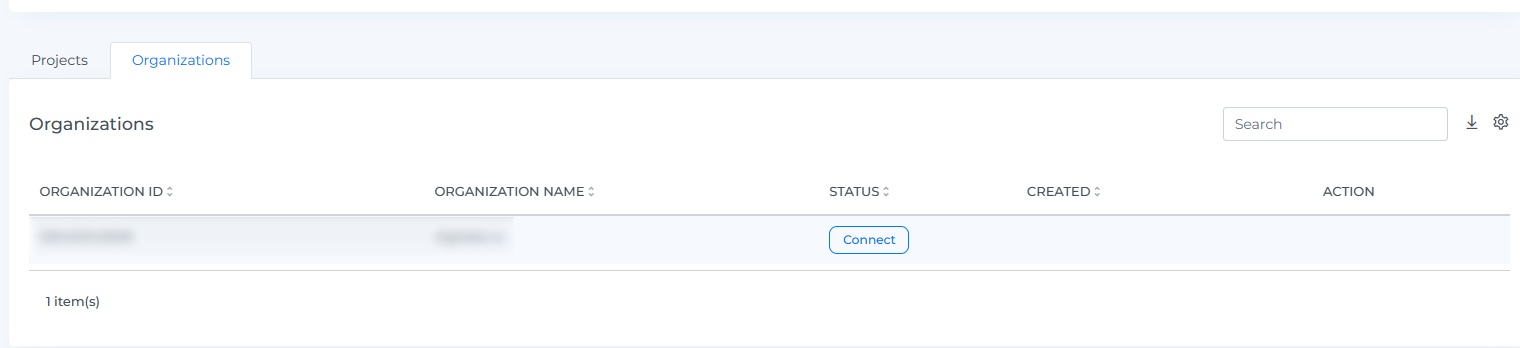
-
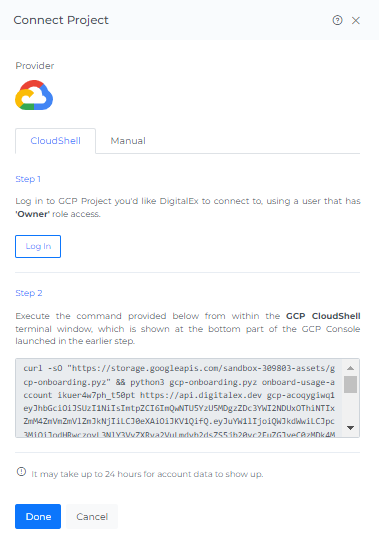
Connect Project page will get open
-
Click on the Login button as shown in the above image
Page is navigated to the GCP login page where the user needs to enter GCP credentials. After successful login into the GCP account, the user should come back to Mavvrik to follow the next steps.