.png)
Steps to Create an Application
-
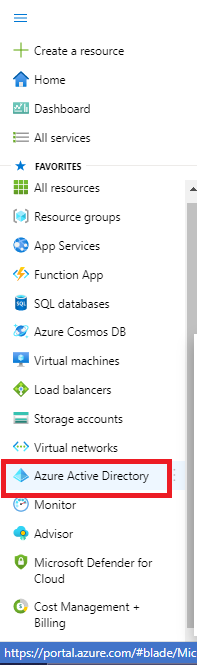
Click on Menu
-
Go to Azure Active directory
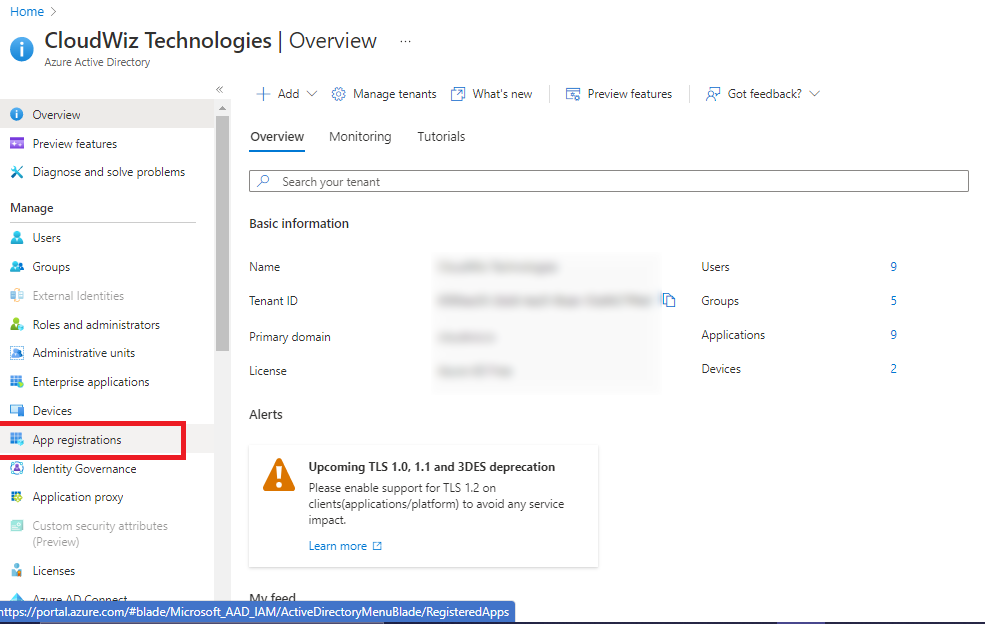
3. Click on App Registration
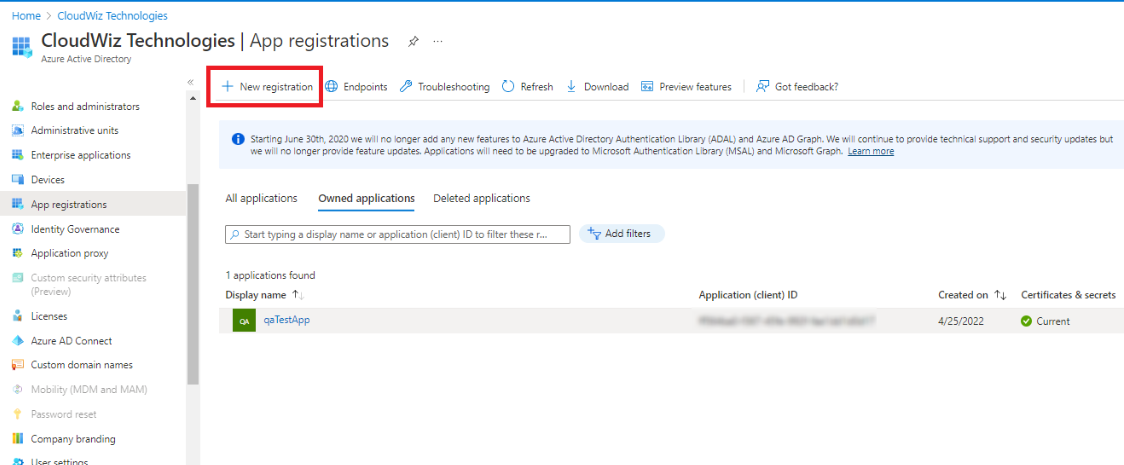
4. Click on New Registration
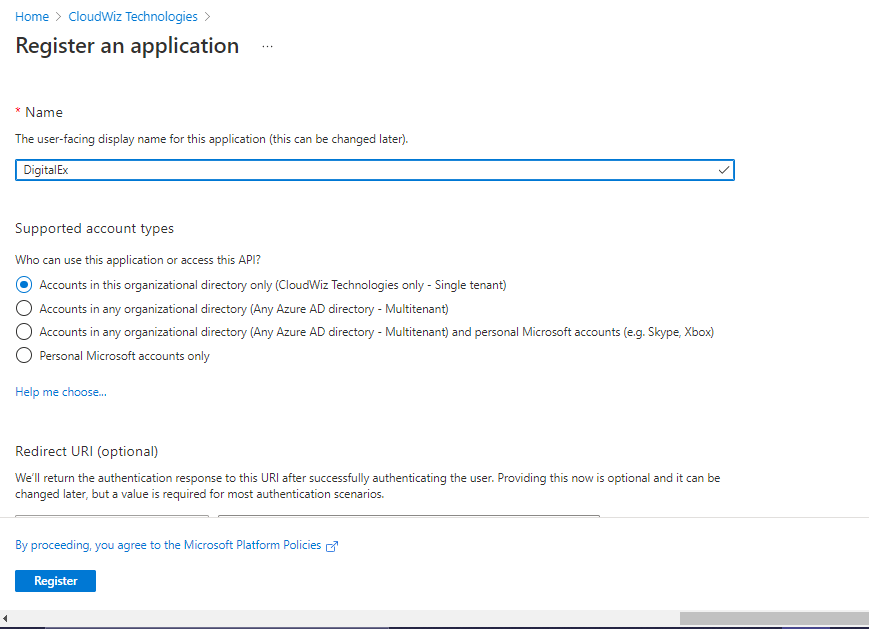
5. Enter Name of Application
6. Supported account type is selected automatically.
7. Click on Register
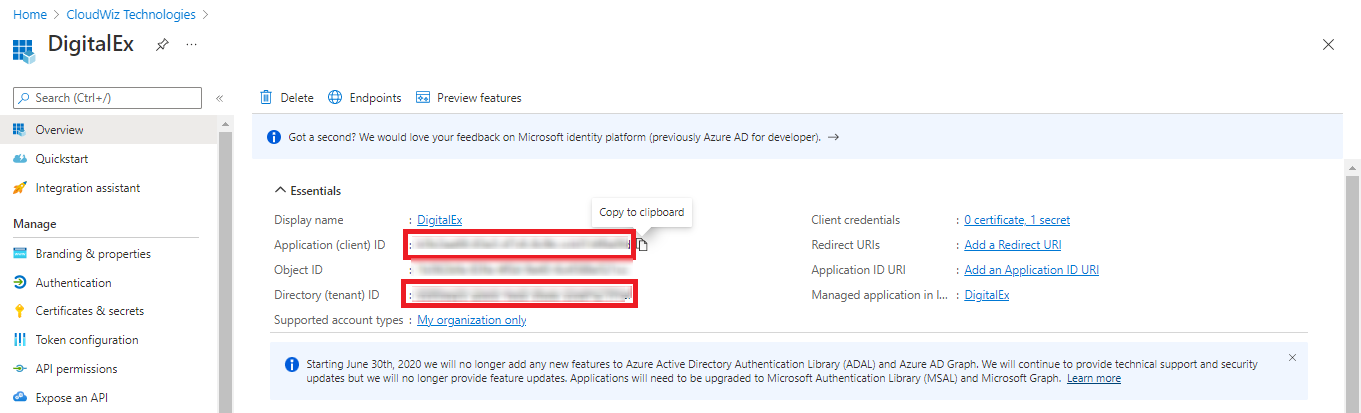
8. App will get created as shown below.
-
Copy Application Client id & Tenant id
Steps to add client secret
-
Click on Certificates & Secrets
-
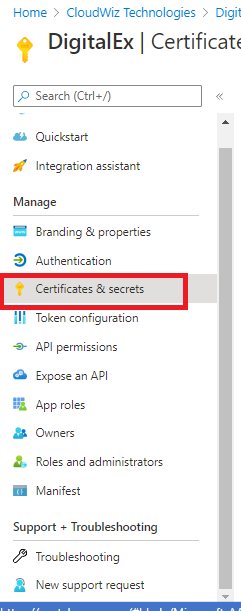
Click on New Client Secret
-
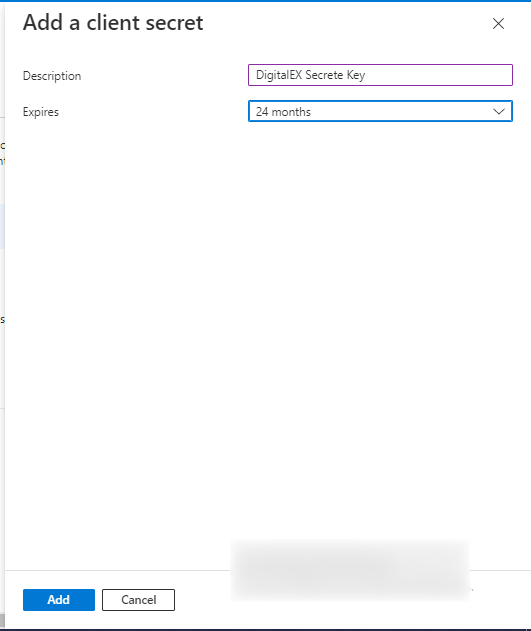
Enter Description
-
Select Expires as 24 months maximum
-
Click Add
6. Applied client secret will be displayed as shown below
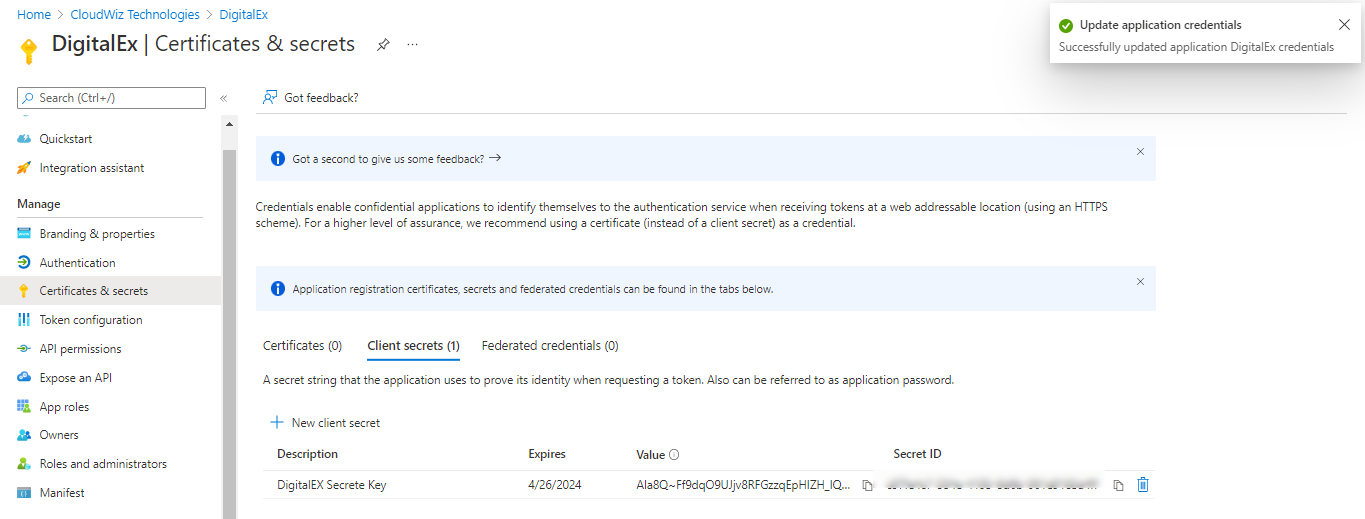
7.Copy the Value(not Secret ID) which is used later for manual creation of usage account .