.png)
Steps to Disconnect K8s Cluster
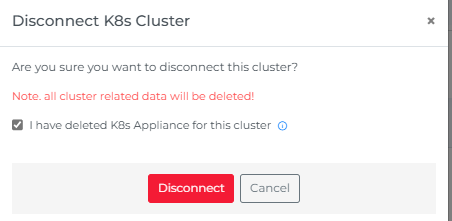
Disconnecting stops Mavvrik from polling the cluster going forward — historical cost data stays intact, it just won't keep updating. Deleting the appliance itself (via helm uninstall) is a separate step, since disconnecting in Mavvrik doesn't automatically remove what's still running in your cluster.
-
Go to K8s Dashboard
-
From Actions click on disconnect button

-
Delete K8s Appliance by executing following command
helm uninstall dx-k8s-appliance -n mavvrik
-
Click on disconnect