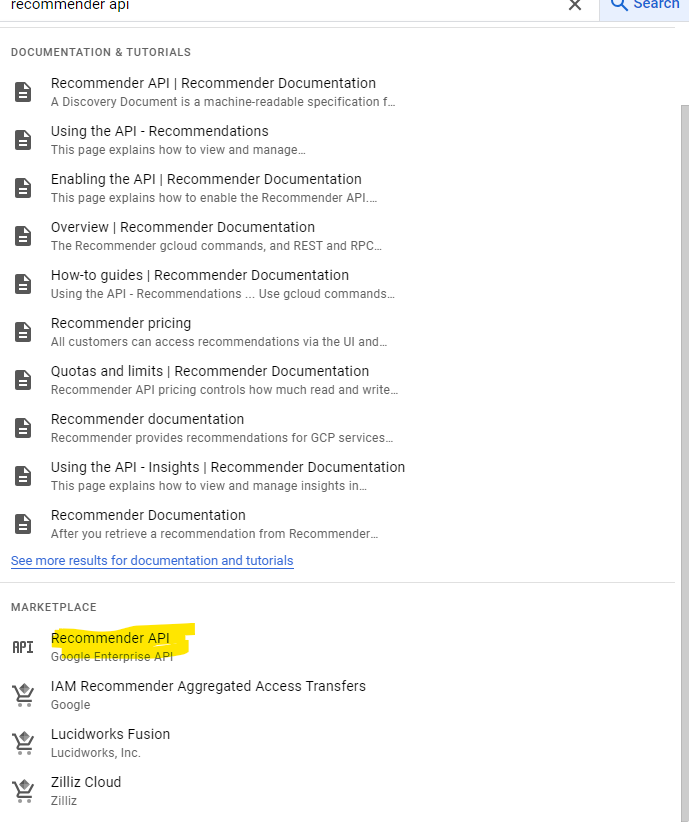
.png)
-
In order to execute the below steps, you need to have owner role.
-
Select the project from the top drop down before enabling APIs
Enable Cloud Resource Manager API
-
Enter Cloud Resource Manager API in the Search bar and Select.
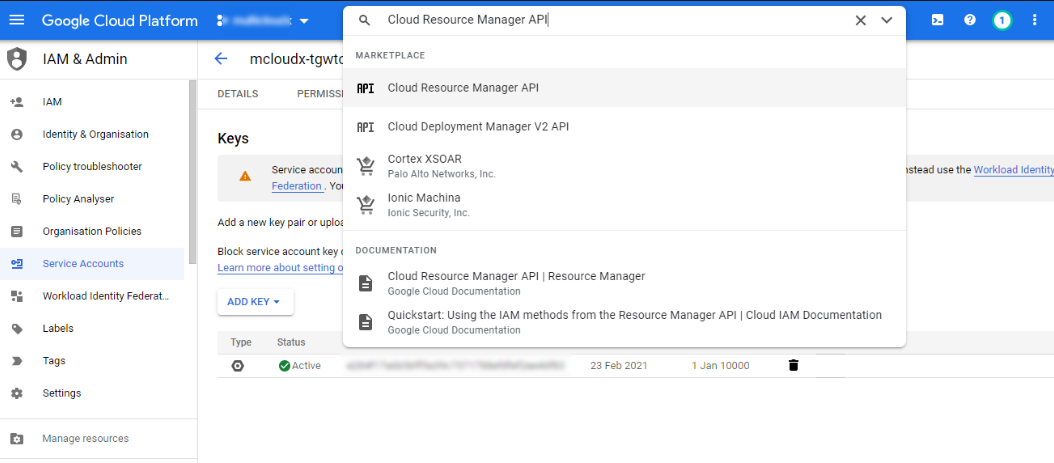
Search for the Cloud Resource Manager API -
If there are multiple projects, it asks you to select a project, or the below page is displayed after selecting Cloud Resource Manager API from the search box.
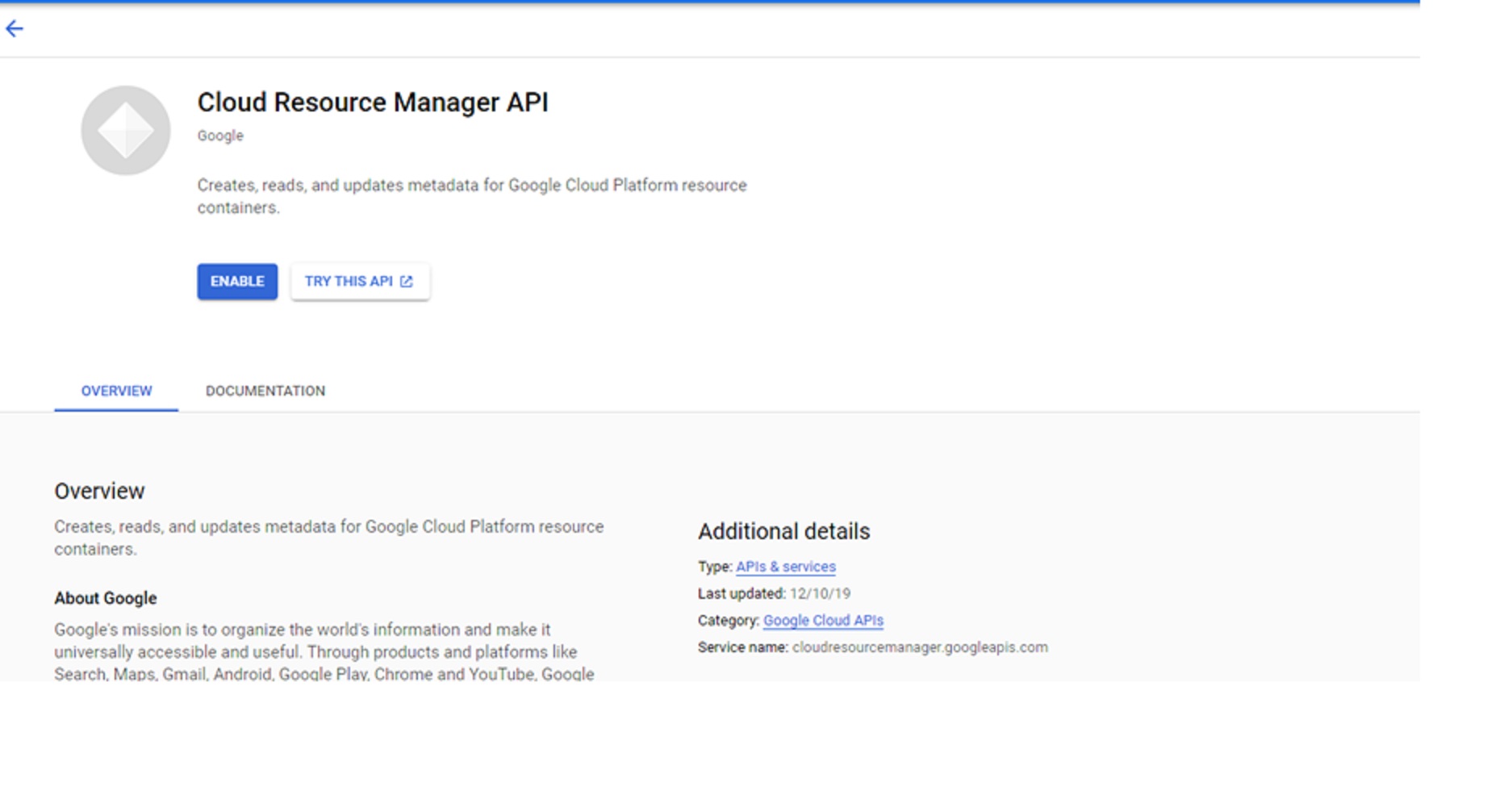
Open the Cloud Resource Manager API page -
Click Enable.
-
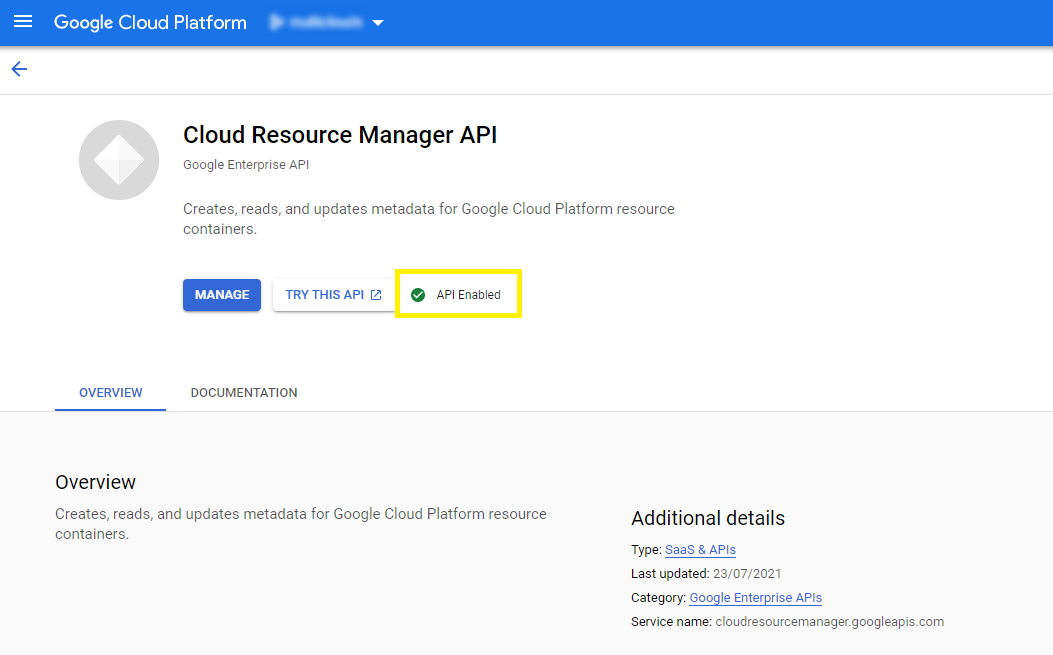
Resource manager API gets enabled successfully as shown below
Enable Cloud Asset API
-
Enter Cloud Asset API in the Search bar and Select.
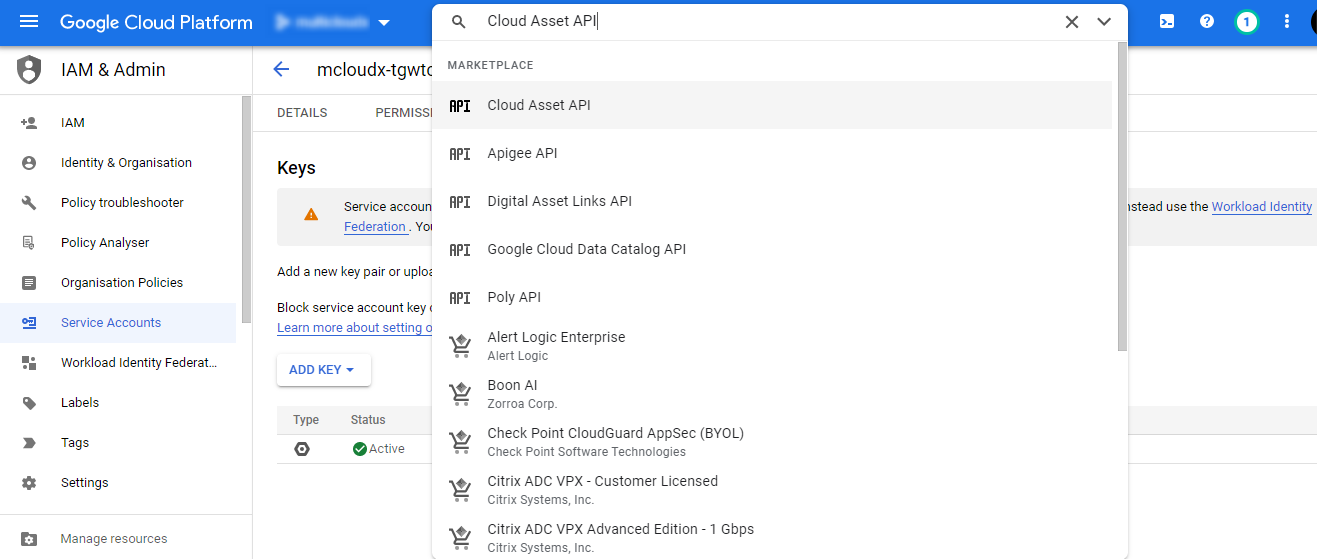
Search for the Cloud Asset API -
If there are multiple projects, it asks you to select a project, or the below page is displayed after selecting Cloud Asset API from the search box.
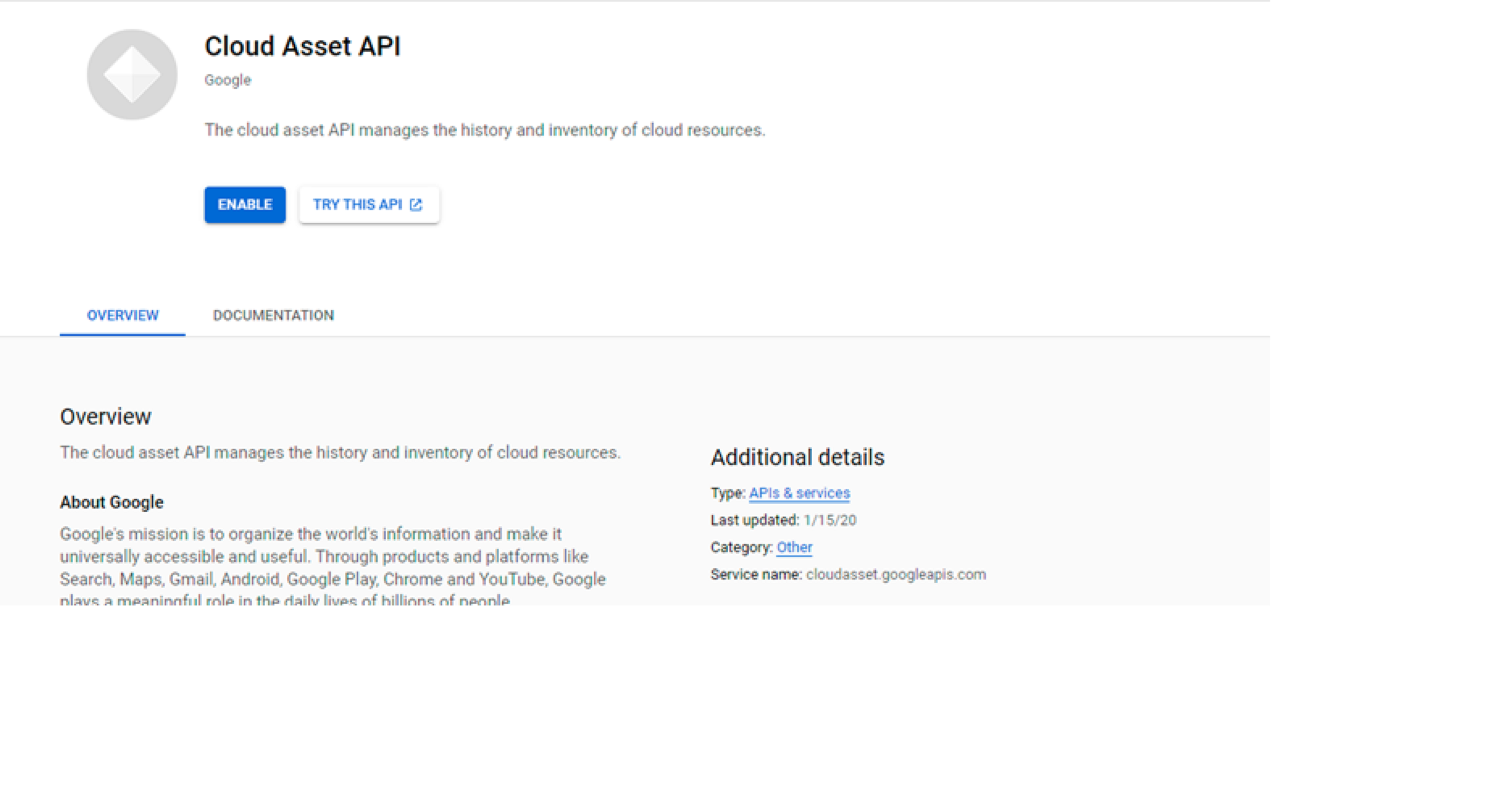
Open the Cloud Asset API page -
Click Enable.
-
Cloud Asset API gets enabled successfully as shown below.
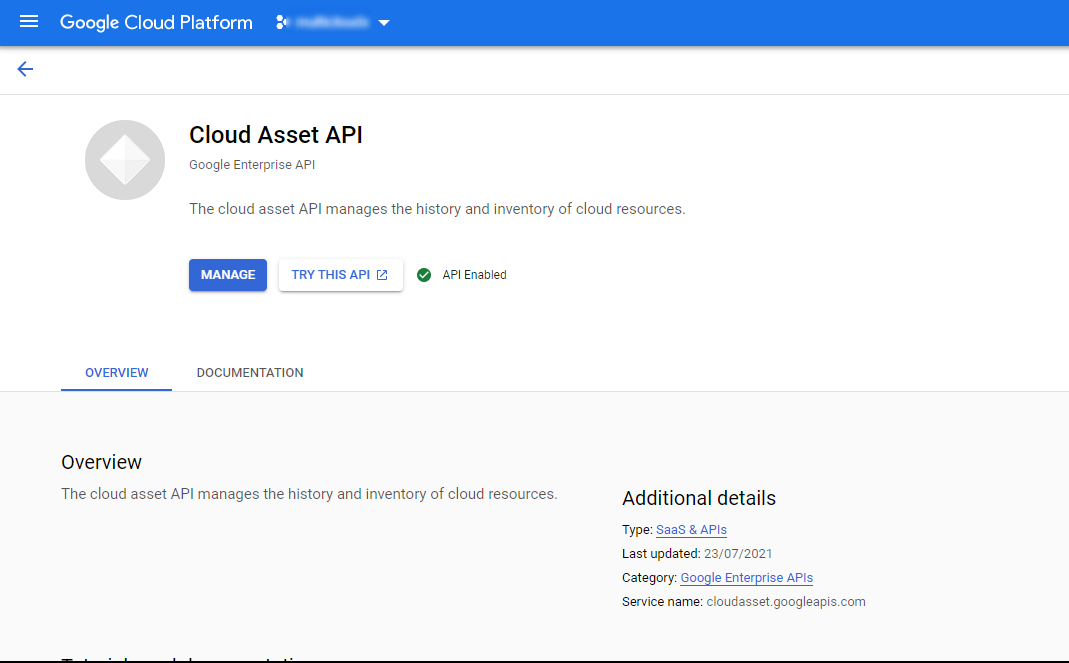
Enable Cloud Monitoring API
-
Enter Cloud Monitoring API in the Search bar and Select.
-
If there are multiple projects, it asks you to select a project
-
Click Enable.
Enable Recommender API