.png)
Steps to Retrieve Account ID:
-
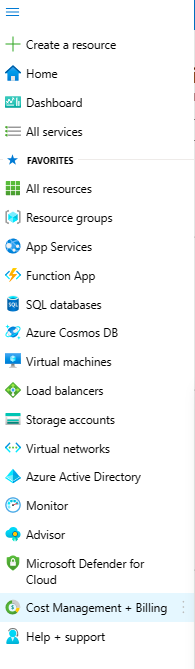
Click on Menu
-
Click on Cost Management + Billing.
-
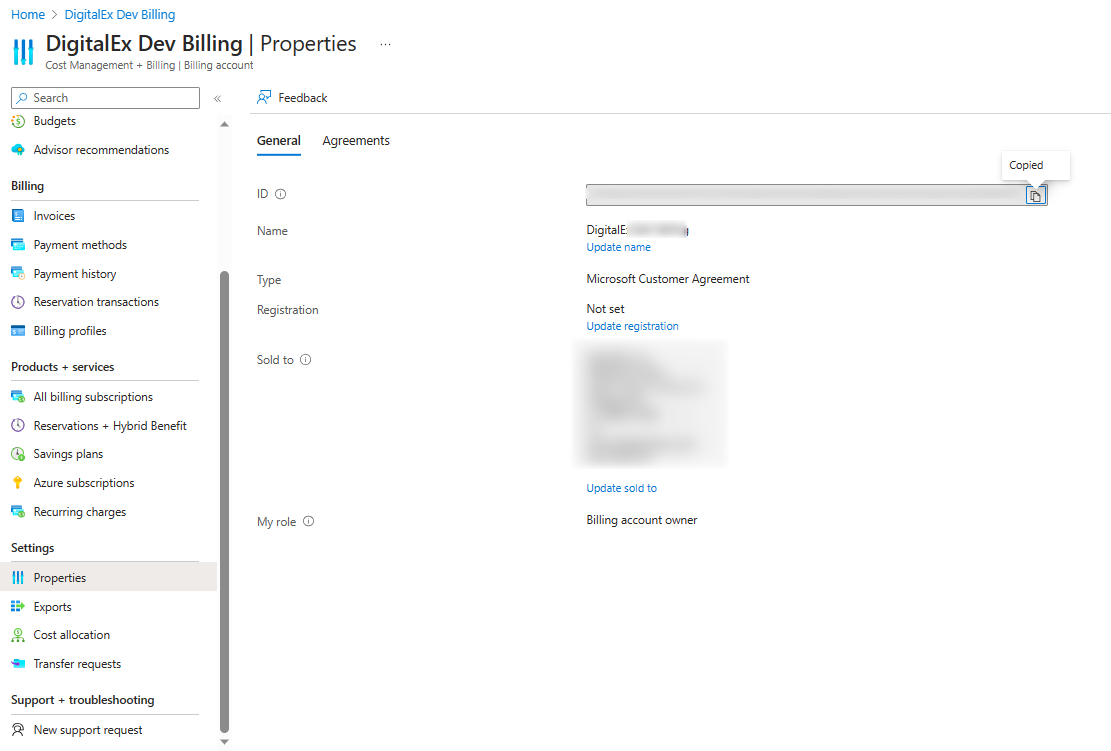
Click on Properties
-
Copy the Account ID
Steps to Retrieve Tenant ID:
-
Click on Menu
-
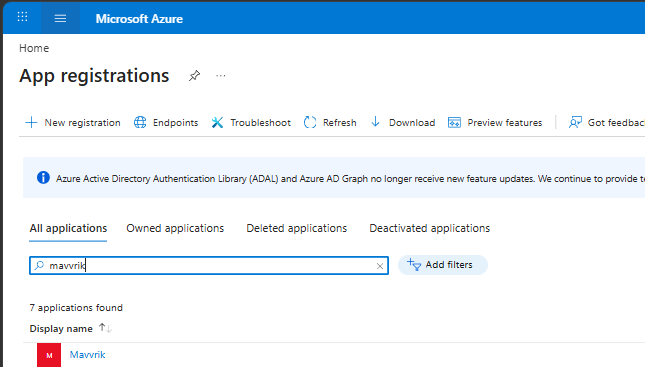
Search for App Registration
-
Click on your application
-
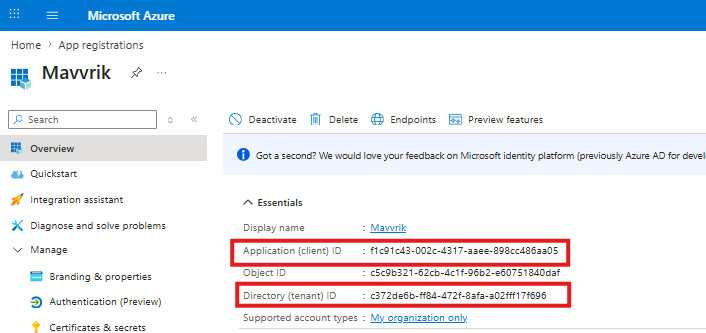
Copy the Application Client id & Tenant id
-
Client Secret is already copied in Step-1: Create Microsoft Entra ID app
Make sure to record all of the details that are retrieved, as they will be needed for the manual creation of a billing account.