.png)
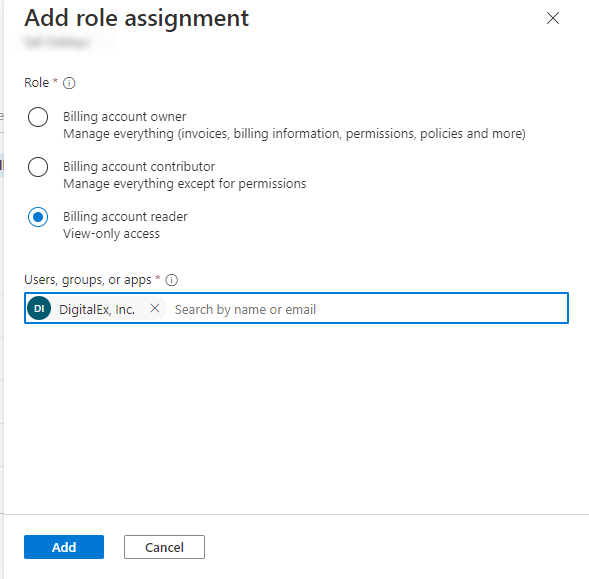
In this step, we will assign the Billing Account Reader permission to the app created in Step 1. This role grants read access to account information and cost reports. It's important to note that the Billing Account Reader role DOES NOT provide any WRITE permissions to Mavvrik platform.
Why this matters: Mavvrik only ever needs read access to generate cost data and recommendations — it never writes to your Azure account. Granting a read-only role like Billing Account Reader (rather than something broader) keeps the integration's blast radius limited if credentials were ever compromised.
Procedure in this step is also documented by Azure here : assign-roles-azure-service-principals.
-
If you choose to onboard the billing scope you must add the Billing Account Reader role
-
If you choose to onboard the subscription scope, you must add the Cost Management Reader role
-
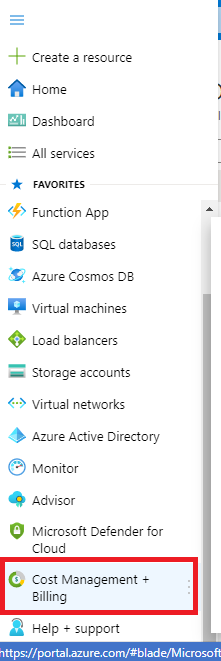
Click on Menu
-
Go to Cost Management + Billing
-
Click on Access Control(IAM)
-
Click on Add (Add role assignment page will get opened )
-
Select the Billing account reader(Select based on your scope mentioned in the above note)
-
Search the App created in Step 1
-
Click on Add Button