.png)
-
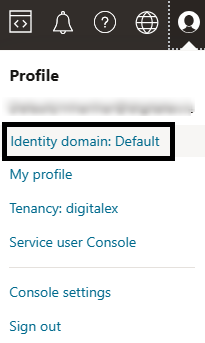
Navigate to Profile > Identity domain: Default.
-
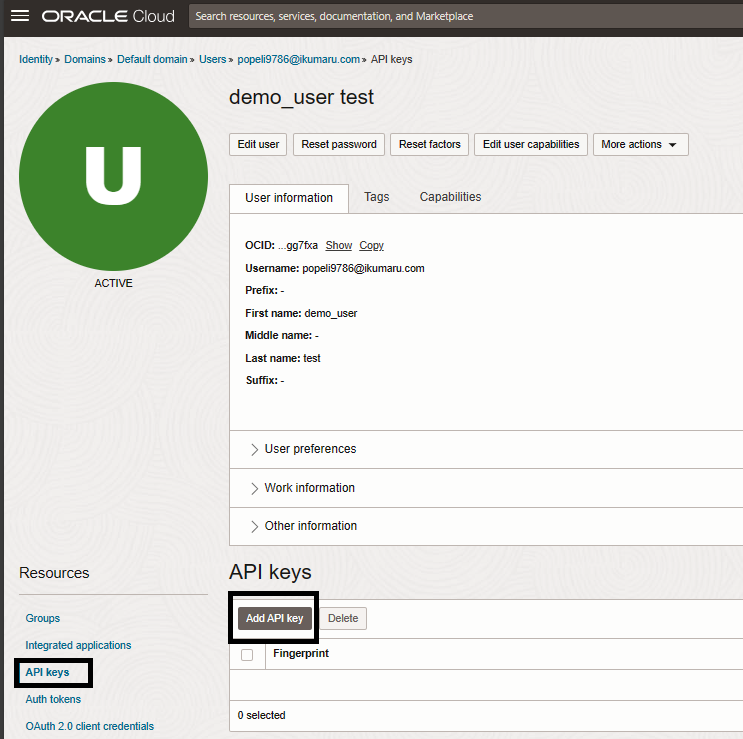
Go to Users
-
Click on the user created in Step 1: Create a User & User Group

-
Navigate to API Keys > Add API Key
-
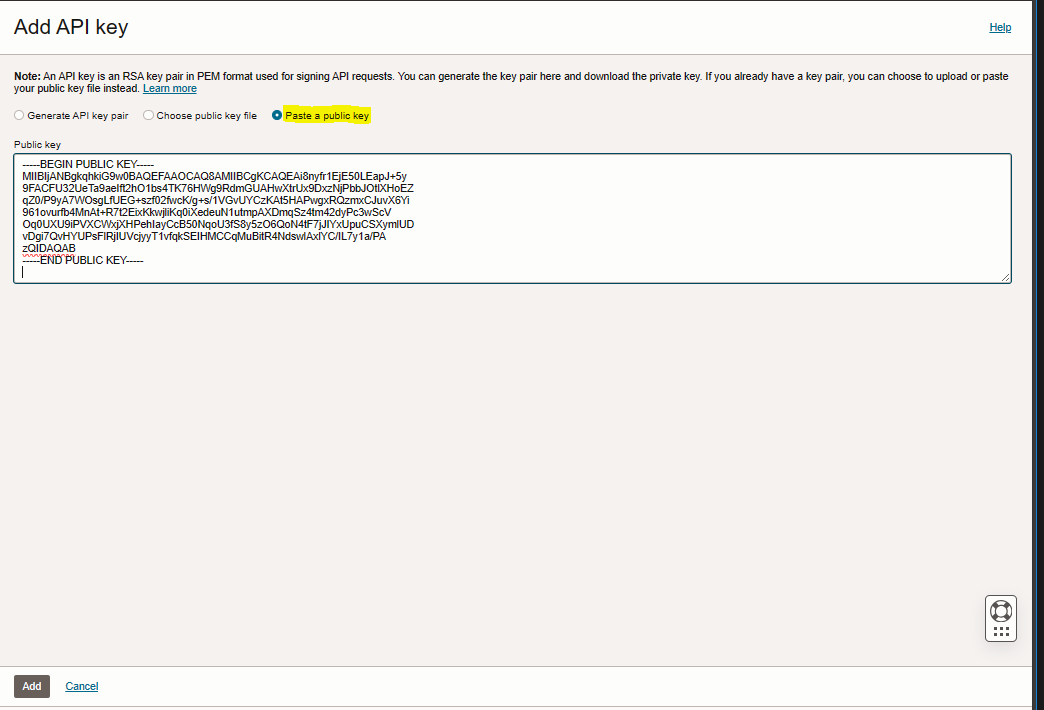
Select Paste a public key option.
-
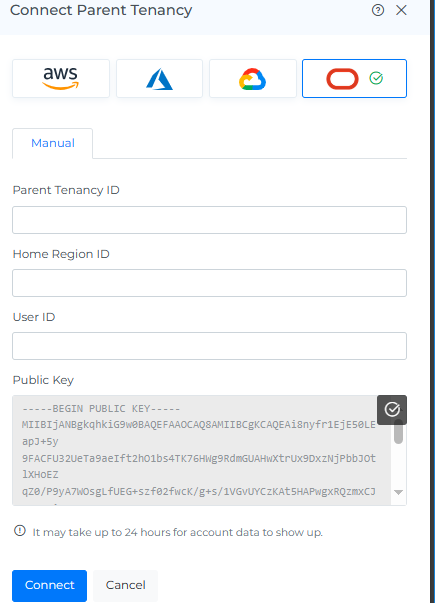
Copy the public key from Mavvrik.
To copy the public key
Navigate to Mavvrik > Admin > Public Clouds > +Account > OCI > Manual > Copy Public Key
-
Paste the public key in OCI
-
Click on Add Button
-
Please capture the Parent Tenancy ID, Home Region ID, and User ID as you will need them for subsequent onboarding steps.
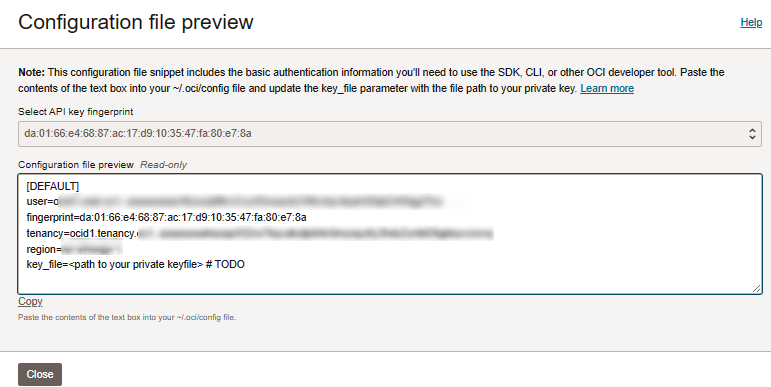
-
Click on close.