.png)
Here are the steps to Get Identity Provider Details
-
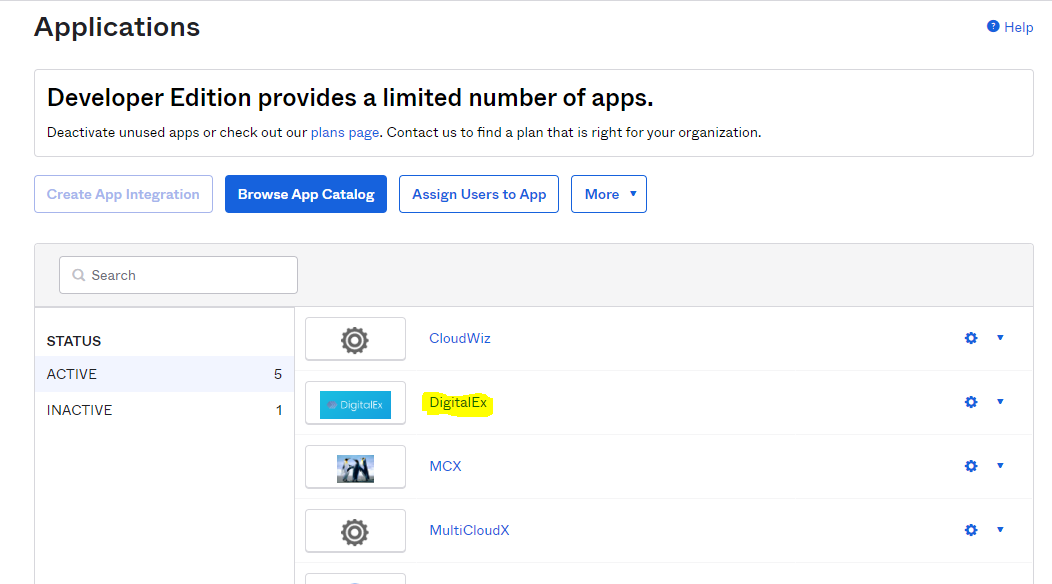
Click on Applications > Applications
-
Click on Application from the list which you have created.
-
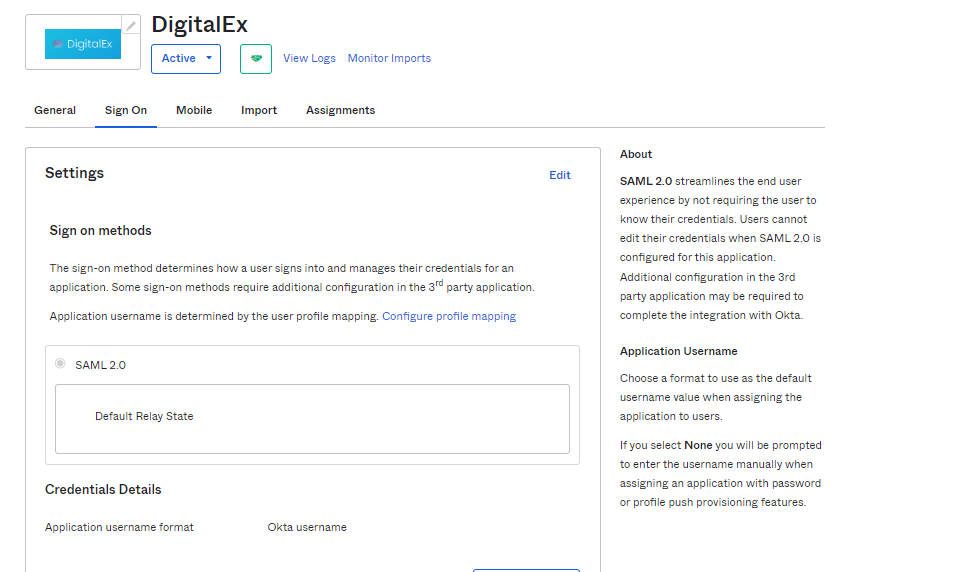
Click Sign-on
-
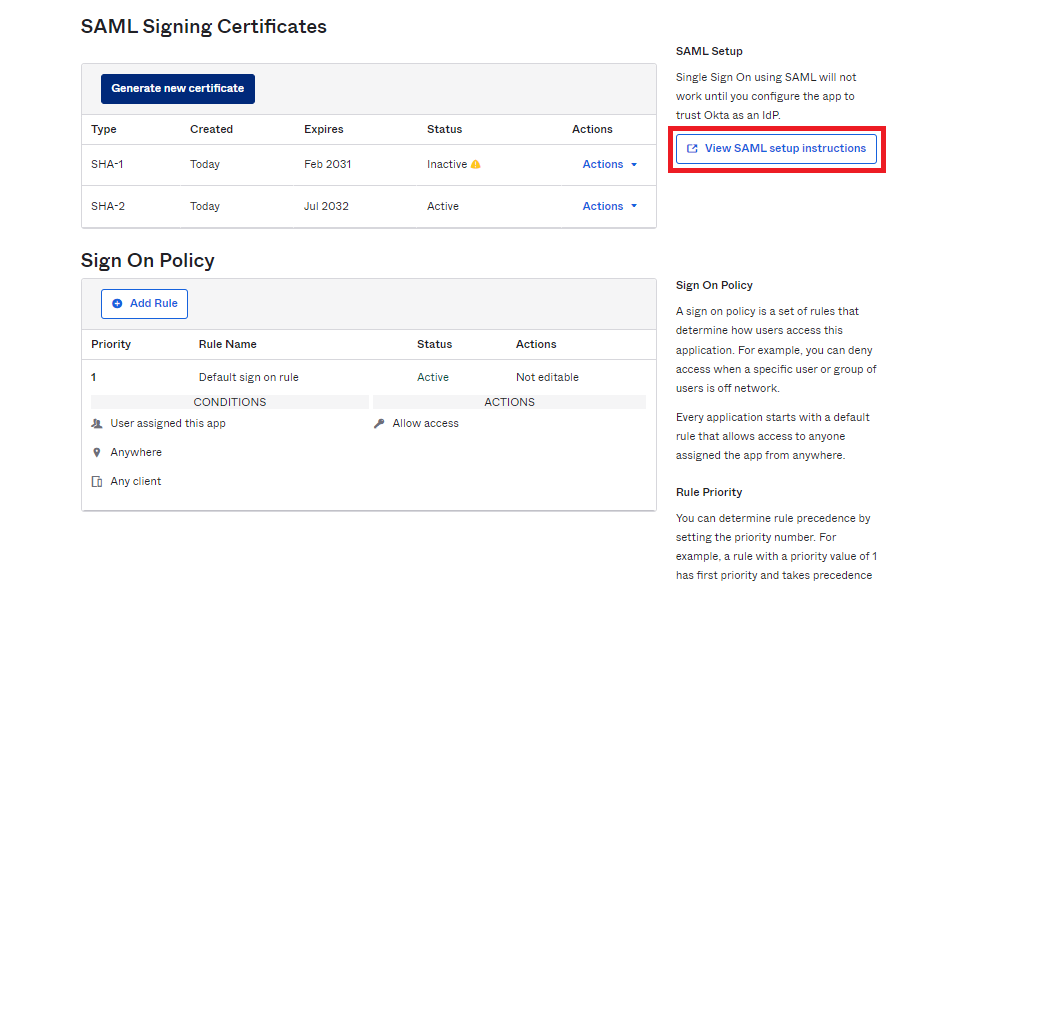
Scroll down & click view setup Instructions.
-
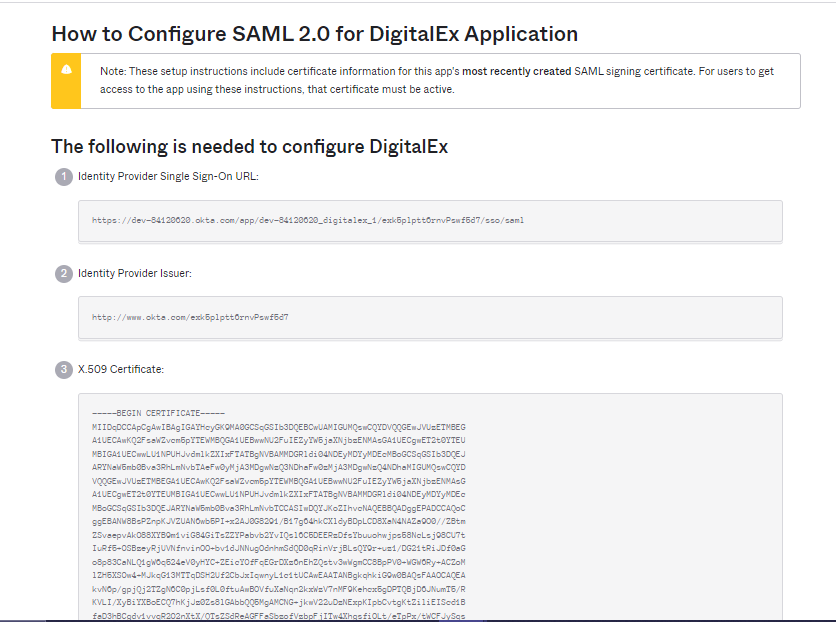
Clicking on view setup instructions navigates to the below page.
-
Copy identity provider single sign-on URL, Identity provider Issuer, and certificate and paste it into any of the editor. This is used in Step 5