.png)
-
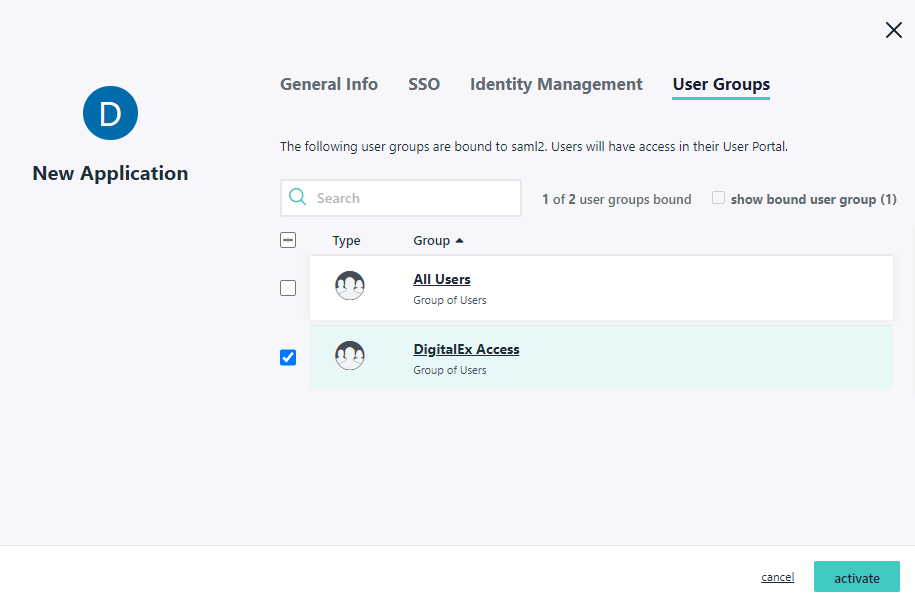
After Entering IDP URL in above step, Click User Groups
-
Select User Groups to whom you want to give access to this application
-
Click Activate
-
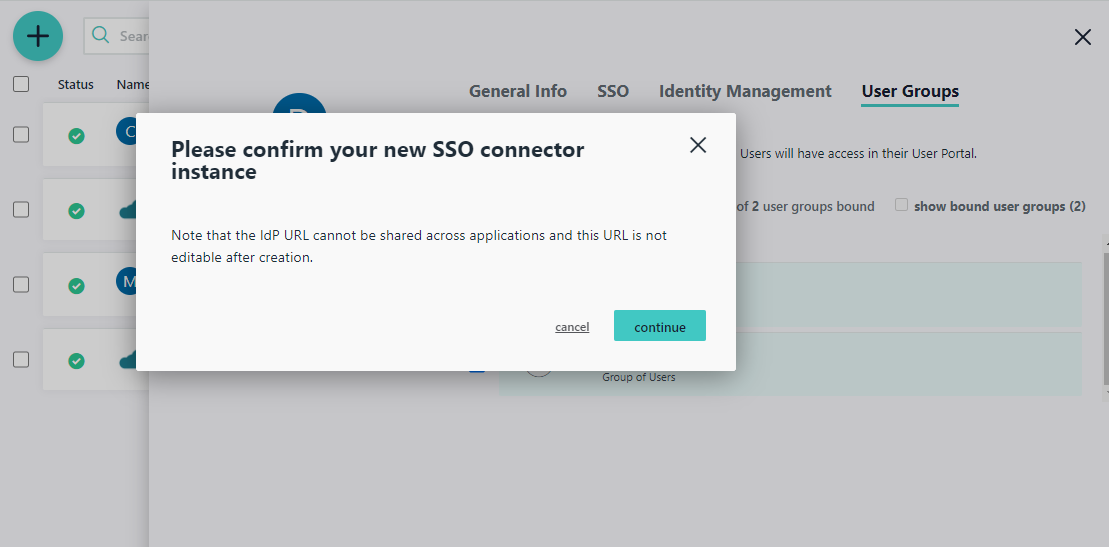
Click Continue on pop up
-
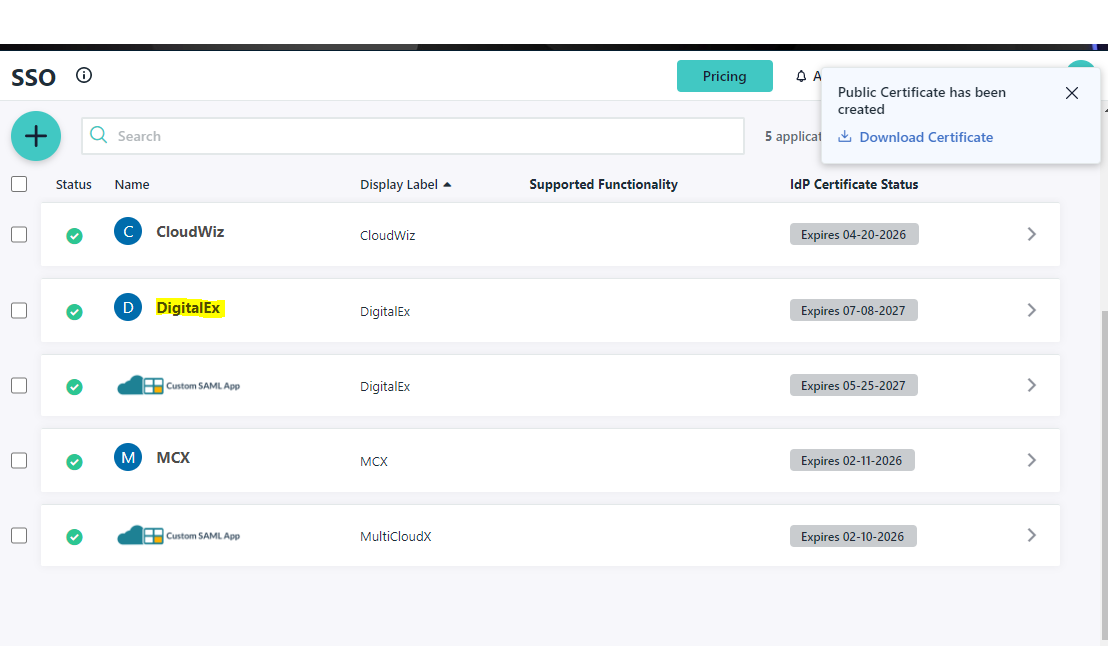
Application is successfully created and displayed in the list as shown below