.png)
To manage an Azure Active Directory (AAD) app and create a client secret, the Active Directory administrator role is required
Steps to Create an Application
-
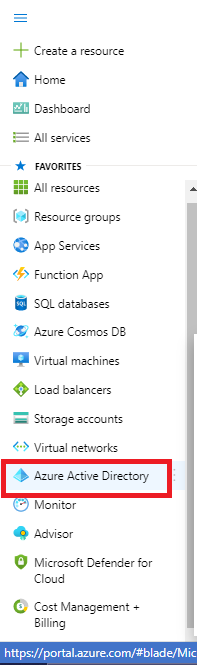
Click on Menu
-
Go to Azure Active directory
-
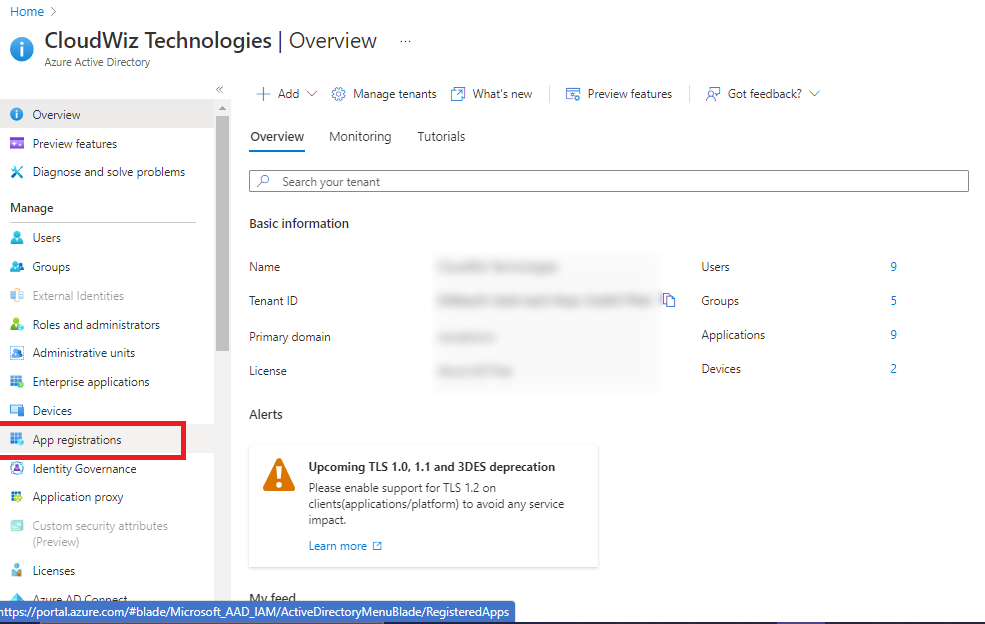
Click on App Registration
-
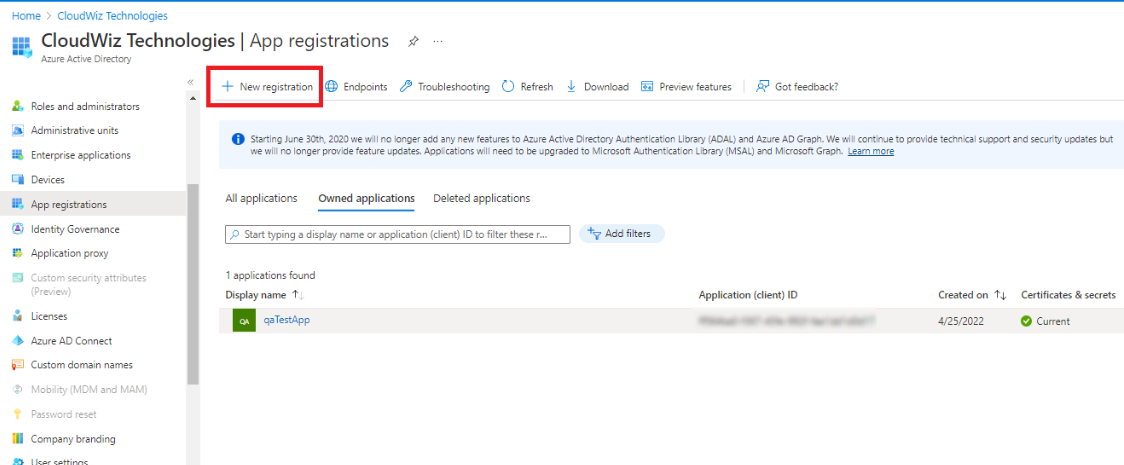
Click on New Registration
-
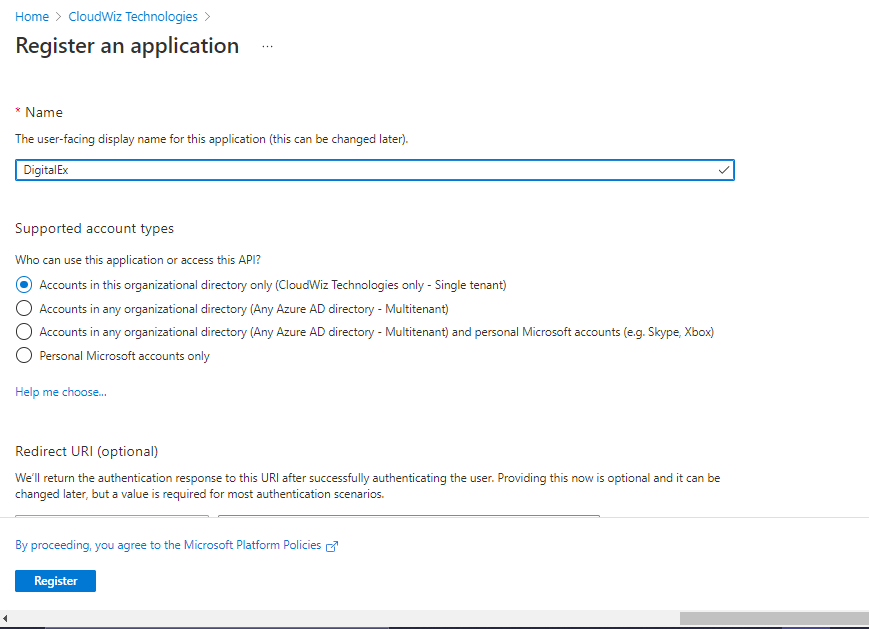
Enter Name of Application
-
Supported account type is selected automatically.
-
Click on Register
-
App will get created as shown below.
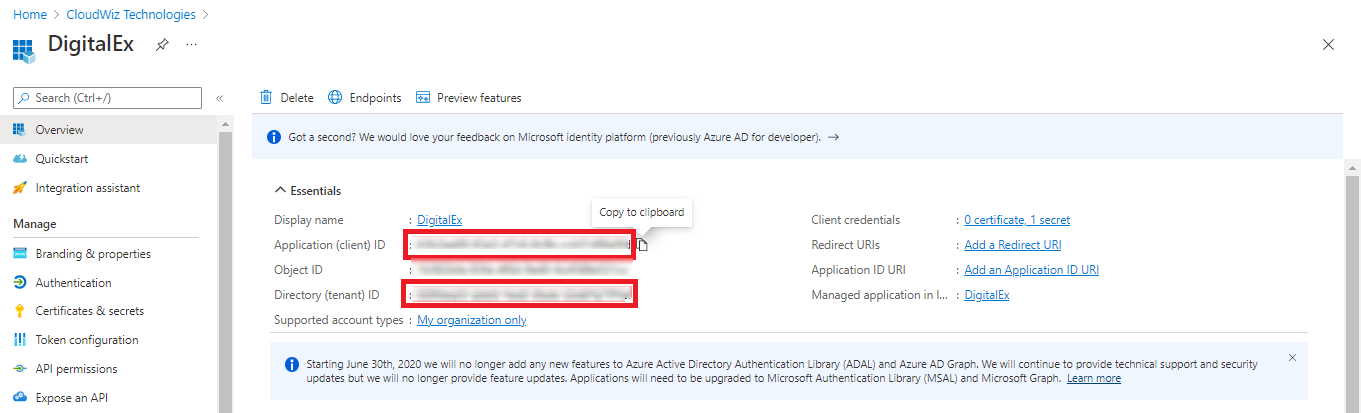
Capture the Application ID & Directory ID to share with your partner
Steps to add client secret
-
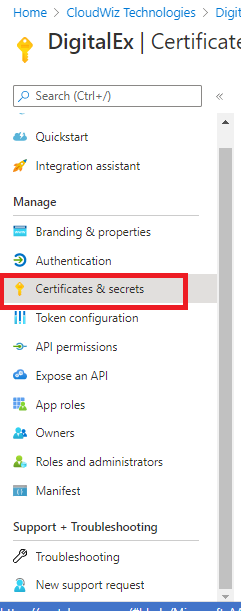
Click on Certificates & Secrets
-
Click on New Client Secret
-
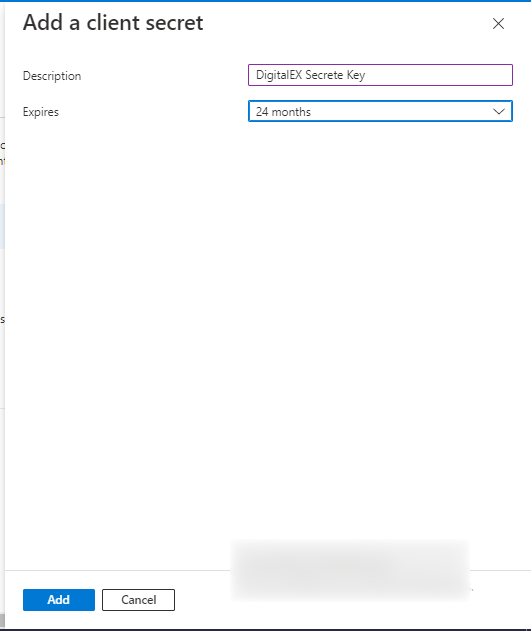
Enter Description
-
Select Expires as 24 months maximum
-
Click Add
-
Applied client secret will be displayed as shown below
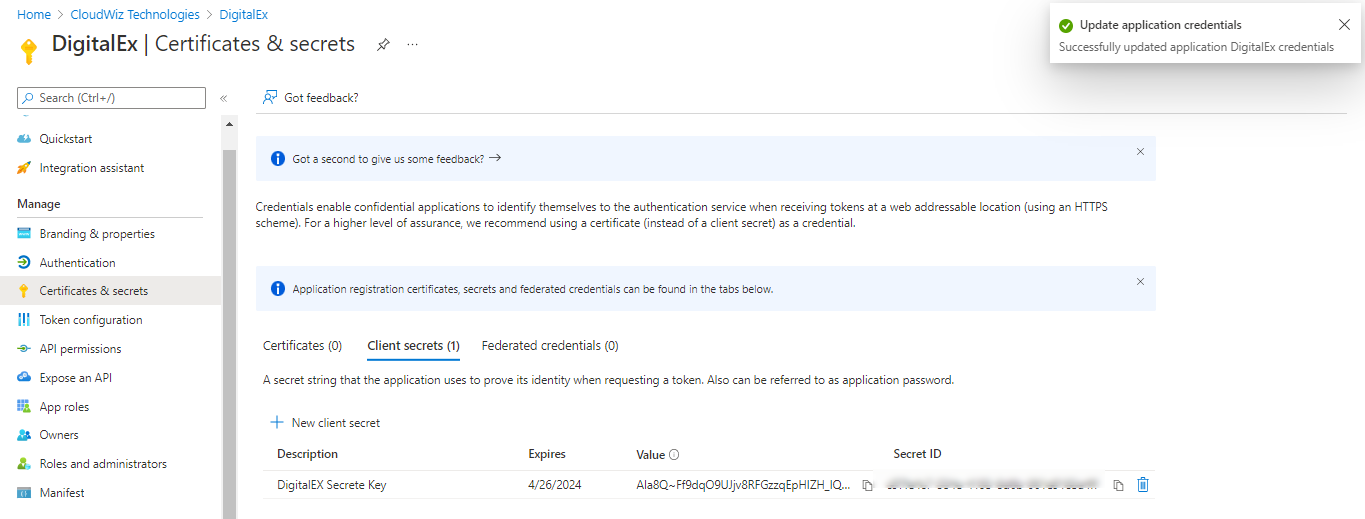
Capture the Value(not Secret ID) to share with your partner