.png)
In order to grant permissions to an app, the owner role is required.
-
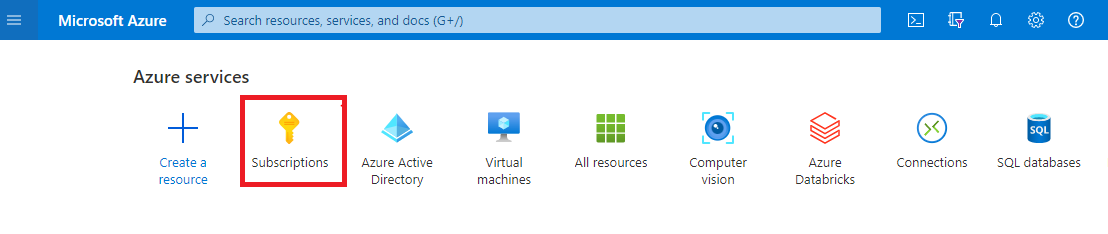
Click on Subscriptions
-
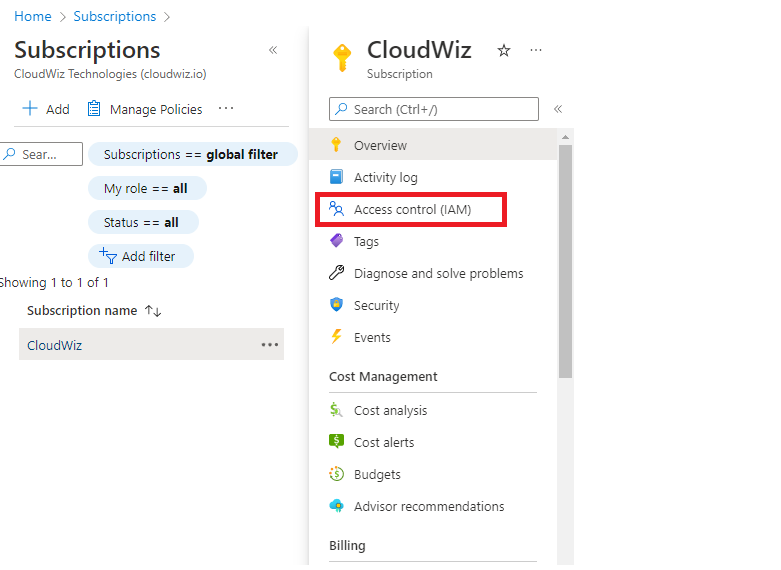
Click on your subscription.
-
Click on Access Control (IAM)
-
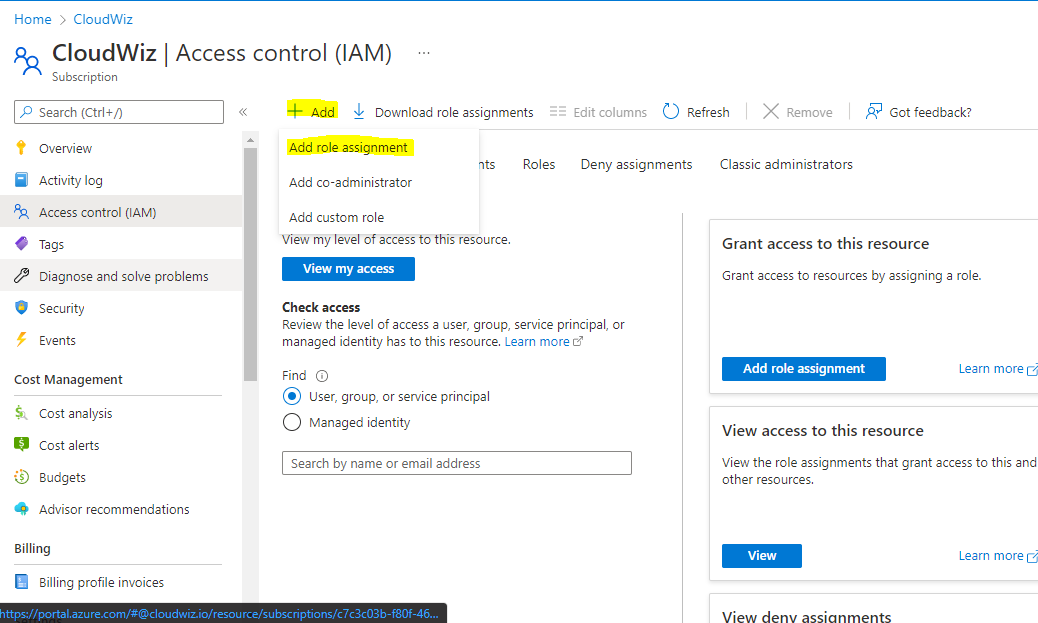
Click on Add → Add role assignment.
-
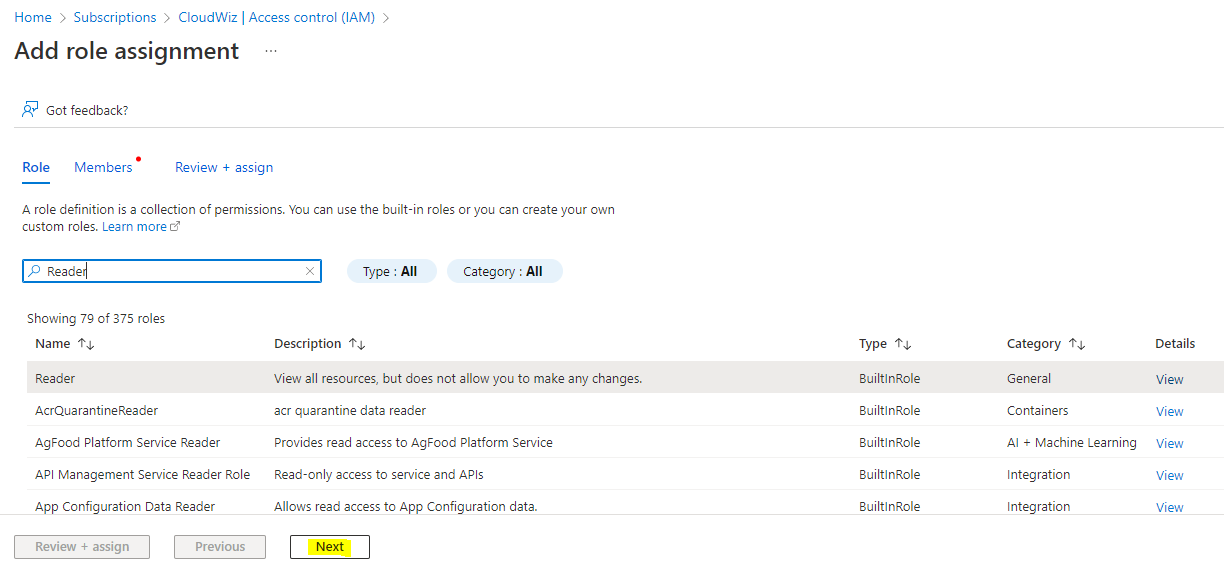
Click on the search box & enter the role name as Reader role
-
Select the role & click next
-
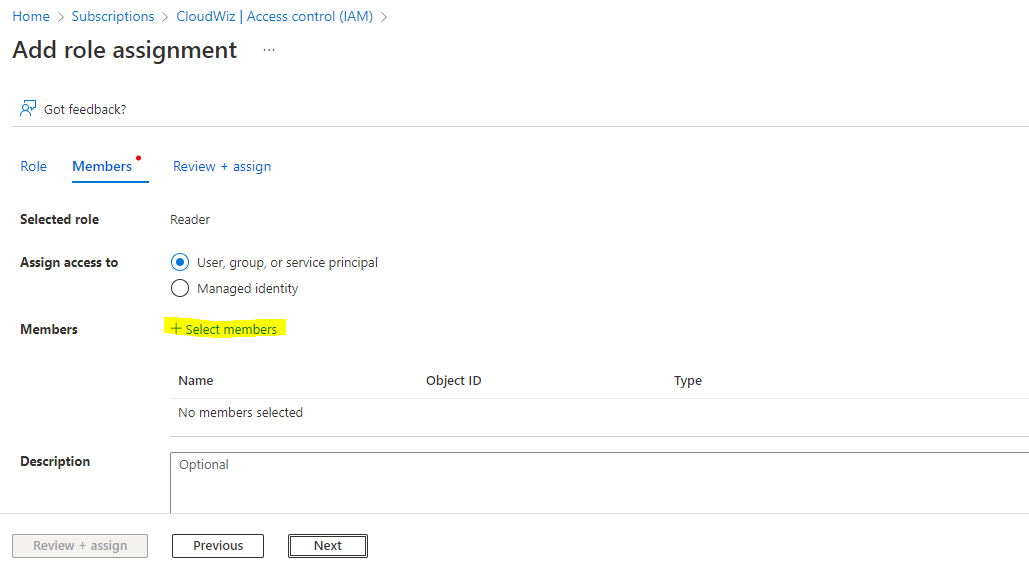
Click on Select Members
-
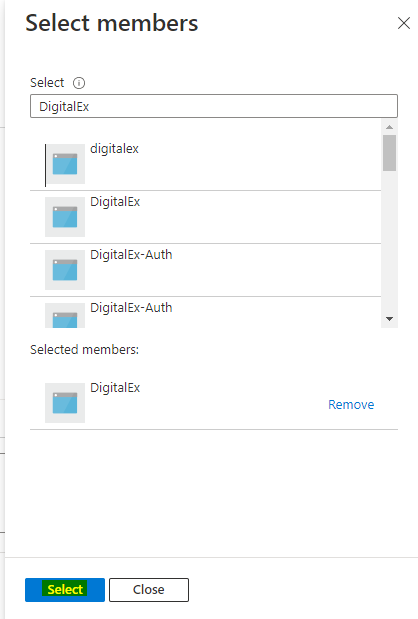
Enter the App name (which you have created in
Step-1 : Create Azure Active Directory app ) & Click Select
-
Click Next
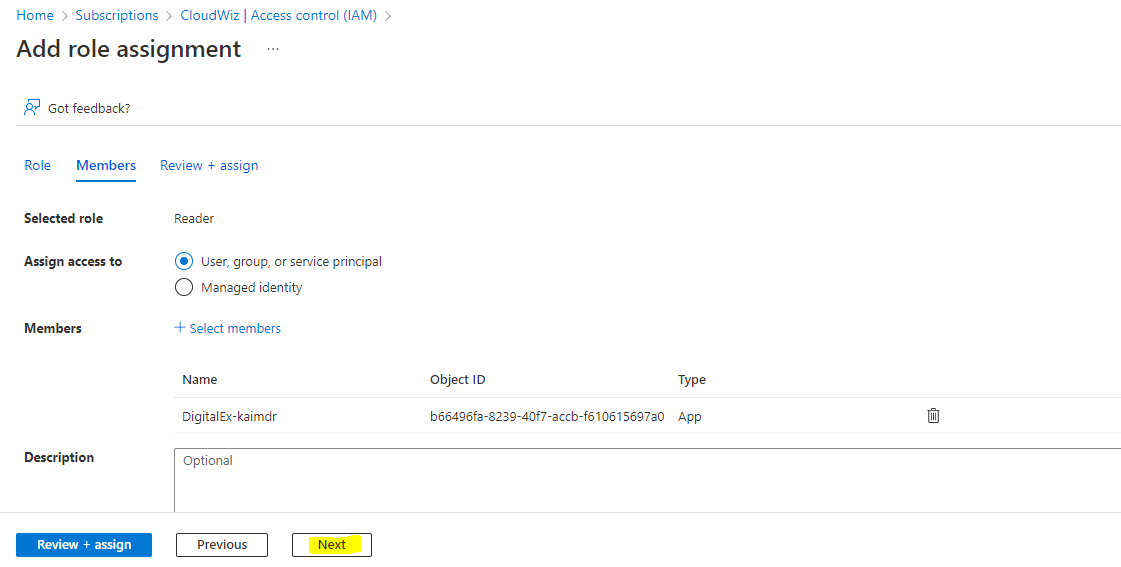
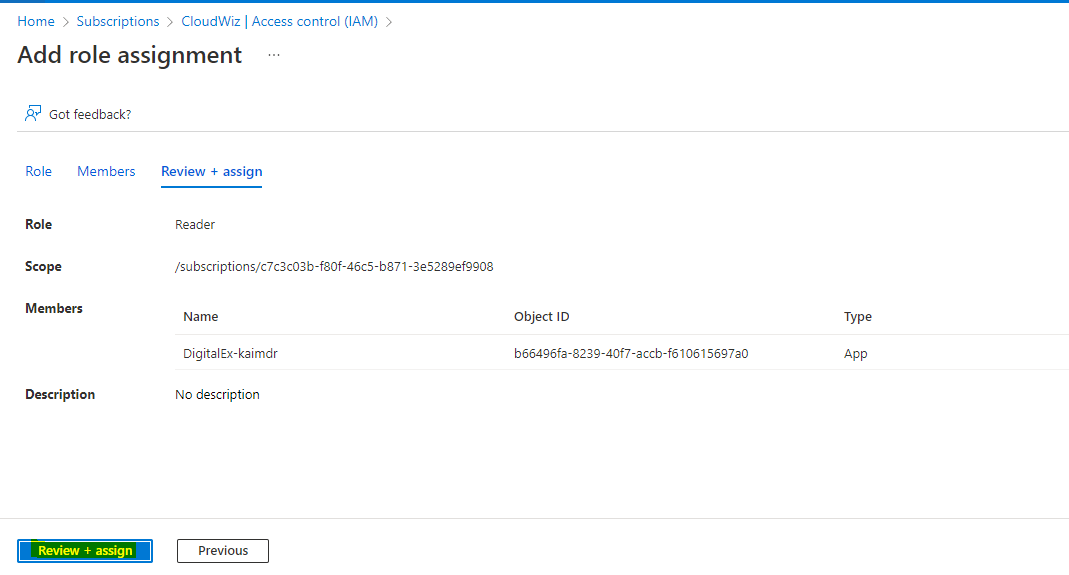
10. Click Review + assign