.png)
To manage an Azure Active Directory (AAD) app and create a client secret, the Active Directory administrator role is required
Steps to Create an Application
-
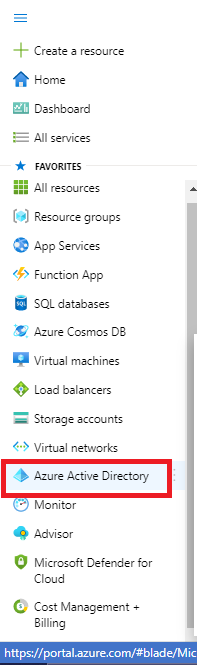
Click on Menu
-
Go to Azure Active directory
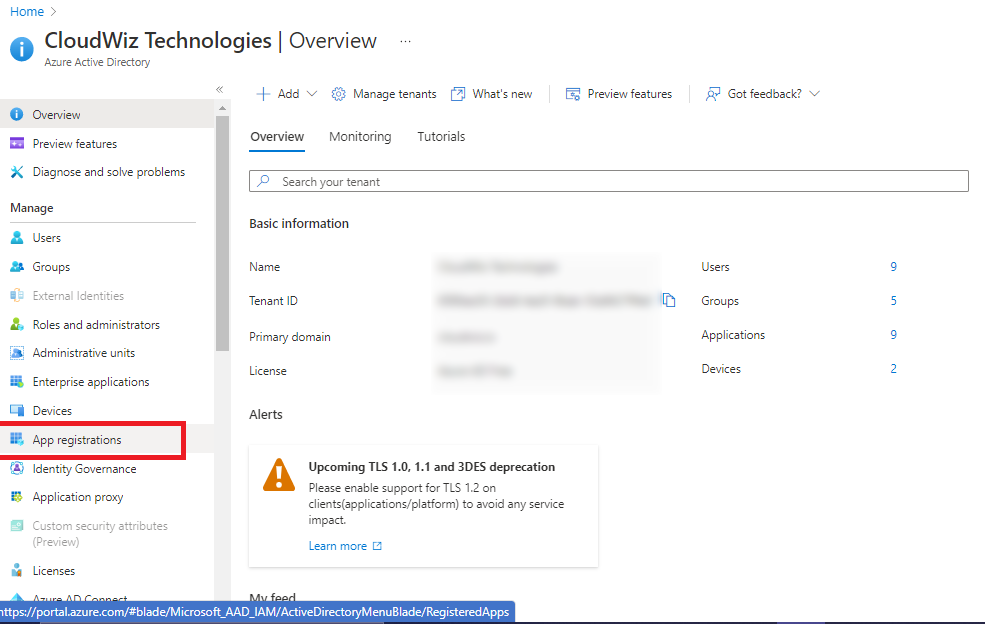
3. Click on App Registration
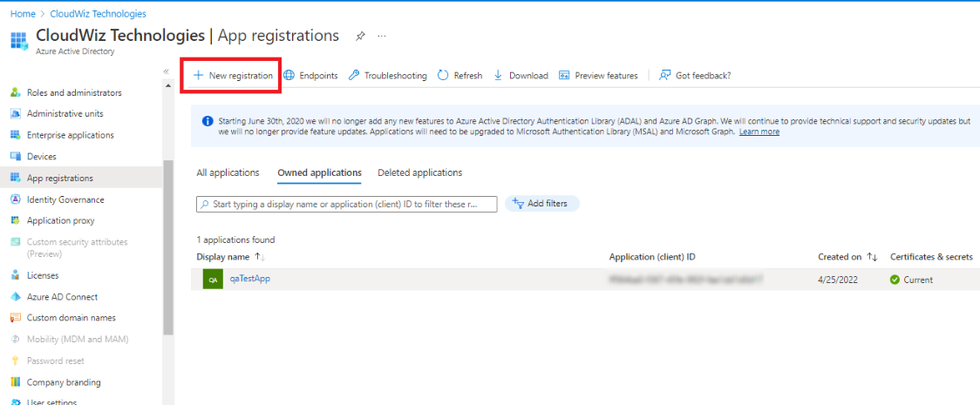
4. Click on New Registration
5. Enter Name of Application
6. Supported account type is selected automatically.
7. Click on Register
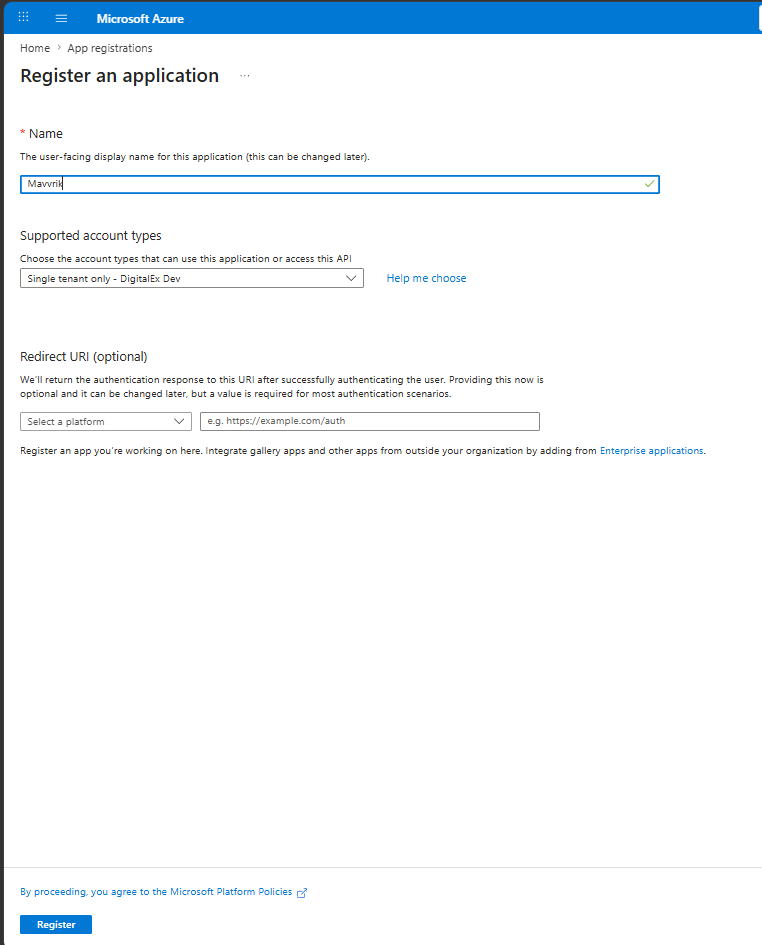
8. App will get created as shown below.
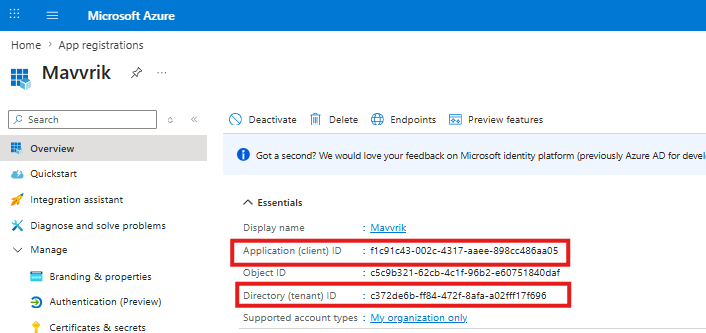
Capture the Application ID & Directory ID to share with your partner
Steps to add client’s secret
-
Click on Certificates & Secrets
-
Click on New Client Secret
-
Enter Description
-
Select Expires as 24 months maximum
-
Click Add
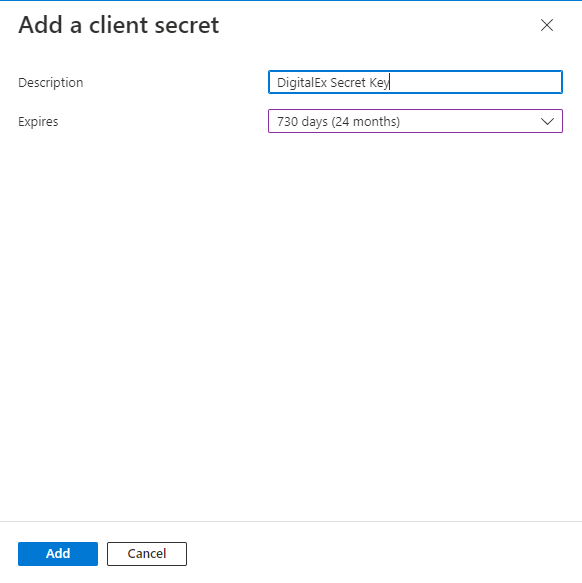
6. Applied client secret will be displayed as shown below
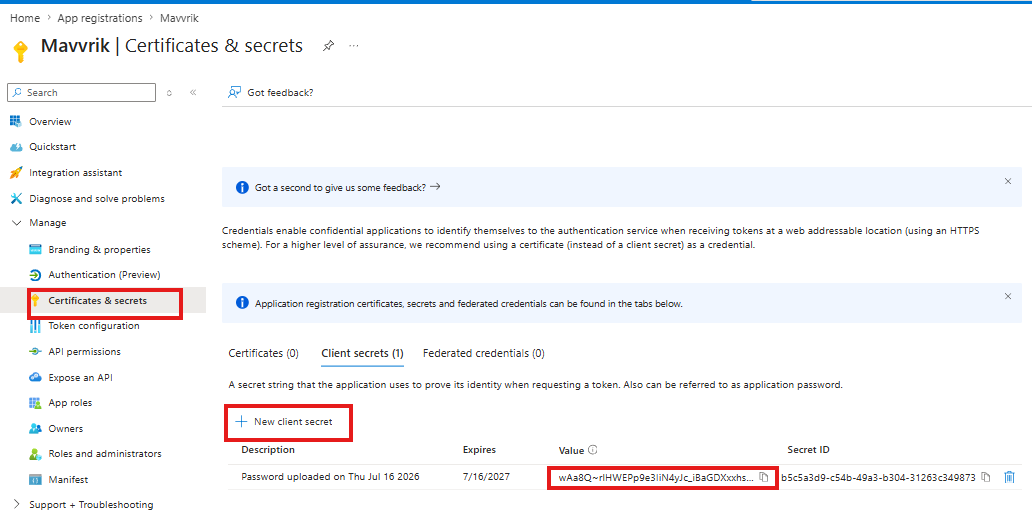
Capture the Value(not Secret ID) to share with your partner