.png)
Below are the steps for creating the users in the data center
Why this matters: Mavvrik only needs read-only visibility into your vCenter environment to report on cost and utilization — it never needs to modify anything there. Creating a dedicated read-only user (rather than reusing an admin account) keeps that boundary explicit and makes it easy to see exactly what access Mavvrik has, and to revoke it cleanly if needed.
Before you start: you'll need Administration access in vCenter to create users and assign permissions.
-
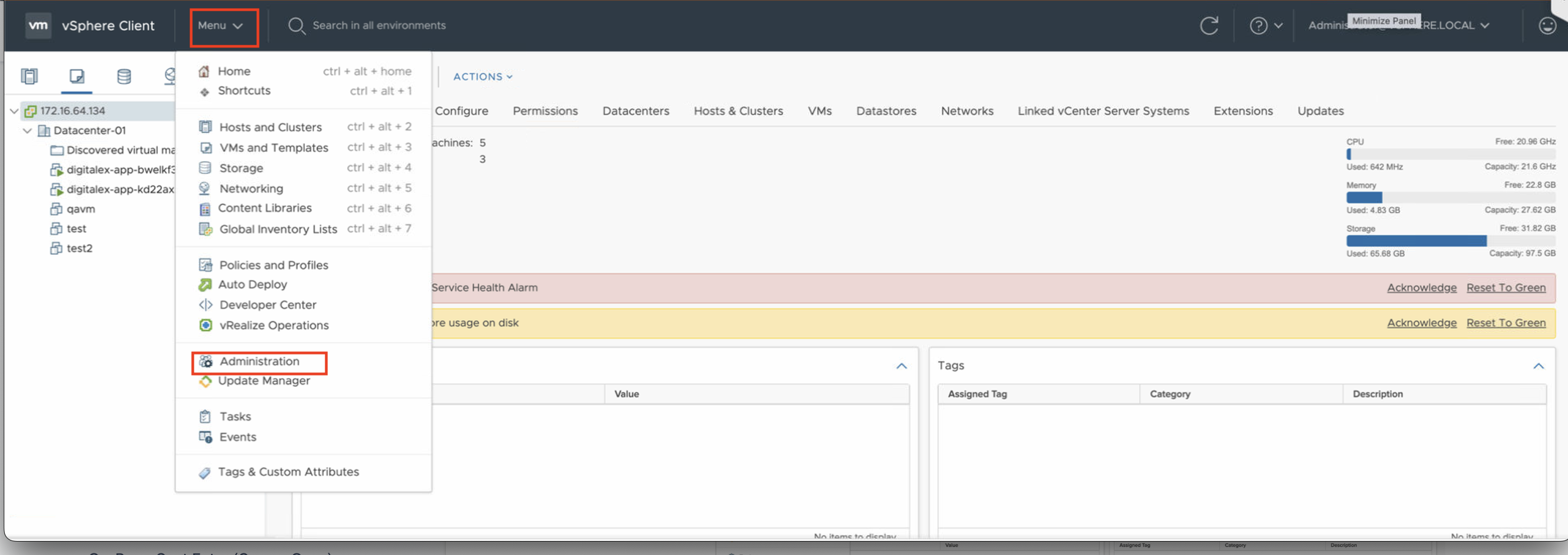
Login to vCenter and navigate to Administration Tab under the Menu section
-
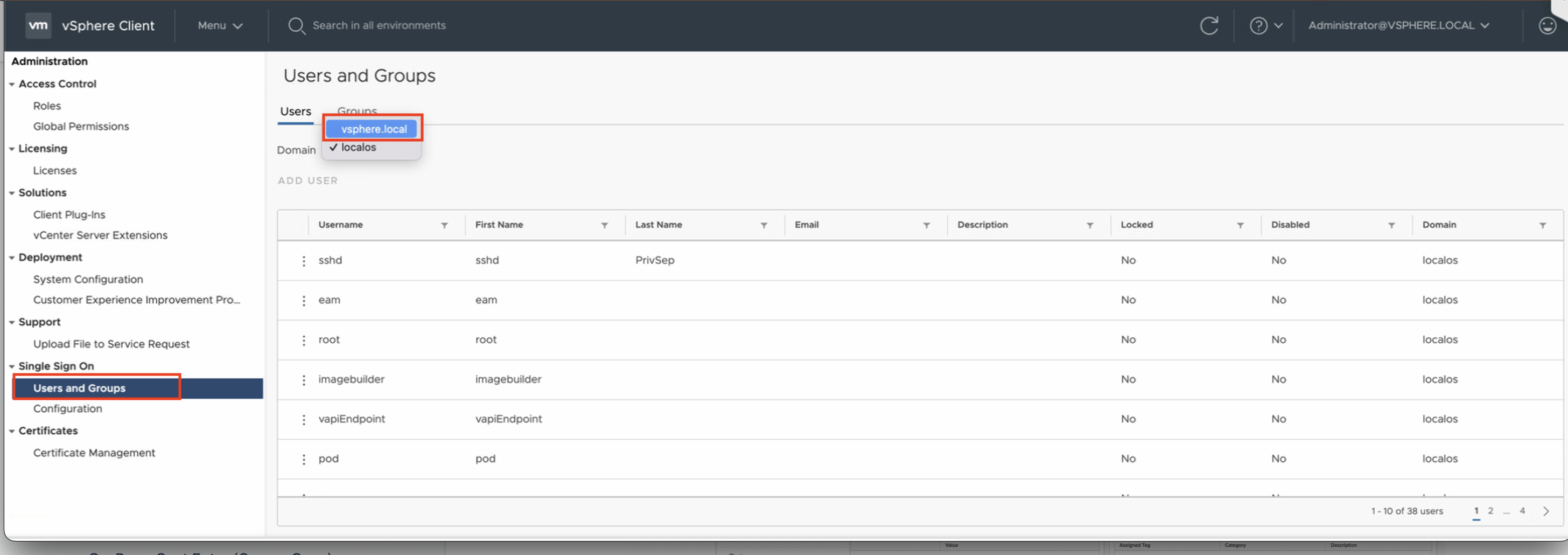
Under Left side nav bar > Single Sign On > Users and Groups. Then:
-
In Users and groups select your domain eg: vsphere.local
-
Click on Add User> Enter all the required details
-
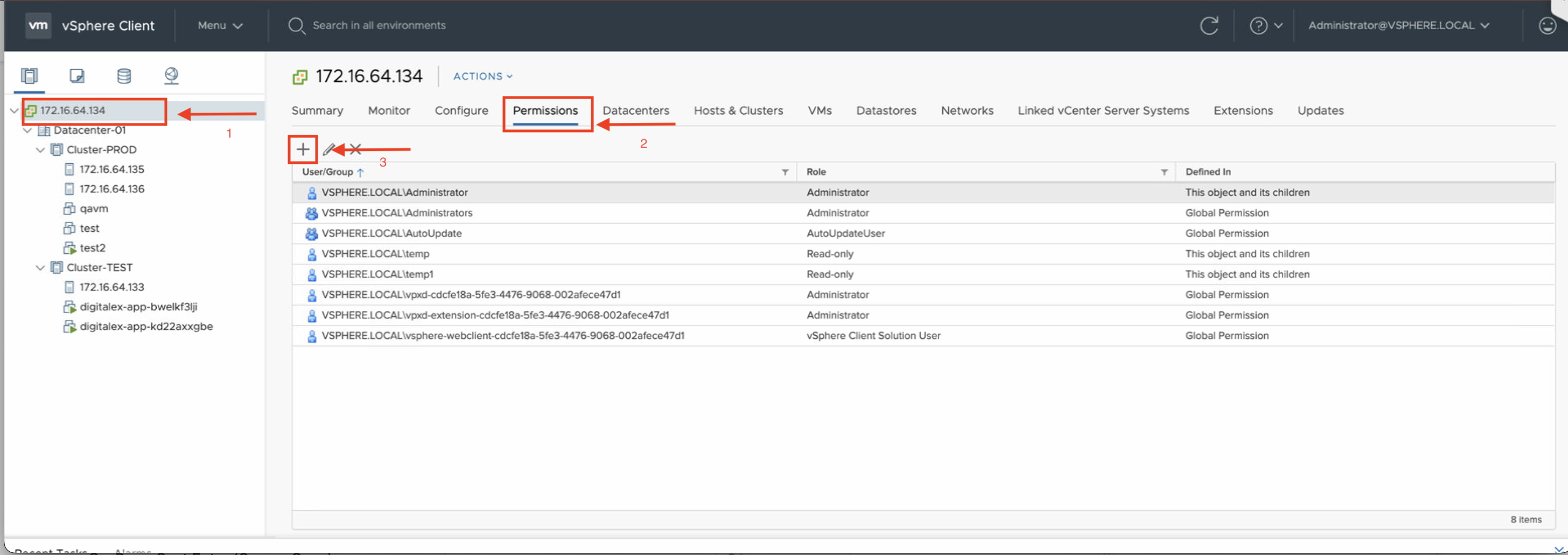
Then Navigate to Host and Clusters under the Menu section. Then:
-
Then Select your Datacenter and select the Permissions tab.
-
then click on the + symbol
-
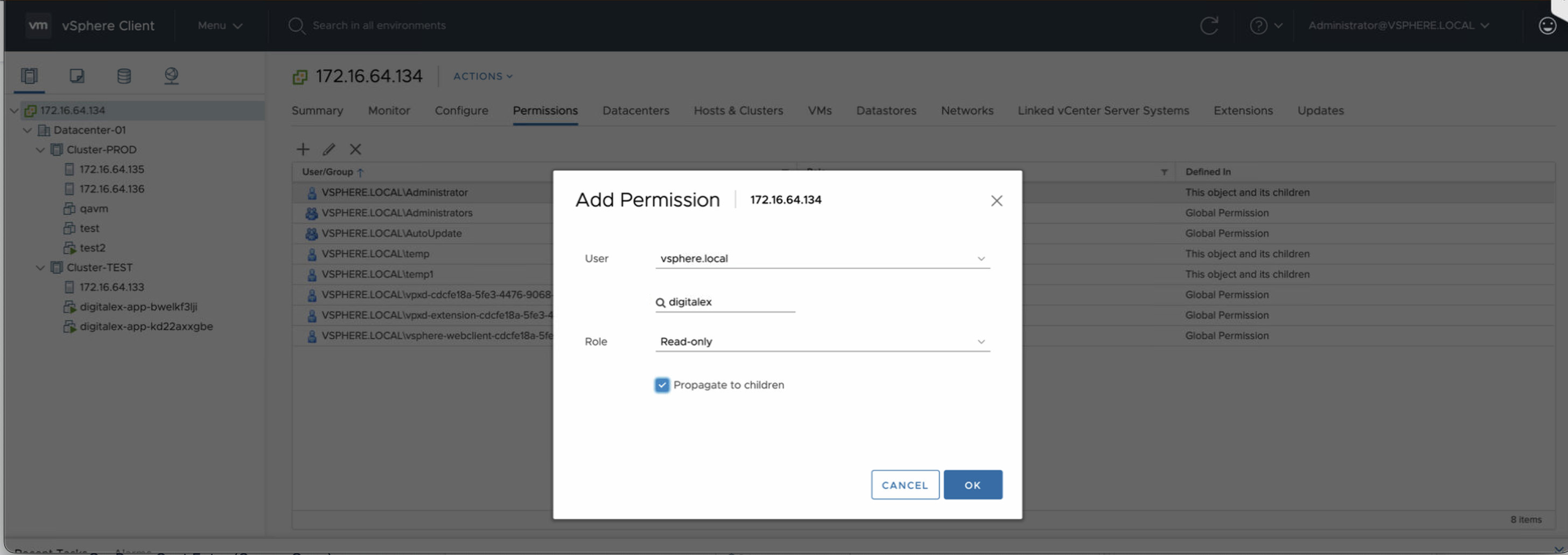
then add permission, select your user and select role as Read-only and check the box for Propagate to children.
Troubleshooting
-
If Mavvrik isn't picking up all your datacenter resources after setup, check whether Propagate to children was checked when assigning the Read-only role — without it, the permission only applies to the Datacenter object itself, not the clusters, hosts, and resources beneath it.
FAQs
Why does Mavvrik need a dedicated Read-only user instead of reusing an existing admin account?
Mavvrik only needs visibility into cost and utilization data — it never modifies anything in vCenter. A dedicated, read-only user keeps that boundary explicit, makes it easy to see exactly what access Mavvrik has, and lets you revoke it cleanly if needed.
What does "Propagate to children" actually do?
It extends the Read-only role assigned at the Datacenter level down to every cluster, host, and resource underneath it. Without checking it, the role only applies to the Datacenter object itself, leaving everything below it inaccessible.