
See the cost and usage of each agent that calls models through a self-hosted agentgateway. The gateway sends a trace of every model request to Mavvrik, so you only configure the gateway and add a few headers to your agents' requests.
Before you start
-
agentgateway running in your environment (tested with version 1.6.0), with at least one model or provider configured, and access to its
config.yaml. -
Network access from the gateway to the Mavvrik endpoint over HTTPS.
-
You can create an agent connection in Mavvrik.
-
Access to the agent code that calls the gateway, to add request headers.
Step 1. Create the connection in Mavvrik
-
In Mavvrik, go to Agents and select + Agent.
-
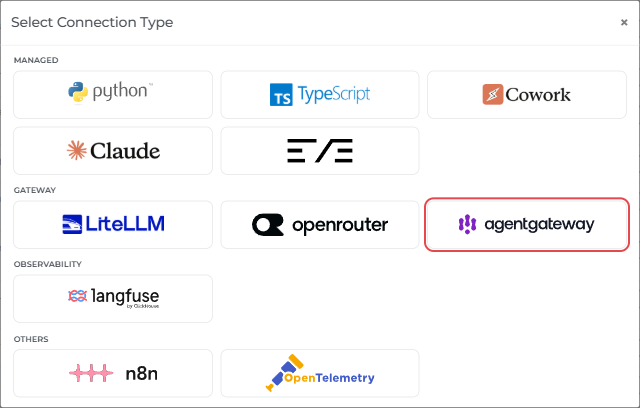
Under Gateway, select agentgateway.
-
Enter a Connection Name, for example
agentgateway-prod, and optionally a Description. Select Next.
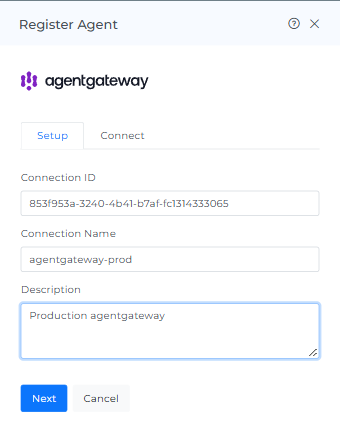
The Connect tab opens with the values and configuration for your gateway, already filled in for this connection. Keep it open for the next steps.
Step 2. Copy the gateway environment, then register
-
Copy the three values under Gateway environment and add them to the gateway container's environment (for example its env file), not to
config.yaml.MVK_OTLP_TOKENis a secret key; store it securely.
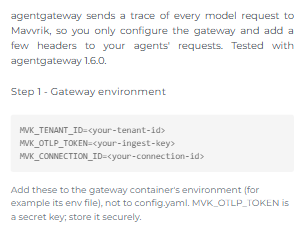
MVK_TENANT_ID=<tenant-id>
MVK_OTLP_TOKEN=<api-key>          # the key only, without "Bearer"
MVK_CONNECTION_ID=<connection-id>
-
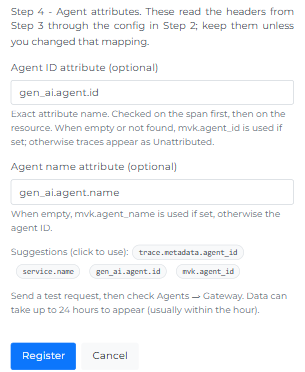
Agent ID attribute and Agent name attribute are already filled in with
gen_ai.agent.idandgen_ai.agent.name. They read the agent headers from Step 4 through the configuration in Step 3; keep them unless you change that mapping.
-
Select Register. The connection is listed under Agents → Gateway with Connection Type agentgateway.
Step 3. Send the gateway's traces to Mavvrik
Copy the block under Add to the top level of config.yaml on the Connect tab and add it to the top level of the gateway's config.yaml. The host is already filled in for your Mavvrik environment, for example:
frontendPolicies:
  tracing:
    host: ingest.mavvrik.ai:443
    protocol: http
    randomSampling: true
    policies:
      backendTLS: {}
      requestHeaderModifier:
        set:
          x-tenant-id: "$MVK_TENANT_ID"
          Authorization: "Bearer ${MVK_OTLP_TOKEN}"
          x-mvk-connection-id: "$MVK_CONNECTION_ID"
    resources:
      service.name: '"agentgateway"'
    attributes:
      gen_ai.agent.id: 'request.headers["x-agent-id"]'
      gen_ai.agent.name: 'request.headers["x-agent-name"]'
      session.id: 'request.headers["x-session-id"]'
      user.id: 'request.headers["x-user-id"]'
      gen_ai.usage.input_cost: 'llm.cost.input + llm.cost.cacheRead + llm.cost.cacheWrite'
      gen_ai.usage.output_cost: 'llm.cost.output + llm.cost.reasoning'
      gen_ai.usage.total_cost: 'llm.cost.total'
The last three attributes send the gateway's own cost for each request, which Mavvrik shows in the Reported view. Copy them exactly: the input and output cost must include the cache and reasoning cost, otherwise that cost is counted twice.
Restart the gateway. The gateway fills in the $... references from its environment. Don't put these references in YAML comments, because the gateway substitutes them there too.
Using the agentgateway UI? You can make the same change without editing the file: open the UI (by default http://localhost:15000/ui on the gateway host), go to Tools → Raw Configuration, paste the frontendPolicies block at the top level and select Save. The UI writes the change to config.yaml and the gateway applies it immediately, without a restart. The header values stay as $... references, so your keys are not shown in the UI.
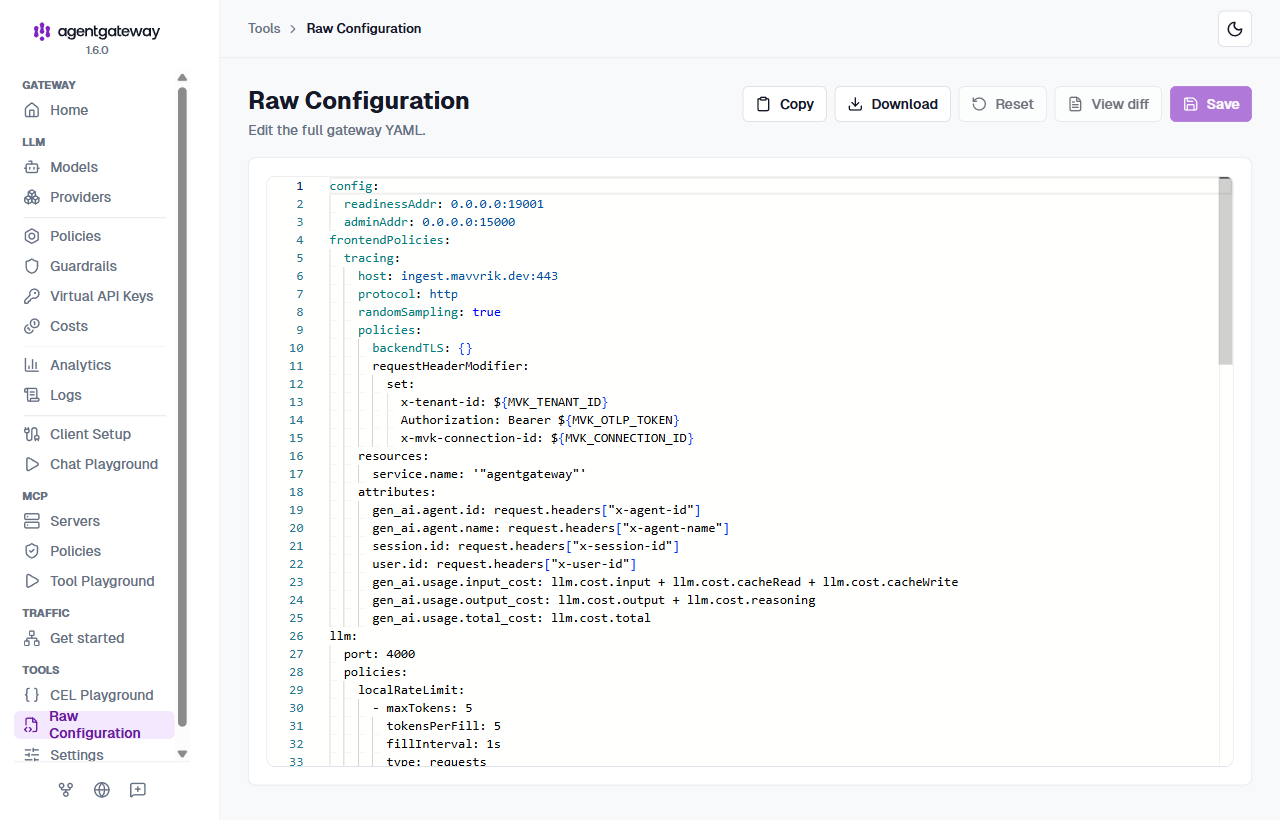
Step 4. Add the agent headers to each request
Send these headers on every request your agents make to the gateway:
|
Header |
Example |
Used for |
|---|---|---|
|
|
|
The agent in Mavvrik (keep it stable; a new value creates a new agent) |
|
|
|
The agent's display name |
|
|
|
Groups calls into one session in the Sessions view |
|
|
|
Cost per user |
Example with the OpenAI Python SDK pointed at the gateway:
from openai import OpenAI
client = OpenAI(base_url="http://<gateway-host>:4000/v1", api_key="unused")
client.chat.completions.create(
    model="gpt-4o-mini",
    messages=[{"role": "user", "content": "Hello"}],
    extra_headers={
        "x-agent-id": "support-bot",
        "x-agent-name": "Support Bot",
        "x-session-id": "chat-7f3a",
        "x-user-id": "customer-123",
    },
)
Use plain ASCII in header values. Requests without x-agent-id still count towards your total cost but appear as Unattributed. Without x-session-id and x-user-id, requests don't appear in the Sessions view and have no per-user cost.
Optional: Add tags
Tags let you group and filter cost by your own labels, such as team, environment or feature. They appear in the Tags column of Agent Cost Items as key:value.
-
In the Step 3 tracing attributes, add this line:
mvk.tags: 'request.headers["x-mvk-tags"]'
-
Send an
x-mvk-tagsheader on each request with your tags as a JSON object of text values:
import json
client.chat.completions.create(
    model="gpt-4o-mini",
    messages=[{"role": "user", "content": "Hello"}],
    extra_headers={
        "x-agent-id": "support-bot",
        "x-agent-name": "Support Bot",
        "x-mvk-tags": json.dumps({"team": "support", "env": "prod"}),
    },
)
Every cost item of the request gets the tags, including embeddings and tool calls. Requests without the header have no tags.
Optional: Count tool calls
If your agents use function calling and run the tools in their own code, add this line to the Step 3 tracing attributes. Mavvrik then counts the tool calls the model asks for in the Tool Calls column of Sessions:
gen_ai.tool_calls: 'llm.toolCalls'
Optional: Identify agents by gateway API key
Instead of the agent headers in Step 4, you can give each agent its own gateway API key and let the gateway set the agent from the key. Use this when you can't change your agents' code to add headers, or when an agent must not be able to report itself as a different agent: a header sent with the request can't override the key.
-
Add one key per agent to the gateway's environment, for example
AGW_KEY_SUPPORT=<long random value>. Recreate the gateway container after you change its environment file. -
In
config.yaml, turn on API key authentication for the gateway's LLM listener and add each key with its agent details:
llm:
  policies:
    apiKey:
      mode: strict
      keys:
      - key: "$AGW_KEY_SUPPORT"
        metadata:
          agent_id: support-bot
          agent_name: Support Bot
          user: support-team
      - key: "$AGW_KEY_BILLING"
        metadata:
          agent_id: billing-bot
          agent_name: Billing Bot
          user: billing-team
-
In the Step 3 tracing attributes, replace the agent and user lines with:
      gen_ai.agent.id: 'apiKey.agent_id'
      gen_ai.agent.name: 'apiKey.agent_name'
      user.id: 'apiKey.user'
-
Each agent uses its own key as the API key for the gateway.
x-session-idis still sent as a header if you want sessions:
client = OpenAI(base_url="http://<gateway-host>:4000/v1", api_key="<support bot's gateway key>")
With mode: strict, the gateway rejects requests without a valid key (401). They aren't sent to the provider and don't appear in Mavvrik.
Step 5. Check your data
-
Run your agents through the gateway.
-
In Mavvrik, go to Agents → Gateway, open the connection and confirm your agents are listed by name.
-
Open Agent Cost and confirm LLM calls, tokens and cost appear. Switch between List Price and Reported to compare Mavvrik's price with the gateway's own cost.
Data usually appears within an hour, and always within 24 hours. Something missing? See Troubleshooting.
Good to know
-
List Price and Reported. List Price is Mavvrik's price from each request's model and tokens, including models the gateway can't price. Reported is the cost the gateway sends (the three cost attributes in Step 3). It is blank for models the gateway has no price for, and $0 for failed requests.
-
MCP tool calls made through the gateway's MCP proxy are not yet shown as Tool Calls. LLM cost is not affected.
-
Each request is its own run. The gateway starts a new trace for every request, so a session shows one run per model call.
-
Failed requests (for example 401 or 404 from the provider) appear with an Error status and no cost. Requests the gateway rejects itself before calling the provider are not shown.
-
Rerank, Realtime and agent-to-agent (A2A) traffic through the gateway are not supported yet.