.png)
Steps to perform by Target:
-
To proceed with the following steps, you'll need a CloudFormation URL. Please consult your partner to obtain the URL.
-
In order to run the URL you need to have admin role.
Upon receiving the link from the partner company, perform below steps
-
Login to AWS console where billing account is configured.
-
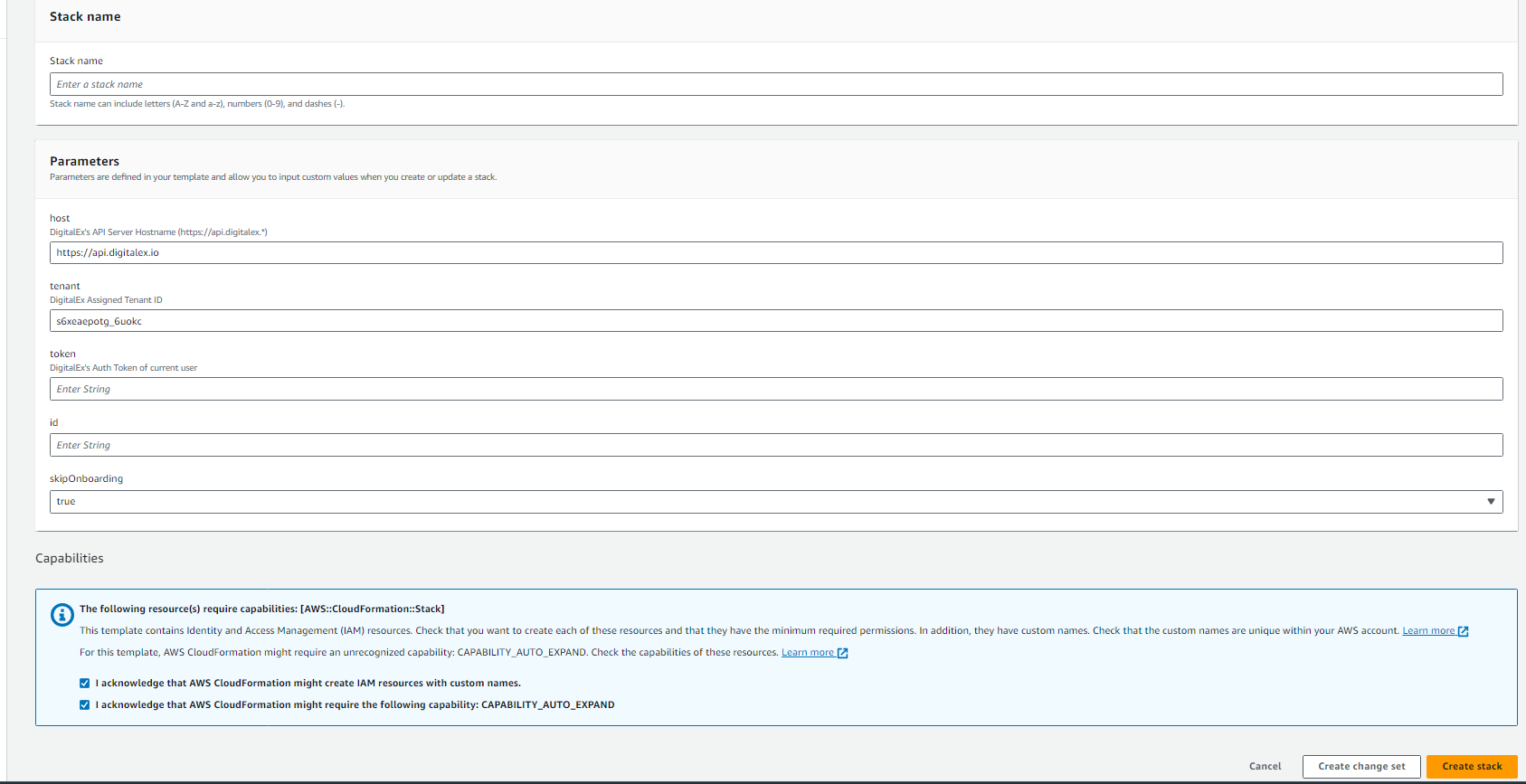
Open the URL in the browser. You will be presented with below screen.
-
Click Create at the bottom of page and Wait till the stack creation is completed
-
Click on Outputs tab.
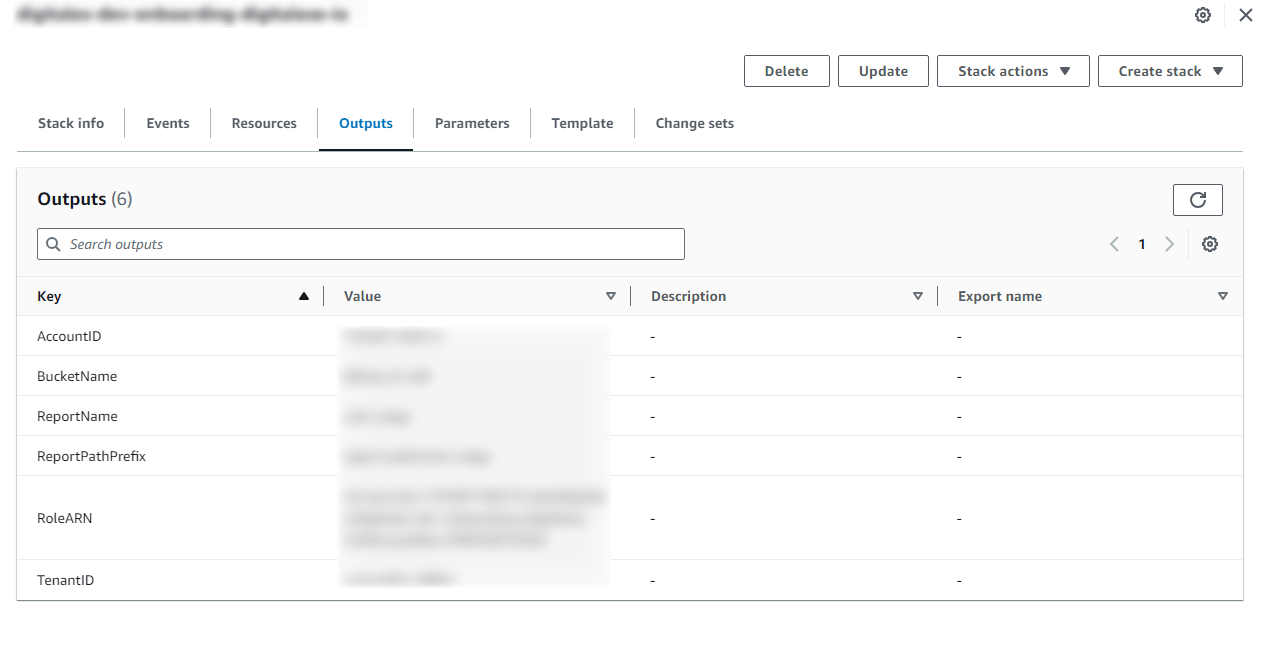
Capture the below details and share them with your partner.
-
Bucket Name
-
Role ARN
-
Account ID
-
Report Path
--------------------------------------------------------------------------------------------------------- Next>>