.png)
Cost to Serve
Overview
The Cost to Serve (CTS) solution is designed to quantify the total cost associated with delivering products or services to customers.
Steps to create cost to serve
Cost Gathering / Allocation
Create a cost allocation that includes direct and indirect/shared components (segments) of the costs to arrive to a Total Cost of the allocation
Cost Splitting
Identify the cost splitting i.e. identify the cost that you wanted to split segments in unit Cost ( per execution )
Cost To Serve
Calculate the cost that can be served for the segment ( per dimension, e.g. Customer )
Below are examples of cost gathering, cost splitting, and calculating cost to serve
Example 1 - No Dimension
Identify the unit metrics that you want to apply, as shown below
Month | # of Calls |
|---|---|
2025-01-01 | 400 |
2025-02-01 | 200 |
Cost Allocation - Total Cost of cost allocation in a Month, e.g. consisting: direct, shared, etc.
Month | Total Cost |
|---|---|
2025-01-01 | 1000 |
2025-02-01 | 600 |
Cost Splitting - Unit Cost of running on allocation per Execution:
Month | Unit Cost |
|---|---|
2025-01-01 | 1000 / 400 = 2.5 |
2025-02-01 | 600 / 200 = 3 |
Cost To Serve - N/A
Unit Metric API to post via Postman
curl --location 'https://api.mavvrik.ai/api/cost-to-serve/metric/<cost to server id>' \
--header 'Content-Type: application/json' \
--data '{
    "metrics": [
        {
            "date": "2025-01-01", /* will be aggregated to month */
            "value": 400
        },
        {
            "date": "2025-02-01",
            "value": 200
        }
    ]
}'
Example 2 - Single Dimension
Units BY Customer, with the following Unit Metric input:
Month | Customer | # of Calls |
|---|---|---|
2025-01-01 | Customer A | 100 |
2025-01-01 | Customer B | 300 |
2025-02-01 | Customer A | 100 |
2025-02-01 | Customer B | 100 |
Cost Allocation - Total Cost of cost allocation in a Month, e.g. consisting: direct, shared, etc.
Month | Total Cost |
|---|---|
2025-01-01 | 1000 |
2025-02-01 | 600 |
Cost Splitting - Unit Cost of running on allocation per Execution:
Month | Unit Cost |
|---|---|
2025-01-01 | 1000 / 400 = 2.5 |
2025-02-01 | 600 / 200 = 3 |
Cost To Serve - Serving Cost of running on allocation per Dimension:
Month | Customer | # of Calls | Cost To Serve |
|---|---|---|---|
2025-01-01 | Customer A | 100 | 2.5 * 100 = 250 |
2025-01-01 | Customer B | 300 | 2.5 * 300 = 750 |
2025-02-01 | Customer A | 100 | 3 * 100 = 300 |
2025-02-01 | Customer B | 100 | 3 * 100 = 300 |
Unit Metric API to post via Postman
curl --location 'https://api.mavvrik.ai/api/cost-to-serve/metric/<cost to server id>' \
--header 'Content-Type: application/json' \
--data '{
    "metrics": [
        {
            "date": "2025-01-01", /* will be aggregated to month */
            "dimensions": [
              { "key": "customer", "value": "Customer A" }
            ],
            "value": 100
        },
        {
            "date": "2025-01-01",
            "dimensions": [
              { "key": "customer", "value": "Customer B" }
            ],
            "value": 300
        },
        {
            "date": "2025-02-01",
            "dimensions": [
              { "key": "customer", "value": "Customer A" }
            ],
            "value": 100
        },
        {
            "date": "2025-02-01",
            "dimensions": [
              { "key": "customer", "value": "Customer B" }
            ],
            "value": 100
        }
    ]
}'
Example 3 - Multi Dimensions
Units BY Customer and Location, with the following Unit Metric input:
Month | Customer | Location | # of Calls |
|---|---|---|---|
2025-01-01 | Customer A | US | 60 |
2025-01-01 | Customer A | EU | 40 |
2025-01-01 | Customer B | US | 200 |
2025-01-01 | Customer B | EU | 100 |
2025-02-01 | Customer A | US | 30 |
2025-02-01 | Customer A | EU | 70 |
2025-02-01 | Customer B | US | 25 |
2025-02-01 | Customer B | EU | 75 |
Cost Allocation - Total Cost of cost allocation in a Month, e.g. consisting: direct, shared, etc.
Month | Total Cost |
|---|---|
2025-01-01 | 1000 |
2025-02-01 | 600 |
Cost Splitting - Unit Cost of running on allocation per Execution:
Month | Unit Cost |
|---|---|
2025-01-01 | 1000 / 400 = 2.5 |
2025-02-01 | 600 / 200 = 3 |
Cost To Serve - Serving Cost of running on allocation per Dimension:
Month | Customer | Location | # of Calls | Cost To Serve |
|---|---|---|---|---|
2025-01-01 | Customer A | US | 60 | 2.5 * 60 = 150 |
2025-01-01 | Customer A | EU | 40 | 2.5 * 40 = 100 |
2025-01-01 | Customer B | US | 200 | 2.5 * 200 = 500 |
2025-01-01 | Customer B | EU | 100 | 2.5 * 100 = 250 |
2025-02-01 | Customer A | US | 30 | 3 * 30 = 90 |
2025-02-01 | Customer A | EU | 70 | 3 * 70 = 210 |
2025-02-01 | Customer B | US | 25 | 3 * 25 = 75 |
2025-02-01 | Customer B | EU | 75 | 3 * 75 = 225 |
Unit Metric API to post via Postman
curl --location 'https://api.mavvrik.ai/api/cost-to-serve/metric/<cost to server id>' \
--header 'Content-Type: application/json' \
--data '{
    "metrics": [
        {
            "date": "2025-01-01", /* will be aggregated to month */
            "dimensions": [
              { "key": "customer", "value": "Customer A" },
              { "key": "location", "value": "US" }
            ],
            "value": 60
        },
        {
            "date": "2025-01-01",
            "dimensions": [
              { "key": "customer", "value": "Customer A" },
              { "key": "location", "value": "EU" }
            ],
            "value": 40
        },
        {
            "date": "2025-01-01",
            "dimensions": [
              { "key": "customer", "value": "Customer B" },
              { "key": "location", "value": "US" }
            ],
            "value": 200
        },
        {
            "date": "2025-01-01",
            "dimensions": [
              { "key": "customer", "value": "Customer B" },
              { "key": "location", "value": "EU" }
            ],
            "value": 100
        },
        {
            "date": "2025-02-01",
            "dimensions": [
              { "key": "customer", "value": "Customer A" },
              { "key": "location", "value": "US" }
            ],
            "value": 30
        },
        {
            "date": "2025-02-01",
            "dimensions": [
              { "key": "customer", "value": "Customer A" },
              { "key": "location", "value": "EU" }
            ],
            "value": 70
        },
        {
            "date": "2025-02-01",
            "dimensions": [
              { "key": "customer", "value": "Customer B" },
              { "key": "location", "value": "US" }
            ],
            "value": 25
        },
        {
            "date": "2025-02-01",
            "dimensions": [
              { "key": "customer", "value": "Customer B" },
              { "key": "location", "value": "EU" }
            ],
            "value": 75
        }
    ]
}'
Steps to create cost to serve in Mavvrik portal
Log into Mavvrik
Click on the menu
Click on unit economics
Click on cost ot serve
Click on +cost to serve
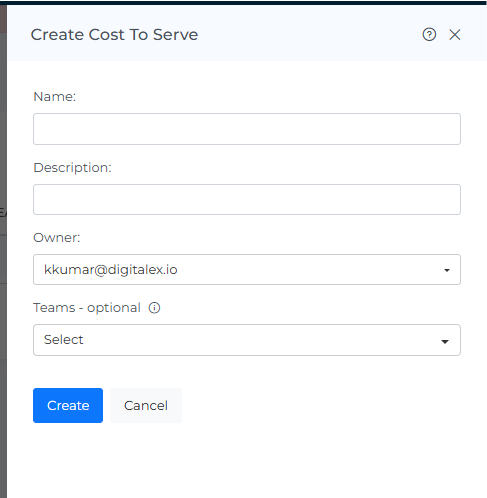
Fill in the details and click on create
Cost to serve entry is created

Click on the created cost to serve entry
Click on +segment
Select the Cost allocation to which you want to apply the unit economics and click on Next
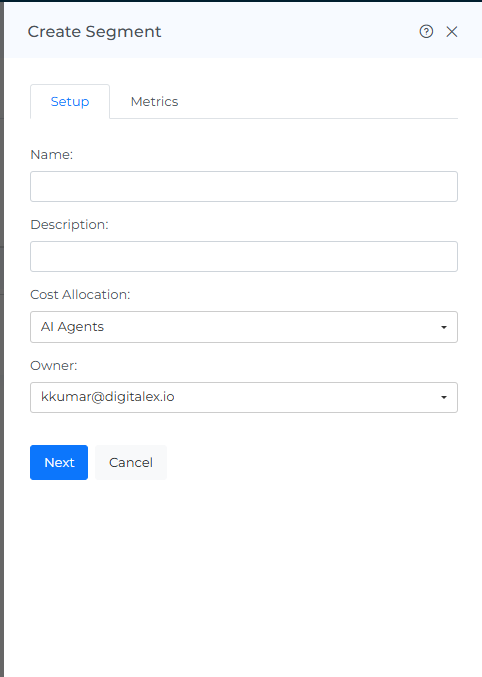
Enter the dimensions you have calculated in the cost splitting step and click on Create
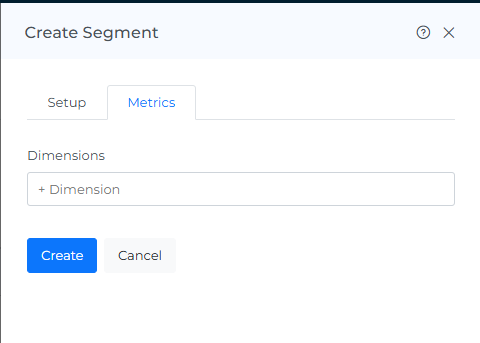
You will see below
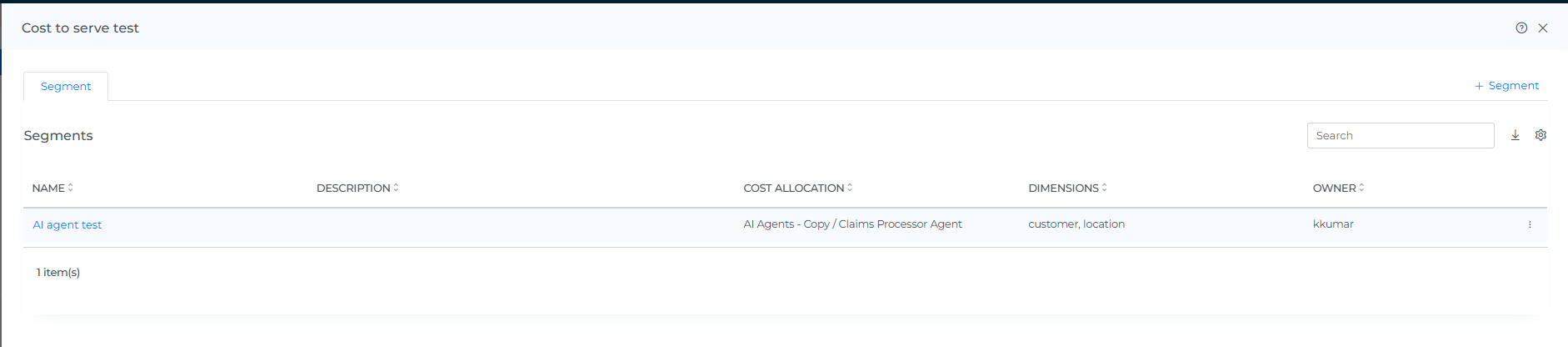
Click on the three dots and click on edit
Go to the metrics tab and capture the curl command
Update the cost to serve metrics calculated and post the data using Postman
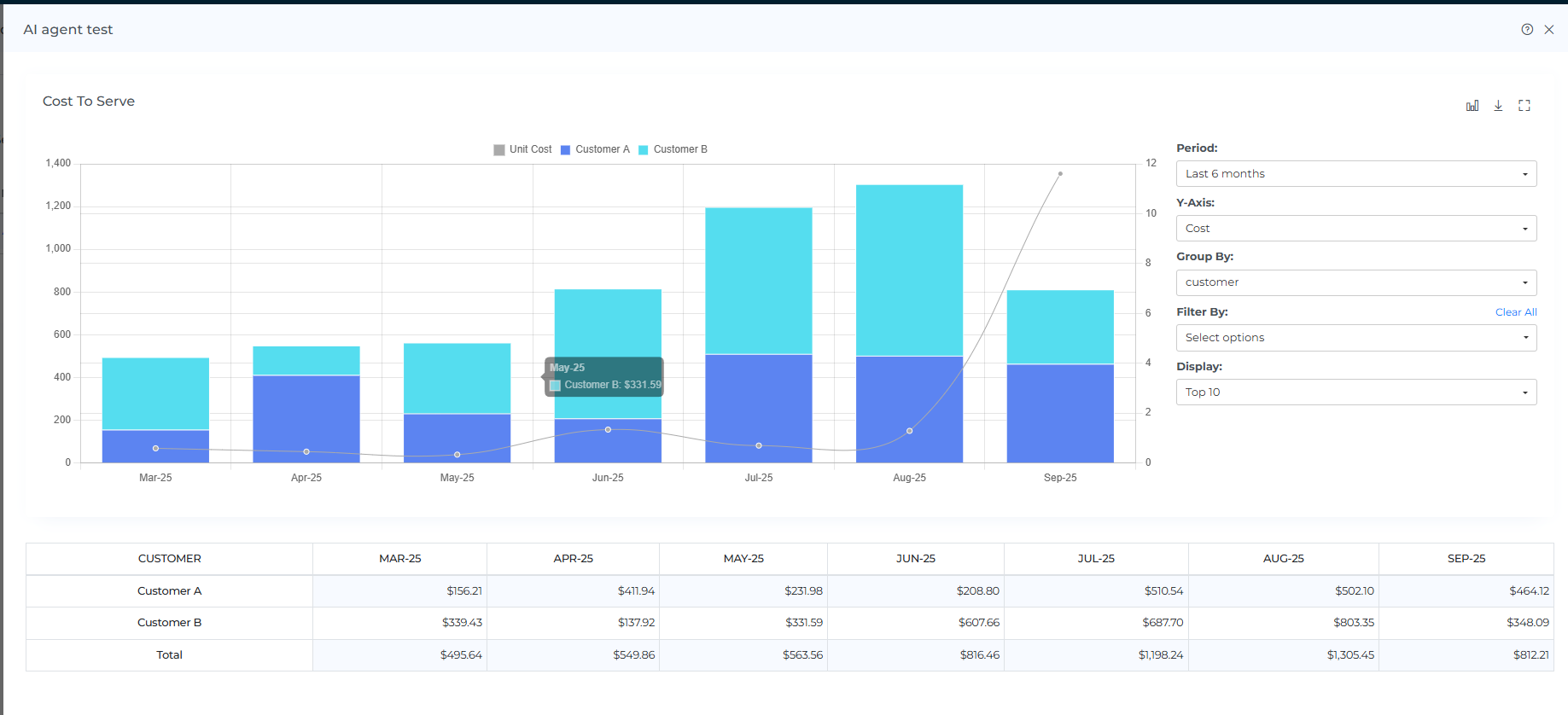
After the data is posted, you can see the data in the UI as below